ic Related Articles
Stay Ahead with Expert Electronics Insights,
Industry Trends, and Innovative Tips
- Electronic Components
- News Room
- General electronic semiconductor
- Components Guide
- Sort by
- Robots
- Transmitters
- Capacitors
- IC Chips
- PCBs
- Connectors
- Amplifiers
- Memory
- LED
- Diodes
- Transistors
- Battery
- Oscillators
- Resistors
- Transceiver
- RFID
- FPGA
- Mosfets
- Sensor
- Motors, Solenoids, Driver Boards/Modules
- Relays
- Optoelectronics
- Power
- Transformer
- Fuse
- Thyristor
- potentiometer
- Development Boards
- RF/IF
- Semiconductor Information
- Sensors
- PCB
- transistor
Overview: The article explores the limitations of silicon-based power devices and highlights gallium nitride as a promising alternative. It discusses the importance of accurate modeling for optimizing circuit designs in power electronics. Power electronics and semiconductor device technologies are vital components for electrical energy conversion to be reliable and efficient. Due to several key advantages, silicon (Si) has been the dominant material for power electronic devices. They are still widely used in power electronics, and their level of development is high. What are the challenges faced by Si-based power devices?Power devices that are primarily Si-based dissipate the largest power losses in a power converter. The challenges faced by Si-based power devices include maximum attainable switching frequency, maximum permissible junction temperature, and maximum reverse voltage blocking capabilities. Si IGBTs, having a high breakdown voltage capability of up to 6.5 kV, are restricted to lower switching rates. Because of their slower switching speeds, large-sized inductive and capacitive elements are employed to manage power. These factors have caused silicon power devices to approach their operational limit regarding performance and efficiency for current power electronic converters. Developing power electronics toward more effective, compact, high-voltage, high-frequency operation requires new developments in power semiconductor devices. Advantages of Gallium NitrideGallium Nitride (GaN), a wide bandgap semiconductor, has gained attention as a possible material for the upcoming generation of power semiconductor devices. GaN has a bandgap of approximately 3.4 eV compared to silicon's 1.2 eV. GaN offers higher carrier density and lower resistance, enabling speeds up to 100 times faster than silicon. GaN has superior thermal conductivity, allowing for better heat dissipation in high-power applications. Importance of Modeling of GaN DevicesA prototype that can simulate the intended performance characteristics of the circuit must be used to develop power electronics circuits. This enables more efficient development of high-performance power electronics systems. Accurate models allow engineers to predict and optimize the performance of GaN devices without extensive physical prototyping. Models help verify designs before fabrication, reducing development time and costs associated with physical prototyping and testing. The semiconductor device model is a crucial component of circuit simulations to predict design performance, offers a structure for design centering and tolerancing, and facilitates troubleshooting. There is a need for a precise compact model of the GaN power devices in the market. Fig. 1 depicts the evolution of various GaN HEMT models. Fig. 1 Evolution of GaN HEMT large-signal models. Source: ScienceDirect Classification of GaN ModelingThe modeling of GaN semiconductor devices can be classified into several main categoriesEmpirical ModelsPhysics-Based ModelsCompact ModelsBehavioral ModelsLarge-Signal ModelsThermal ModelsTrapping ModelsMulti-Physics ModelsThis article provides an overview of both empirical and physics-based models. Empirical ModelsEmpirical models were the typical models to emerge first, mostly because they characterize HEMT performances using relatively simple expressions. Examples includeAngelov modelDynaFET modelEEHEMT modelStatz and Crutice models These models are based on hyperbolic tangent functions. The accuracy, user-friendliness, and high degree of adjustable nature of the empirical models make them extremely suitable for a wide range of industrial applications. Angelov ModelIn recent years, a number of GaN-based device models have become available. For RF HEMT devices, as well as other Si and SiC devices, one of the common models is the Angelov model, which has been employed extensively. Numerous updated Angelov models have emerged in recent years to address the evolving requirements of various new application scenarios. The Angelov model is a widely used large-signal model for modeling GaN HEMTs and other field-effect transistors. Uses exponential and hyperbolic tangent functions to model I-V characteristics. Designed to accurately capture the nonlinear behavior of FETs, especially for RF/microwave applications. However, because the model is entirely empirical and has been in widespread use for a long time, it may be applied to any semiconductor device. DynaFET ModelArtificial neural network (ANN)--based GaN HEMT models are commonly employed in machine learning (ML)-based GaN HEMT models. Naturally, the ANN-based models can effectively describe a device's nonlinearity with a low computing cost because of their great fitting ability and reasonable deployment cost. A common example of an ANN-based model is Keysight's DynaFET model. Physics-Based ModelsEfforts were directed toward developing GaN HEMT models based on the underlying physical characteristics. These models are grounded in the fundamental physics of the device. These models show a far higher scalability than empirical models. Physics-based models includeMIT Virtual Source (MVS) HEMT modelAdvanced SPICE Model (ASM) HEMT modelHiroshima-University Starc Igfet Model for GaN HEMT (HiSIM GaN HEMT model)École Polytechnique Fédérale de Lausanne (EPFL) HEMT model Rigid physical equations serve as the foundation for physical models. Physical models are more scalable, compact, and robust than empirical models. MIT GaN ModelMIT GaN model, also known as the MIT Virtual Source GaNFET-High Voltage (MVSG-HV) model, is a physics-based compact model developed for GaN HEMTs. This model has been validated for an EPC GaN device and for depletion-mode RF devices. Additionally, the model is able to simulate charge trapping and radiofrequency noise under high-frequency RF power amplifier operation. However, the model has proven to be reliable and capable of good convergence on depletion-mode RF GaN devices. ASM-HEMT ModelThe ASM-HEMT (Advanced SPICE Model for High Electron Mobility Transistors) is a compact model developed specifically for GaN HEMTs. It is a physics-based compact model for GaN HEMTs designed for accurate circuit simulation of GaN devices. It has a surface potential-based approach for improved scalability and physical accuracy. It is based on using Schrodinger's and Poisson's equations to formulate the surface potential in the channel. This model has been proven to have both small- and large-signal characteristics appropriate for RF devices. It is also applicable to power electronics, and it is highly suitable for RF GaN applications. In conclusion, the GaN HEMT large-signal models face numerous obstacles in the 2020s and beyond. Advances in semiconductor technologies are the source of some of them. The lack of physical meaning in empirical models results in poor scalability. Also, physical models may be less widely applicable due to their complexity and lack of tunability. Artificial intelligence and measurement technology are changing quickly, so it will be interesting to see if they can lead to new models. Summarizing the Key PointsGallium nitride offers significant advantages over silicon, including higher efficiency, faster switching speeds, and superior thermal conductivity, making it ideal for modern power electronics applications.Accurate modeling of GaN HEMTs is crucial for optimizing circuit designs, reducing development costs, and enhancing performance, enabling engineers to predict device behavior without extensive prototyping.Various modeling approaches exist, including empirical and physics-based models, each with unique benefits,understanding these can help select the proper model for specific applications. ReferenceKotecha, Ramchandra M., Md Maksudul Hossain, Arman Ur Rashid, Asif Imran Emon, Yuzhi Zhang, and H. Alan Mantooth. “Compact Modeling of High-Voltage Gallium Nitride Power Semiconductor Devices for Advanced Power Electronics Design.” IEEE Open Journal of Power Electronics 2 (January 1, 2021): 75–87. https://doi.org/10.1109/ojpel.2021.3055531.Luo, Haorui, Wenrui Hu, and Yongxin Guo. “On Large-Signal Modeling of GaN HEMTs: Past, Development and Future.” Chip 2, no. 3 (September 1, 2023): 100052. https://doi.org/10.1016/j.chip.2023.100052.
Rakesh Kumar, Ph.D. On 2024-09-24
Overview: The article reviews switching diodes, explaining their fundamental operation, key characteristics, and advantages in electronic circuits. It highlights their rapid switching capabilities and applications in high-frequency environments. The most essential function in a circuit is switching. Semiconductor devices that are specifically designed for rapid switching applications are switching diodes. In forward voltage, they allow current to flow; in reverse voltage, they block the current. This functionality makes them a basic component in every electronic circuit. What is a switching diode?Switching diodes, as shown in Fig. 1, are semiconductor devices that have the ability to switch on and off rapidly. They are increasingly employed in high-frequency applications because of their transition ability to switch from a conductive state to a non-conductive state. A diode suitable for switching small signals of up to 100 mA is a switching diode. They are designed to handle and withstand low voltages ranging from 80 V to 200 V. This property reduces the junction area of switching diodes. Hence, low capacitance and a short reverse recovery time can be realized. Switching diodes are modeled to control the flow of current in a circuit. Working PrincipleThe fundamental operation of a switching diode is based on its ability to conduct current in one direction (forward bias) and block it in the opposite direction (reverse bias), as shown in Fig. 2. When a voltage is applied in the forward direction, the diode turns on, allowing current to flow. Conversely, when a reverse voltage is applied, the diode turns OFF, preventing current flow. Fig. 2: Working of switching diodes in (a) forward bias and (b) reverse bias. Source: ROHM Semiconductor The switching time required to change from on to off or off to on is shorter than that of normal diodes. The one-way conductive characteristic of switching diodes has a very low resistance of hundreds of ohms in positive bias. In contrast, there is a high resistance of hundreds of kilo-ohms in negative bias. This on/off behavior is akin to a switch in a circuit. Key Characteristics of a Switching DiodeThe essential characteristics of an ideal switching diode areHigh switching speedLow forward resistanceHigh reverse resistanceLow barrier capacitanceLong durabilityCompact sizeHigh reliability Reverse Recovery TimeOne of the critical parameters for switching diodes is the reverse recovery time. It is the time taken by the diode to switch from the ON state (low resistance state) to the OFF state (high resistance state), whereas switching from the OFF to the ON state is turn-on time. A shorter reverse recovery time is desirable, leading to lower energy losses and switching speeds. Typical switching diodes have a reverse recovery time ranging from a few nanoseconds to several hundred nanoseconds, depending on the type (e.g., high-speed or ultra-high-speed diodes) and the materials used in their construction. Barrier CapacitanceA barrier capacitance is connected in parallel with the diode. Under high-frequency and extreme conditions, current directly passes through the barrier capacitor, bypassing the diode. To avoid this situation, the barrier capacitance of the switching diode is kept extremely low. Low barrier capacitance will provide good unidirectional conductivity. Factors Affecting the Working of a Switching DiodeThe other factors that influence the working of switching diodes areCapacitance: Junction capacitance impacts the switching time.Resistance: The diode changes its state according to the resistance offered.Doping concentration: The density of charge carriers affects the switching speed.Depletion region: Narrow depletion width allows faster switching. Types of Switching DiodesSwitching diodes can be categorized based on their performance parameters:Ordinary Switching Diodes: General-purpose diodes used for basic switching applications.High-Speed Switching Diodes: Designed for faster switching times and suitable for high-frequency applications.Ultra-High-Speed Switching Diodes: The fastest switching capabilities are ideal for advanced electronic applications.Low-Power Switching Diodes: Consume less power but have higher reverse recovery times than high-speed diodes.High-Back Pressure Switching Diodes: They can withstand higher reverse voltages, making them suitable for specific applications. AdvantagesSwitching diodes offer several advantages over conventional diodes.Fast Switching: They can switch states in nanoseconds, making them suitable for high-frequency applications.Energy Efficiency: They consume less power than mechanical switches, which is particularly beneficial for battery-operated devices.Compact Size: Their small form factor allows for integration into compact electronic circuits.Reliability: Switching diodes are less prone to wear and oxidation than mechanical switches, leading to longer operational lifespans. ApplicationsSwitching diodes are widely used in various electronic circuits, including:Pulse and Switching Circuits: To control current flow in electronic devices and digital circuits.High-Frequency Circuits and Applications: Their low capacitance allows for efficient operation in RF applications where rapid switching is essential.Rectification: They are employed in switched-mode power supplies to convert AC to DC.Voltage Clamping: Used to protect circuits from voltage spikes.Signal Detection: In circuits that require fast response times for signal processing.Transistor protection: To ensure the safety and reliability of electronic circuits by protecting transistors from reverse voltage and unnecessary dischargeDigital logic: Diode logic circuits are utilized to implement basic logic functions. A Switching Diode to ConsiderThe 1N4148 is a widely used silicon switching signal diode known for its reliability and cost-effectiveness. It is commonly used in switching applications up to about 100 MHz, with a reverse recovery time of no more than 4 nanoseconds. The diode, which is shown in Fig. 3, was registered at JEDEC in 1968 for military and industrial applications and is available from various manufacturers. Fig. 3: Silicon Switching Diode. Source: Kynix Semiconductor Specifications for the most commonly used switching diodes (1N4148) areForward voltage ranges from 0.4 to 1.4 VThe reverse voltage is 100 VThe diode capacitance is 4 pFThe average forward current is 200 mAPower dissipation is 500 mWThe maximum reverse recovery time is 4 ns In summary, switching diodes are crucial and essential components in modern electronic circuits, providing reliable and efficient switching capabilities essential for various applications. Their design and performance characteristics, particularly the reverse recovery time, significantly affect their performance in high-speed and high-frequency environments. Summarizing the Key PointsSwitching diodes are essential semiconductor devices that enable rapid switching in electronic circuits, allowing current to flow in one direction while blocking it in the opposite direction.Key characteristics of switching diodes include high switching speed, low forward resistance, and low barrier capacitance, making them ideal for high-frequency applications.The reverse recovery time is a critical parameter for switching diodes, as shorter times lead to lower energy losses and improved switching speeds in electronic circuits.Switching diodes can be categorized into ordinary, high-speed, ultra-high-speed, and low-power types, each designed for specific application performance needs. ReferenceTan Yi Liang, Nor Farhani Zakaria and Shahrir Rizal Kasjoo, “ Silicon Self-Switching Diode (SSD) as a Full-Wave Bridge Rectifier in 5G Networks Frequencies,” MDPI Sensors, Volume 22, Issue no. 24, Dec 2022. https://www.mdpi.com/1424-8220/22/24/9712 “Switching Diode: Working and its applications” https://www.elprocus.com/switching-diode/
Rakesh Kumar, Ph.D. On 2024-08-23
What are Transistor Output Optocouplers?Transistor output optocouplers are like magic bridges. They safely pass signals between two places without letting the electric currents mix. Definition and functionTransistor output optocouplers are like secret messengers in electronic devices. They use light to send electrical signals from one part of a device to another. This way, they keep the two parts safely apart by up to 15000 Vrms.Think of it as sending a text message instead of talking face-to-face; it's safer when there's a thunderstorm outside! These components have a forward voltage between 1.1 V and 1.9 V, which means they're very efficient at turning on their LED light emitters without needing lots of power.Their main job is to protect sensitive circuits from high voltages and noise. Imagine you have a super-sensitive microphone that needs protection from loud concerts next door. Optocouplers can absorb that "noise," keeping your recordings clear without mixing the sounds or letting harmful electrical currents through.They work by having an LED (light-emitting diode) on one end and a photo-transistor on the other. When electricity flows into the LED, it shines onto the photo-transistor, telling it to let current flow through too – all without any direct electric connection between them! Types (AC/DC input, Darlington/Single transistor output)Transistor output optocouplers are like secret agents in electronics. They quietly work behind the scenes to make sure signals pass safely from one place to another without any drama. Here's a quick look at their types:AC Input Optocouplers: These devices can handle alternating current (AC) signals. Imagine you have a light switch in your house (the input) that needs to tell a lamp (the output) to turn on, but they don't speak the same language. An AC input optocoupler steps in between them, receiving the flick of the switch as an "on" command and then telling the lamp to light up.DC Input Optocouplers: Direct current (DC) signals are their specialty. They're like the direct talkers who take a straight path, handling inputs that don't change back and forth. Think of them as being perfect for gadgets like your handheld video game console, where pushing a button sends a clear, consistent signal.Darlington Transistor Output: These power players can handle lots of current—up to 30 mA! They use not just one but two transistors together for extra strength. It's like having two bodyguards instead of one, making sure your electronic signals get where they need to go safely and with more oomph.Single Transistor Output: For tasks that don't need quite so much muscle, single transistor outputs are ideal. They manage up to 360 uA and work well in situations where finesse is more important than brute force—like sending a delicate signal to adjust the sound on your headphones.Each type serves its purpose based on what's needed: more power or precision, handling waves or straight lines. I once used a Darlington transistor output optocoupler in my DIY speaker project to isolate my music player from the amplifier circuitry—it worked like a charm keeping hums and buzzes away from my tunes! How Optocouplers WorkOptocouplers use light to send signals, making them the secret agents of electronic parts. They act like a switch that can turn things on or off without being connected by wires.Use of light to conduct currentMagic happens inside an optocoupler. Think of it as a tiny concert where light from an LED acts as the music that gets the phototransistor to dance, conducting current and completing the circuit.This special performance can handle a forward current between 70 uA and 150 mA, showcasing how these tiny components play big roles in electronic devices by turning lights into actions.Light bridges the gap where electricty fears to tread.I once had a project that seemed haunted by electrical noise—the kind that turns a simple task into a nightmare. Here's where things got interesting: I introduced transistor output optocouplers into my design, mainly because they promised isolation voltages ranging from 500 Vrms to an impressive 15,000 Vrms.Suddenly, voila! The ghosts were gone. Current flowed smoothly thanks to this invisible light show, proving that sometimes what you can't see is what saves the day. Operation as a switchTransistor output optocouplers work like magic switches. They let one part of a circuit tell another part to turn on or off without them being directly connected. Imagine you have two friends who don't speak the same language, but they can still play a game together because you're there to translate.That's kind of what an optocoupler does with electrical signals. It uses light, like from an LED, to send the "on" or "off" message across an isolation barrier. This keeps both sides safe and happy.From my own tinkering in the garage, I've learned that these gizmos are perfect for controlling stuff like motors and lights without risking damage from high voltages or nasty electrical noise.You just need a tiny bit of current to make the LED glow, which then activates the transistor on the other side. Depending on whether you've got a simple phototransistor or something beefier like a Darlington transistor setup, you can control pretty hefty loads with just a wisp of input signal – it feels almost like using Jedi mind tricks on your electronics! Input and output current ratingsOptocouplers need the right amount of current to work properly. Think of them like plants needing water—not too much or they'll drown, not too little or they'll dry up. The forward current for these devices ranges from 70 uA (that's microamperes) to a solid 150 mA (milliamperes).This is what powers the LED inside, making it shine and send signals. On the flip side, we have something called maximum collector current, which goes from a tiny 360 uA up to 30 mA.This part deals with how much current can flow through when the optocoupler switches on and does its job of passing signals along.From my own experience messing with circuits in my garage, getting these currents right makes all the difference. If you're off even by a bit, your signal might come out looking more like static than anything useful.Imagine talking into a fan—that choppy voice effect is what happens when things aren't aligned just right in an electric circuit. So keeping an eye on input and output currents isn't just good practice—it’s crucial for making sure your gadgets do what you want them to without any funny business. Load design considerationsDesigning the load for transistor output optocouplers needs careful thinking about power and operating temperatures. Keep in mind, these devices manage power from 30 mW to 240 mW and work best between -65°C to 150°C.Choosing the right load resistance is crucial. It's like picking a team for tug of war; too weak or too strong could mess up the game. For instance, pick a resistor that matches your circuit needs without causing the optocoupler to overheat or underperform.From my own experience, I once had a project where adjusting the feedback control loop made all the difference. I was using an optoisolator with a photo-diode in an audio amplifier setup at first but faced distortion issues due to mismatched load design.After several trial and error attempts, replacing it with one having lower capacitance and fine-tuning its emitter follower significantly improved both sound quality and reduced noise, proving how crucial matching your electronic component's specs can be in real-world applications. Applications of Transistor Output OptocouplersTransistor output optocouplers work magic in bringing safety and precision to your gadgets, from making sure your home stereo does its job without a hitch to keeping big machines in factories running smoothly.So, if you're curious about how these tiny parts play a huge role in everything electronic around you, stay tuned for more!Use in analog applicationsOptocouplers shine in analog applications, like audio amplifiers, where smooth signal handling is key. They keep signals clean and undisturbed by electrical noise from other parts of a device.This clarity is crucial in high-fidelity sound systems that rely on the pristine transfer of audio signals. Think of optocouplers as gatekeepers that ensure only the purest sounds pass through, making them heroes in your stereo or speaker setup.In motor drive systems, these components play a pivotal role too. They manage current and voltage to protect circuits from harm due to sudden surges or drops. Here, transistor output optocouplers act like vigilant guardians, watching over the heart of motors and keeping dangerous currents at bay.Whether it's spinning a hard drive or controlling an industrial robot arm, they help everything run smoothly. Benefits in electronic control and isolationTransistor output optocouplers offer top-notch benefits in electronic control, making them heroes in our gadgets. They act as a bridge for signals between different sections of a circuit, safeguarding the sensitive parts from high voltages.Imagine using a walkie-talkie to communicate safely from inside a lightning storm—that's what these little guys do for electrical circuits. By providing this isolation, they comply with international safety standards, ensuring that our devices are efficient and safe to handle.From power supplies to analog circuits and everything in between, these components shine by allowing low voltage signals to control higher power ones without direct contact. It's like having an invisible hand turning switches on and off without ever touching them, preventing accidents caused by unexpected surges or electrical noise.My experience tinkering with a digital signal project showed me how crucial these isolators are; they kept my micro-controller safe while I managed AC mains with ease. This kind of peace of mind is invaluable whether you're building something small at home or designing complex systems for industrial use. Latest InnovationsCurious about the newest tricks in optocoupler tech? Peek into how they're shaking things up and get answers to your top questions.New advancements in optocoupler technologyOptocouplers are stepping into the future with new models like VO615A-3X007T, TCMT1102, ILD207T, and SFH6206-3T. These bad boys bring enhanced isolation voltage to the table, making them tough against electrical shocks.They can also keep cool in high temperatures. Imagine a tiny gadget that acts as a mighty shield for sensitive circuits. That's what these upgraded optocouplers do—they stand guard.The PS2xxx and RV1S2xxx series are game-changers too. They're designed for devices that need to be on their A-game all the time, like medical equipment or industrial machinery. I had a chance to test out one of these series in a LED light project.It was mind-blowing how smoothly it handled loads without breaking a sweat—even with constant on-off switching! This is solid state tech at its finest, working magic by ensuring everything stays connected without any hiccups. ConclusionTransistor output optocouplers are like magic bridges. They link low-power gadgets to high-voltage systems without risking a shock. Think of them as guardians, keeping your devices safe from unwanted electrical noise.With every blink of their LED eyes, they switch currents on and off, making sure signals pass through safely. From powering up big machines to protecting delicate circuits, these components prove that great things indeed come in small packages.Their ability to talk between different voltage systems makes them unsung heroes in our electronic environment. FAQs1. What's the buzz about transistor output optocouplers in power supply systems?Transistor output optocouplers are like secret agents in your power supply system! They provide electrical isolation, handle noisy signals, and control inrush currents for smooth operations.2. Can you break down how these opto-couplers work?Sure thing! Imagine an LED (light emitting diode) and a photo-coupler having a chat over infrared light. The LED sends signals using this light, which the photo-coupler picks up to control current transfer ratio (CTR). It's like passing notes in class but with light.3. How do these devices help with switching regulators?Switching regulators can be as stubborn as mules when it comes to maintaining phase margin or controlling voltage difference. That's where our superstar - the transistor output optocoupler steps in! It works like a feedback circuit or control loop making sure everything runs smoothly.4. Are there different types of transistor output optocouplers?Yes indeed! From common emitter bipolar transistors to Darlington transistors - they're all part of this big happy family called 'transistor output optocoulers'. Each type has its own specialty, just like members of any team.5. Why would I use an Opto-Isolator instead of a transformer?Well, think of transformers as old-school walkie-talkies and opto-isolators as modern smartphones! While both get the job done, opting for an Opto-Isolator means dealing with less bulkiness (no iron core), better handling of AC voltages and providing superior isolation against ground loops.6. Do Transistor Output Optocouplers only work with certain circuits?Not at all! These handy little devices can play nice with many circuits – from simple logic gates to complex power electronic setups involving semiconductors and power transistors.
Allen On 2024-08-09
CatalogHistory and Basics of Polymer CapacitorsTypes and Comparison of Polymer CapacitorsAdvantages and Use of Polymer CapacitorsConclusionFAQs History and Basics of Polymer CapacitorsPolymer capacitors came into the game way back, making a big splash with their fancy science words like "conductive polymers". They started as simple parts in our gadgets but grew up to have major roles, helping keep things like power supplies steady and happy. Definition and classificationPolymer capacitors are a type of electrolytic capacitor that uses a solid conductive polymer as the electrolyte. This design sets them apart from traditional capacitors, which often rely on liquid or gel-like electrolytes.These devices come in various styles, including rectangular chips and cylindrical SMDs (V-chips), making them versatile for different electronic applications. They are further divided into categories such as polymer tantalum, polymer aluminum, hybrid polymer, and polymer niobium electrolytic capacitors.Each type offers unique benefits and is suited for specific roles in electronics.Among these classes, the polymer tantalum capacitors shine in compact power supply circuits due to their excellent performance and reliability under high temperatures. Polymer aluminum types also garner attention because they combine low equivalent series resistance (ESR) with high ripple current handling capabilities—traits beneficial for smoothing voltage fluctuations in dc/dc converters.Capacitors are like batteries; just as water towers store water, capacitors store electrical energy. - Analogous to understanding how essential water storage is for managing supply needs during demand spikes, recognizing the value of polymer capacitance is key to stabilizing voltage and current flows within electronic systems. Application basicsPolymer capacitors are like power lifelines for integrated circuits. They sit quietly inside gadgets, keeping the electricity flowing just right. Imagine them as tiny traffic cops on your phone or computer, directing energy where it needs to go.These components can handle high frequency switching power supplies without breaking a sweat. That’s because of their low ESR (equivalent series resistance), a fancy term for they don’t waste much energy.Using polymer electrolytic capacitors means your devices work smoother and last longer. Whether it’s in a smartphone or on a spaceship, these capacitors make sure the power is just right.And since they compete with MLCC (multilayer ceramic chip) capacitors, manufacturers always try to one up each other. This competition means better products for everyone. From personal experience, swapping an aluminum capacitor with a polymer one in an old radio made it sound new again — no more hums or buzzes, just music. Role of ESR, ESL, and capacitanceESR, or equivalent series resistance, plays a key role in how well capacitors handle sudden demands for power. Think of it as the throttle control on your car; lower ESR means you can go from 0 to 60 faster and smoother.For polymer aluminum electrolytic capacitors, their ESR values are really low, about 1/10 of those with traditional manganese dioxide electrolyte. This low ESR helps your devices perform better by allowing quicker response times during power surges.Capacitance is like the fuel tank capacity; higher capacitance holds more charge for later use. Engineers achieve this larger "tank" through techniques that roughen up or sinter the anodes inside aluminum and tantalum electrolytic capacitors.ESL, or equivalent series inductance, affects how fast the capacitor can release its stored power—think of it as the size of your car's exhaust pipe: bigger pipe, faster power flow.By using multi-anode designs and laying components face-down on circuits (face-down construction), modern capacitors minimize ESL so your electronic gadgets work more efficiently during high-speed operations. Types and Comparison of Polymer CapacitorsPolymer capacitors come in many shapes and sizes. Some look like tiny tubes, while others are shaped like small boxes. Rectangular chip styleRectangular chip style polymer capacitors are big in power in a small package. 7.3x4.3x4.3 mm and 1000 μF, they are space savers on the board.They handle 2.5 to 63 V and run cool from -55 °C to +125 °C. Perfect for tight spaces where power needs to be smooth, like smoothing circuits or backup capacitors.I used these little giants in my latest project, going for minimalism without losing performance. The rectangular shape made soldering them to the board a breeze, leaving more room for other components.The electrical specs were impressive too; low ESR means less energy wasted as heat, so my device will be more efficient and reliable over its life.These little rectangles are mightier than they look – good things do come in small packages. Cylindrical (radial) styleCylindrical (radial) style polymer capacitors are the choice for hybrid devices. They come in a sleek tube like shape that fits into electric circuits. Think of them as the marathon runners of electronic components, built to last and perform under pressure.With sizes up to 10×13 mm, they are compact but big on capacitance 3900 μF×2.5 V. They withstand -55 °C to +125 °C, so they are tough cookies no matter the weather.I had to swap out capacitors in an old radio during a cold winter project. The cylindrical ones were my lifesavers — easy to handle and even easier to solder onto the crowded board.Their cold weather performance made me appreciate their temperature range firsthand. And their performance didn’t falter when I turned up the volume on my restored radio — a testament to their design and high capacitance value in changing conditions. Comparison of polymer familiesPolymer capacitors come in different families, each with its own set of features. Let's compare them, shall we?TypeAnode MaterialElectrolyteCapacitance RangeRated VoltageMax Operation TempSolid Polymer AluminumAluminumSolid PolymerVaries2.5 to 63 VUp to +125 °CSolid Polymer TantalumTantalumSolid PolymerVaries2.5 to 63 VUp to +125 °CHybrid PolymerAluminum, Tantalum, NiobiumHybrid (Solid + Liquid)Varies2.5 to 63 VUp to +125 °C Each family shines in its own way. Solid Polymer Aluminum capacitors are great for their stability. Tantalum versions offer precision. Hybrid Polymer mixes solid and liquid electrolytes for an all-around performance boost. Your choice depends on your needs. Comparison of electrical parametersJumping right into the nuts and bolts of polymer capacitors, let's talk about how they stack up against each other based on their electrical parameters. Think of this as the showdown in the capacitor world, where only the best features shine.Here's a quick, no-fluff comparison in HTML Table format:ParameterRectangular Chip StyleCylindrical (Radial) StyleESR (Equivalent Series Resistance)LowerComparatively higherLeakage CurrentHigher than manganese dioxideAlso higher, but varies with materialImpedance (Measured at 100 kHz)LowSlightly higherRipple CurrentCan handle high levelsGood, but watch the heat. It's not just about picking a capacitor willy-nilly. It's about finding the right fit. Low ESR means less heat and more efficiency. But, keep an eye on that leakage current; it can be a sneaky troublemaker, leading to higher power consumption. Also, impedance at 100 kHz? That's your golden number for comparing how these components will behave in your circuit.Choosing between rectangular chip and cylindrical styles? Think about your space and how you're going to fit everything into your design puzzle. Rectangular might save you some precious real estate on the board.And about that ripple current - it's like the treadmill test for capacitors. Push too hard, and you're asking for trouble. Keep it in the safe zone to ensure reliability without turning your project into a mini toaster.No fluff, just the facts. This table is your cheat sheet to making an informed choice without getting lost in the technical jungle. Straightforward, to the point, and just a little bit of fun. Advantages and Use of Polymer CapacitorsPolymer capacitors are like superheroes in electronics. They keep devices running smoothly by controlling power flow and reducing energy hiccups.Electrical characteristicsPolymer capacitors pack a punch with their electrical characteristics. They excel in performance, making your gadgets run smoother and longer. Here's a breakdown of what sets them apart:Capacitance measurement follows the AC method, using 0.5 V at 100/120 Hz at a cozy 20 °C. This method is like finding out how much electricity these capacitors can hold and use.Ripple current really puts these capacitors to the test, heating them up and challenging their reliability. Think of it as the amount of traffic a bridge (capacitor) can handle before it gets too jammed (hot).Surge voltage for polymer aluminum electrolytic capacitors (Al-e-caps) is 1.15 times their rated voltage, while polymer tantalum electrolytic capacitors (Ta-e-caps) handle 1.3 times their rated voltage without breaking a sweat.Low Equivalent Series Resistance (ESR) means they barely put up a fight against electricity flow, letting your devices work without unnecessary stress.Near-zero Equivalent Series Inductance (ESL) ensures that little energy is wasted as heat, keeping things cool under pressure.High capacitance values packed into small sizes make them perfect for slim gadgets needing big power.Impressive tolerance to voltage fluctuations keeps your devices safe even when power supply gets wild.With low failure rates, these champions show up every day without fail, promising long-term reliability.These points highlight how polymer capacites bring efficiency and reliability to the table in a compact package. Rated capacitance and voltageCapacitance and voltage are like a capacitor's ID card. They tell you how much electric charge it can hold and the maximum voltage it can handle without trouble. Think of rated capacitance like a bucket's size, measured in microfarads (μF), where more μF means a bigger bucket for electrical charge.For example, capacitors come with capacitances up to 1000 μF – that’s quite a large bucket.Rated voltage, on the other hand, tells us the highest volt line it can work with safely.This ranges from 2.5 to 63 V, sort of like choosing the right pressure hose so our bucket doesn’t explode.Knowing these numbers is crucial for making sure your electronic devices work smoothly without any hiccups or fireworks shows from overloaded capacitors. Just imagine hooking up a small toy car battery to your home's power system.It’s all about finding the perfect match to avoid any sparks flying in places they shouldn't be. Impedance and ESRPolymer capacitors shine because they have really low Equivalent Series Resistance (ESR), 1/10th of a tantalum capacitor with manganese dioxide electrolyte.Think of ESR as the capacitor’s internal friction - lower ESR means your device runs smoother and cooler, especially at high frequencies. Some models have an ESR as low as 5mΩ, no wonder they’re the go to for smoothing out ripple in power supplies.Impedance is how much the capacitor opposes AC and is important to understand how a capacitor will perform at different frequencies. Think of impedance like trying to walk against a strong wind – the stronger the wind (or higher the impedance), the harder it is to walk (or for electricity to flow).Polymer capacitors have their impedance measured at 100 kHz to show their performance across a wide range of applications from filtering to bypassing in circuits.This makes them incredibly versatile components in both audio and power management systems.Lower ESR and optimal impedance make polymer capacitors essential heroes in our electronic world. Reliability and lifetimeCapacitors like the solid tantalum and hybrid polymer aluminium electrolytic types are built to last. They keep your gadgets going longer than traditional aluminium capacitors.It’s not just luck, it’s all about how they handle heat and power. For example they can work in -55 °C or +125 °C without breaking a sweat.The key players here are ripple current and ESR (Equivalent Series Resistance). Think of them as the stamina and heart rate of your capacitor. The better they handle these two the longer your electronics will run without a hitch.This makes them perfect for smoothing out bumps in power supplies or keeping your favorite gizmos humming along smoothly for years to come. ConclusionWe zipped through the wonders of polymer capacitors together. These marvels keep our gadgets running smoothly by managing power supply like champs. From their impressive low internal resistance to their knack for handling high currents without breaking a sweat, they're tough cookies in the electronics world.Companies are always cooking up new tech to make them even better. So, keep your eyes peeled; the future of these components looks brighter than a LED bulb. FAQs1. What's the big deal about polymer capacitors?Polymer capacitors, like solid tantalum or aluminium electrolytic capacitors, are a type of capacitor that uses conducting polymers as an electrolyte. They're known for their low ESR and ESL values and high capacitance.2. How do these polymer guys stack up against ceramic capacitors?Well, compared to ceramic or MLCC capacitors, they have a lower dielectric absorption rate which means less soakage effect. Plus, they can handle more humidity.3. Can you tell me more about how these things work?Sure. Polymer capacitors use materials such as polythiophene or Baytron P in their dielectric layer. This makes them great for roles requiring high breakdown voltage like smoothing and filter applications.4. So what types of polymer capacitors are there?There's quite a range. You've got your hybrid ones which combine elements of non-solid electrolytic and solid types; then there are series and parallel versions too.5. And how long will these bad boys last?That depends on many factors including temperature and applied voltage but generally speaking, they have better 'mean time between failures' than other fixed capacitor types.6. Any special care instructions I should know about?Just remember that unlike some other capacitor types such as polarized ones, polymer caps aren't ideal for rectifying circuits due to half-wave rectification issues.
Allen On 2024-08-09
Overview: The article discusses the role of fuses as crucial electrical safety devices that protect circuits from overcurrent. It highlights their construction, types, advantages, limitations, and applications. In recent years, DC microgrids have become modern distribution systems that have become more commonly deployed compared to AC microgrids because of the great advantages they offer, including improved efficiency, reliability, and easier conversion steps. The increased usage of DC microgrids is very much needed for future power systems to be load-adaptive. However, the installation of DC microgrids faces challenges regarding the protection of the devices. Power electronic devices that can withstand two to three times the standard current for a brief period of time can protect DC microgrids during fault current. Hence, to handle fault currents and prevent the risk of sources and loads, a proper selection of protection devices with basic requirements is needed. What are circuit breakers?These protection devices should have relatively higher efficiency, fast response, simplicity of construction, minimal power loss, reliability, and affordability. Circuit breakers are essential components in electrical systems, serving critical functions to ensure safety, reliability, and efficiency. Their main objective is to safeguard electrical circuits from harm due to overcurrent, short circuits, or other electrical faults. The most commonly employed protection devices includeFusesMechanical circuit breakersSolid-state circuit breakersHybrid circuit breakers They are an electrical safety device that interrupts the flow of current when a fault is detected. Protects electrical systems from damage due to overload or short circuits. Under normal conditions, the circuit breaker allows current to flow. When a fault occurs, it automatically "trips" or opens the circuit, stopping the flow of electricity. What is a fuse?A fuse is an electrical safety device made up of a thin piece of wire designed to handle a certain threshold of current, as shown in Fig. 1. It is in the form of a metallic conductor made up of zinc, copper, silver, aluminum, or other alloys, which melts up when the current reaches a certain threshold. The fuse wire is connected to two metal terminals, which connect it to the circuit. For arc extinction, the fuse wire is encased in a non-combustible box or cartridge filled with material like quartz sand, which provides insulation and protection when the fuse blows up.Fig. 1 A picture of an electrical fuse. Source: Kynix Working PrincipleFuses are more commonly employed as circuit breakers that are connected in series to the electronic component to be protected from fault currents. The resistive heating of the current is the principle involved in the fuse's working. When the current flows through a conductor with a certain resistance, the power loss is dissipated as heat. Under normal conditions, heat is dissipated from the fuse wire to the surrounding environment. In the case of fault current, when excess current passes through the fuse wire beyond a certain limit, the fuse wire excessively heats up and melts, as shown in Fig. 2. This breaks up the circuit and prevents damage to the expensive electronic component connected to it in series.Fig. 2: Diagrammatic illustration of the workings of the fuse. Source: Rakesh Kumar, Ph.D. TypesFuses are broadly classified asFast-acting fusesTime-delay fusesFast-Acting FuseAs the name implies, these fuses have a faster response time and are used to protect sensitive electronic equipment, most commonly the output of converters and batteries.Time-Delay FuseThey are used in high-frequency current peaks that occur during starting motor or energizing loads, which are normal temporary current surges in the circuit. AdvantagesFuses are reliable protection devices that are comparatively the most affordable protection devices against overcurrent when compared to other protection devices. They are simple to construct and readily available, require no maintenance, and are replaced after being exposed to overcurrent. DisadvantagesFuses act as weak points in the circuit that burn up and have to be manually replaced after each episode of fault current. This single use is one of the significant drawbacks; additionally, it cannot differentiate between transient and permanent faults. Fuses are used as the backup protection device for the main switch in the case of power converters. They are not the preferred option for applications requiring fast response times, and more advanced protection devices like solid-state circuit breakers are alternatively used. Selection of a FuseSpeed is an important parameter in the proper selection of the fuse. For AC circuits, the response time should be between 10-100 ms, and for DC circuits, for the fuse to operate optimally, the response time should be as fast as 0.5 ms. Semiconductor devices require ultra-fast response fuse since they can get heated up quickly. The current rating of the fuse should be greater than the circuit's operating current. Additionally, the breaking capacity of the fuse should be greater than the short circuit current. ApplicationsFuses play a critical role in safeguarding sensitive electronic components from fault currents. Fuses are more commonly employed in batteries and photovoltaic cells as economical circuit protection devices. They are also used in load feeders that function with switches and relays. They are more commonly preferred alternative options for mechanical DC breakers. Fuses are an effective means of protection and are more commonly used to protect household circuits, electrical vehicle systems, industrial machinery, and equipment from fault currents. Littelfuse FusesLittelfuse manufacturers offer the widest collection of fuses that serve all applications for modern electronic systems.Types of Littelfuse FusesThere are various types of fuses designed to serve specific applications. A few of the main types are explained below: Industrial Fuses:Class L, J, T, H, G, RK5, RK1, K5, Class CC Fuses, Midget Fuses, and semiconductor fuses are the most common industrial fuses available today and enable an innovative selection of fuses for various applications. Cartridge FusesCartridge fuses are used in various applications, including commercial, industrial, automotive, residential, and agricultural applications, and they are available in a variety of sizes, amps, and volt ratings. Surface Mount FusesMore commonly available surface mount type fuses are FLAT PAK fuses, Nano 2 fuses, PICO fuses, and thin film chip fuses, which are commonly used in overcurrent protection applications. Axial Radial Thru Hole FusesA wide variety of axial radial thru-hole fuses are available to meet specific customer demands, including our PICO fuses, HVAC fuses, and Micro TR3fuses, hazardous area-type fuses, and more. There are various other types, including specialty power fuses, medium voltage fuses, military high-reliability fuses, and AEC-Q200-qualified fuses. To conclude, fuses are a more dependable option for safeguarding electrical devices from faulty currents, and the proper selection of fuses for proper current rating application is an important criterion. Summarizing the Key PointsFuses are critical safety devices that protect electrical circuits from overcurrent by melting and interrupting the current flow, preventing damage to connected components during faults.There are two main types of fuses: fast-acting fuses for sensitive electronics and time-delay fuses for handling temporary current surges during motor starts or load energization.Fuses are reliable and affordable protection devices that require no maintenance, but they must be manually replaced after use, which can be a drawback in applications that need quick resets.Proper selection of fuses is essential, considering factors like response time, current ratings, and breaking capacity, to ensure optimal performance in various electrical applications.Fuses are widely used in household circuits, industrial machinery, and renewable energy systems, such as batteries and photovoltaic cells, highlighting their versatility in circuit protection. ReferenceBayron Perea-Mena et al., “Circuit Breakers in Low- and Medium-Voltage DC Microgrids for Protection against Short-Circuit Electrical Faults: Evolution and Future Challenges,” Applied Sciences 12, no. 1 (December 21, 2021): 15, https://doi.org/10.3390/app12010015.Infinity Learn NEET, “What is an Electric Fuse? | Don’t Memorise,” September 7, 2018, https://www.youtube.com/watch?v=BLIYsRwKrkE.“Fuses - Types of Fuses - Littelfuse,” n.d., https://www.littelfuse.com/products/fuses.aspx.
Rakesh Kumar, Ph.D. On 2024-07-30
What is a Network Interface Card (NIC)?A Network Interface Card, or NIC, is like a passport for your computer to join the party on the internet. It's a small piece of tech inside your device that lets it talk to networks and other devices. DefinitionA Network Interface Card (NIC) is a piece of hardware that plugs into a computer or laptop. Think of it as the ticket that lets your device join the party on a network, whether it's wired or wireless.This card has its own unique address called a MAC address which ensures messages sent across the network find their way to the right computer.Inside each NIC, you'll find circuits and connectors ready to handle internet traffic at lightning speeds. They're like busy traffic cops making sure data goes where it needs to without any mix-ups.Whether you’re sending an important email or streaming your favorite show, NICs work behind the scenes to keep everything running smoothly. ComponentsInside every Network Interface Card, a few small but mighty parts work together. Think of it as a tiny team where each player has a special role. First up is the MAC address, like a secret code that's just for your card.It can't change and makes sure your data goes right where it needs to.Then there are LEDs that light up to say "Hey, I'm connected!" or "Look out, data coming through!" These little lights make checking on your network as easy as peeking at the card.Plus, driver software acts as the middleman between your computer's brain (the operating system) and the NIC. This keeps data moving smoothly without any mix-ups.I once had to set up my own home office network. Plugging in those Ethernet cables and watching the LEDs blink felt like magic. Setting things up was straightforward: match cable to port and let the driver software do its thing; no wizard hat required! The speed rating in Mbps was also key - choosing just right meant video calls didn’t freeze, and files flew across my network faster than gossip spreads in a small town.So there you have it: MAC addresses keep things personal, LEDs give us status updates at a glance, and driver software makes sure everybody plays nice together in this digital playground we call a local area communication system (LAN). PurposeNetwork Interface Cards, or NICs, act like the middleman of your computer's communication. Think of them as the translators that let your device talk to the big world of data networks.Whether it's a wired connection through Ethernet cards or wireless via Wi-Fi connections, these little cards play a huge role. Imagine trying to chat with someone who speaks a different language without a translator; that’s what it’s like for computers without NICs when trying to connect to the internet.These clever devices handle all sorts of speeds too – from a slow and steady 10 Mbit/s all the way up to lightning-fast 160 Gbit/s. This means no matter if you’re just browsing web pages or streaming high-definition videos, there’s a network card suited for the job.My first encounter with upgrading my computer's NIC was eye-opening. Swapping out my old card for something faster transformed my sluggish internet into something out of this world! Thanks to these upgrades, working on projects felt smoother and game nights were lag-free. Types of NICsJust like shoes come in many styles for different occasions, Network Interface Cards (NICs) have various types designed to meet specific needs. From the speedy sports car-like Ethernet NICs for fast data highways to the durable boots-type wireless NICs that connect without cables, there's a perfect fit for every device and job out there. Internal vs. externalNetwork Interface Cards, or NICs, come in two main flavors: internal and external. Internal NICs are part of your computer's motherboard. Think of them as the unsung heroes living inside desktops and laptops, quietly connecting you to the local area network (LAN) without making a fuss.They handle data transmission through electrical signals zipping across circuits. On the other hand, external NICs are like adventurous backpackers hitching rides on USB ports. These plug-and-play devices make friends with any laptop or desktop they meet, offering a quick way to join networks.Here’s a slice of my own experience: I once had an old laptop that struggled to connect to my home wireless network. It was like trying to catch a fish with bare hands – frustrating and mostly unsuccessful.Slapping an external USB Wireless Network Adapter into its side gave it new life. Suddenly, it was sprinting across the web at speeds I hadn’t seen before from it.Innovation is taking two things that exist and putting them together in a new way. - Tom FrestonThis quote rings true for NIC technology too! Mixing up internal precision with the flexibility of external adapters gives users choice and control over their internet connection adventures. Bus interfacesBus interfaces are like the highways on which data travels inside your computer. These paths connect network interface cards (NICs) to the computer's central processing unit (CPU).The most common types are Peripheral Component Interconnect (PCI), Industry Standard Architecture (ISA), and Universal Serial Bus (USB). Each type fits different needs. PCI, for example, is super fast and ideal for high-speed internet connections.I once upgraded my old desktop with a new NIC using a PCI slot. It was like shifting from a bicycle to a sports car in terms of speed! Ethernet controllers in these slots usually support speeds like 10 Mbit/s, 100 Mbit/s, or even 1000 Mbit/s.Choosing between these bus interfaces feels similar to picking the best road for your journey - it all depends on how fast you need to go and what kind of hardware you're working with. Port typesNIC cards come with different kinds of ports to connect with a network. For example, wired NICs have input jacks that fit Ethernet cables. This setup supports Ethernet LAN technology, helping devices talk to each other.On the flip side, wireless NICs use an antenna. They catch radio frequency waves for communication without any wires.I once set up a new office with both types of NICs. The desktop computers got wired connections for their speed and reliability. But smartphones and laptops used wireless because of their need to move around.Each device had its way to join the network based on its port type—Ethernet jacks for some, antennas catching signals through the air for others. Transmission speedNetwork Interface Cards (NICs) are key to speedy data transfer in our hyper-connected world. They come with a range of speeds, from 10 Mbit/s for the slow pokes up to a lightning-fast 160 Gbit_s for those who can't wait.Think of it like choosing a car: some folks are fine with a reliable sedan that gets them from point A to B, while others need the speed of a sports car to race through the internet superhighway.Speed thrills but also connects.In places where time is money, like web servers and big offices, high-speed NICs such as 10G, 25G, and even 40G are vital. These aren't just numbers; they're the difference between waiting around for files to download and getting things done now.It's all about finding the right fit for your network's needs so you can zoom ahead without any hiccups slowing you down. Application fieldsNICs find their way into places you might not expect. For instance, in the high-stakes world of radar and electronic warfare, these cards play a key role. They handle complex tasks like signal intelligence and communication intelligence, making sure that data zooms across networks efficiently.Think of them as the unsung heroes in scenarios where every second counts and accuracy is non-negotiable.Beyond military applications, NICs are crucial in business sectors too. They drive operations in sales, marketing, business development, and partnerships by ensuring fast and secure network connections.Whether it's closing deals or launching new products online, these cards keep the digital gears of companies turning smoothly without missing a beat. SmartNICsSmartNICs take the heavy lifting off a server's central processing unit. Think of them as the hardworking friends that help move your furniture, letting you focus on where to place it.These specialized NIC cards do more than just manage network flow; they boost computing power for tasks demanding high speed and efficiency, like those NVIDIA ConnectX-7 SmartNICs you've heard about.They're not just about speed; they pack extra features for security and data storage too. It’s like having an extra set of hands in the kitchen, making sure everything cooks at the right temperature.I had a brush with these devices while setting up a high-performance compute solution for a client. The difference was night and day. Before, tasks that bogged down our servers now hum along efficiently.Using NVIDIA ConnectX-7 as our go-to showed us how crucial these can be in managing network traffic and ensuring direct memory access without overloading our CPUs. And yes, adding this tech did wonders for our security protocols—like adding a top-notch alarm system to guard your treasure trove of data. Advantages and Usage of NICsNetwork Interface Cards (NICs) make your internet faster and safer. With them, you can connect more gadgets to your network. They're like magic keys that let computers talk to each other and the internet smoothly.Who wouldn't want that? Explore to see how they spice up your network game! Enhanced network connectivityNetwork Interface Cards (NICs) act like magic keys, unlocking doors to the vast world of internet and network resources. They're not just pieces of hardware; they're the heartbeats of computers craving connection.Imagine trying to chat with a friend miles away without your phone. That's how a computer feels without a NIC when it tries to reach out into the digital universe. These cards use MAC addresses, unique codes that ensure messages find their way correctly through the tangled web of networks.In the dance of data across networks, NICs lead with grace and precision.I've personally seen computers transform from isolated islands into parts of a bustling archipelago, all thanks to upgrading their network interface cards. It's like swapping out an old rowboat for a speedboat; suddenly, you can zip across waters at gigabits per second, making stops at various internet protocol ports along the way.This isn't just about speed—it's about joining conversations happening worldwide in real-time, participating in global gaming arenas or securely sending sensitive information across fiber optics highways within milliseconds.Enhanced network connectivity means breaking free from limitations and embracing endless possibilities where wireless networks become as accessible as air. Faster data transferNICs kick data transfer speeds into high gear. Imagine you're in a super-fast car; that's what it's like for your data with a speedy NIC. With technology supporting up to 160 Gbit/s, files zoom from point A to B in no time.This speed is essential for activities needing quick internet access or large file sharing.Think of video streaming, online gaming, or transferring huge files across computer networks. These all rely on fast NICs to keep buffering at bay and productivity high. Quick data transfers mean less waiting and more doing, making every second count whether you're working or playing online. Multiple device compatibilityNetwork interface cards play a big role in letting various gadgets talk to each other. They're like the social butterflies of the tech world, making sure your computer, printer, and gaming console can all be part of the same conversation on your home network.Think about trying to run a modern office without them; you'd be stuck mailing USB drives around!I recently had to set up a small home office and let me tell you, getting all those devices connected was a breeze thanks to these handy cards. With just my desktop computer, laptop, and wireless printer needing to join in on the LAN party, it was super simple.The NICs made sure each device got its own invite through routable protocols like IP - which is tech-speak for "Here's how you talk to everyone else here." It was cool seeing my print jobs come out without having to connect a cable from my laptop directly to the printer.Plus, gaming sessions didn't lag because each device could handle data fast enough without stepping on each other's toes. Improving network securityImproving network security starts with picking the right tools, like SmartNICs. These smart cards do more than connect computers to networks. They bring in extra security chops. Think of them as bouncers at the network’s door, checking IDs and keeping out unwanted guests.I once set up a SmartNIC for a client worried about data breaches. This tiny upgrade was like adding a superhero to their team. It watched over data packets, making sure nothing shady slipped through.SmartNICs come packed with FPGAs (Field-Programmable Gate Arrays). Now, these aren't your ordinary chips; they're customizable, allowing for specific security functions suitable for what the network needs most.This adaptability means threats don’t stand a chance because the system evolves faster than hackers can keep up with. Through direct memory access and intel flow director techniques, SmartNICs manage traffic efficiently while keeping an eye out for cyber threats - ensuring that every piece of data reaches its destination safely without any eavesdroppers listening in on sensitive information. How to Choose and Set Up a NICPicking the right network card is like choosing the fastest horse in a race; you want one that will win. Setting it up on your computer is easier than pie - just plug and play or follow a few simple steps. Factors to consider when choosing a NICChoosing the right network interface card (NIC) is like picking the best shoes for a marathon. You want them to fit perfectly and keep you going strong mile after mile. Here's what to keep in mind:Match your network's standard: Make sure the NIC aligns with your network's protocols, like IEEE 802.11 for wireless connections.Look at speed ratings: Speed matters. Check if its Mbps rating meets your performance needs.Compatibility with your computer: Ensure the NIC fits into your computer's expansion slot or USB port.Wired or wireless: Decide based on whether you're plugging in or going wifi.Future-proofing: Pick a NIC that can handle upcoming network standards and technologies.Check for multi-queue support: This helps manage data flow better if you do lots of multitasking online.Price vs quality: More expensive doesn't always mean better, but don't skimp on something crucial like this either.Every point counts for a smoother online journey, from how it connects to how fast it goes! Setting up a NIC on a computerSetting up a Network Interface Card (NIC) on a computer boosts its ability to connect to networks. This change allows computers to send and receive data more smoothly. Here's how you can do it:Turn off your computer and unplug it from the power source. Safety first!Open the computer case. Locate an available expansion slot for the NIC if it’s an internal model.Carefully insert the NIC into the chosen slot, making sure it's firmly seated.Screw the NIC in place if needed. This step keeps it secure.Close the computer case and reconnect the power.Power up your computer. The system should recognize the new hardware.Install driver software that helps your operating system communicate with the NIC. You might need a CD or to download this from the internet.SmartNICs might require additional steps, like configuring advanced settings for better performance in specific tasks.Connect the NIC to your network using an Ethernet cable for wired cards, or make sure Wi-Fi is enabled for wireless models.Verify connectivity by checking if you can access the internet or other devices on your network.For multi-queue NICs, you might want to adjust settings to optimize data flow based on your needs.If sharing a NIC between multiple computers, set up network interfaces ensuring each device has proper access permissions.This process makes sure your computer joins networks fast and safely, ready for whatever task comes next! Upgrading an existing NICUpgrading an existing Network Interface Card (NIC) can give your computer a serious speed boost. It's like swapping out old running shoes for a new pair that help you sprint faster.Check if your motherboard supports upgrades, as newer server motherboards often have multiple built-in network interfaces.Look for high-speed support options. You might need to combine multiple NICs to hit speeds of 10G or 25G.Determine the right type of card for your needs, considering whether an internal or external NIC suits your setup best.Find out which bus interface is compatible with your computer, such as PCI Express (PCIe) or Universal Serial Bus (USB) for external NICs.Decide between wired or wireless options based on your network environment and speed requirements.Consider SmartNICs if you're managing advanced networks that need to handle heavy data loads efficiently.Make sure the new NIC has the right port types for your network cables, like Ethernet or fiber optic connections.Opt for a NIC that supports advanced features such as TCP offload engine, direct memory access (DMA), and multiqueue support if you need to enhance performance further.Prepare for the upgrade by safely removing the old NIC from your computer, following proper shutdown procedures to avoid damage.Install the new NIC carefully, slotting it into the correct expansion card slot or connecting it via USB if it's an external model.Install any required drivers for the new NIC, downloading them from the manufacturer's website for the latest version.Configure network settings on your operating system to recognize and use the new NIC effectively.I did this myself last year when my online gaming started lagging badly; upgrading my LAN adapter made all the difference in getting me back into top form online without tearing my hair out due to slow speeds! Network interface card standardsChoosing the right network interface card means understanding the standards they follow. These standards ensure that NICs work well with different networks and devices. For example, Ethernet network controllers support speeds like 10 Mbit/s, 100 Mbit/s, and even 1000 Mbit/s.This range means more choices for faster and more efficient connections. Modular designs such as SFP (Small Form-factor Pluggable) and SFP+ make it easier to swap out parts without replacing the whole card, allowing adjustments based on what's needed for speed or connection type.I once had to upgrade a server at work and learned quickly how vital these standards are. The server was running slow because its old NIC couldn't handle our company's growing data traffic needs.After checking various models, I chose one that matched our required speeds and was compatible with our existing system thanks to following Ethernet variations and modular design compatibility.It's like picking shoes; you want ones that fit right but also suit where you're going—whether it’s a sprint or a marathon.Finding the perfect NIC is much like choosing the right pair of shoes - size, comfort, and terrain matter. Sharing a NIC between multiple computersNIC partitioning (NPAR) is a smart way to share one Network Interface Controller (NIC) between several computers. Imagine slicing a big pizza into smaller pieces so everyone gets a slice; NPAR does that with a 10 Gigabit Ethernet NIC.It divides it into multiple virtual NICs. This means each computer gets its own chunk of the network, like having individual lanes on a highway for each car to drive in.Using SR-IOV virtualization, this process makes sure every virtual NIC acts independently but still connects back to the main physical NIC. Think of it as assigning each computer its own direct line to the internet while using just one cable from your router.This setup boosts efficiency and streamlines managing network traffic, especially in places where lots of devices need to connect at once without tangling up the workflow. ConclusionNICs are like the secret sauce that makes computers talk to each other. They're the unsung heroes in computing, connecting devices and letting data flow freely. Whether it's a simple task at home or big jobs in companies, these cards ensure everything runs smoothly.Choosing the right one can feel like picking out the perfect pair of shoes - it needs to fit just right for your network to move at lightning speed. So, give a shoutout to NICs for keeping our digital lives connected and fast! FAQs1. What's a Network Interface Card (NIC) and why does my computer need it?A NIC, also known as a network adapter or LAN card, is like the doorman for your computer. It controls how data enters and exits your system through wired networks or wireless ones.2. How does the NIC fit into the grand scheme of things in networking?Think of an orchestra with all its layers of music - that's akin to the OSI model in networking. The NIC plays two key roles here: it handles the physical layer by connecting to your network cable, and manages the data link layer where media access control happens.3. Can you explain what these 'physical' and 'data link' layers are?Sure thing! Imagine if our conversation was a packet of data traveling over a network; The physical layer would be our vocal cords producing sound waves while the data link layer ensures our words reach each other without any hiccups.4. I've heard about something called an expansion card - is this related to NICs?Absolutely! A NIC is actually one type of expansion card that plugs into your computer bus (like an ISA bus). It’s basically like adding extra seats on a bus so more passengers can hop on!5. So how do these cards deal with all this information coming at them from different directions?Great question! They use neat tricks like receive-side scaling, transmit packet steering, port partitioning, multiqueue nics and others to manage traffic flow efficiently – kind of like how traffic lights direct cars at busy intersections!6. Are there different types of Network Interface Cards out there?Indeed there are! From those designed for subnetworks or user-level networking tasks to ones that support specific internet protocols (IP), they're as varied as flavors in an ice cream shop!
Allen On 2024-07-23
Join our mailing list!
Be the first to know about new products, special offers, and more.
Feature Posts
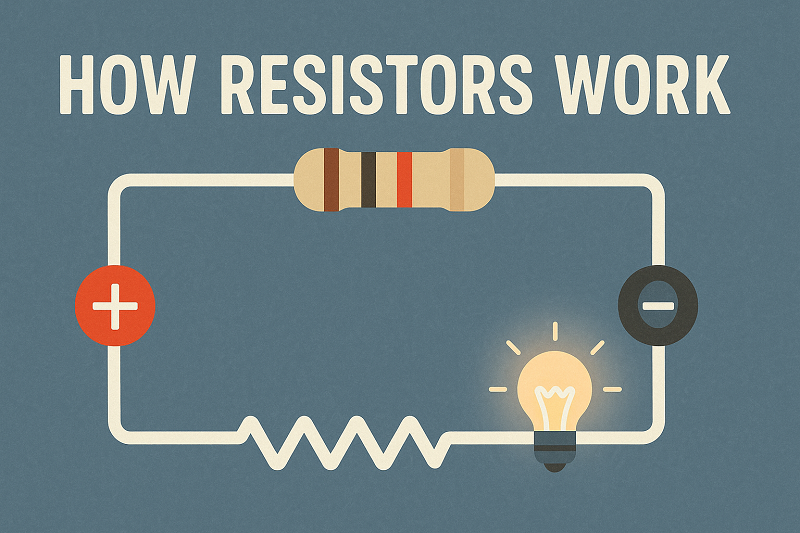
How Resistors Work: From Basic Principles to Advanced Applications2025-07-30
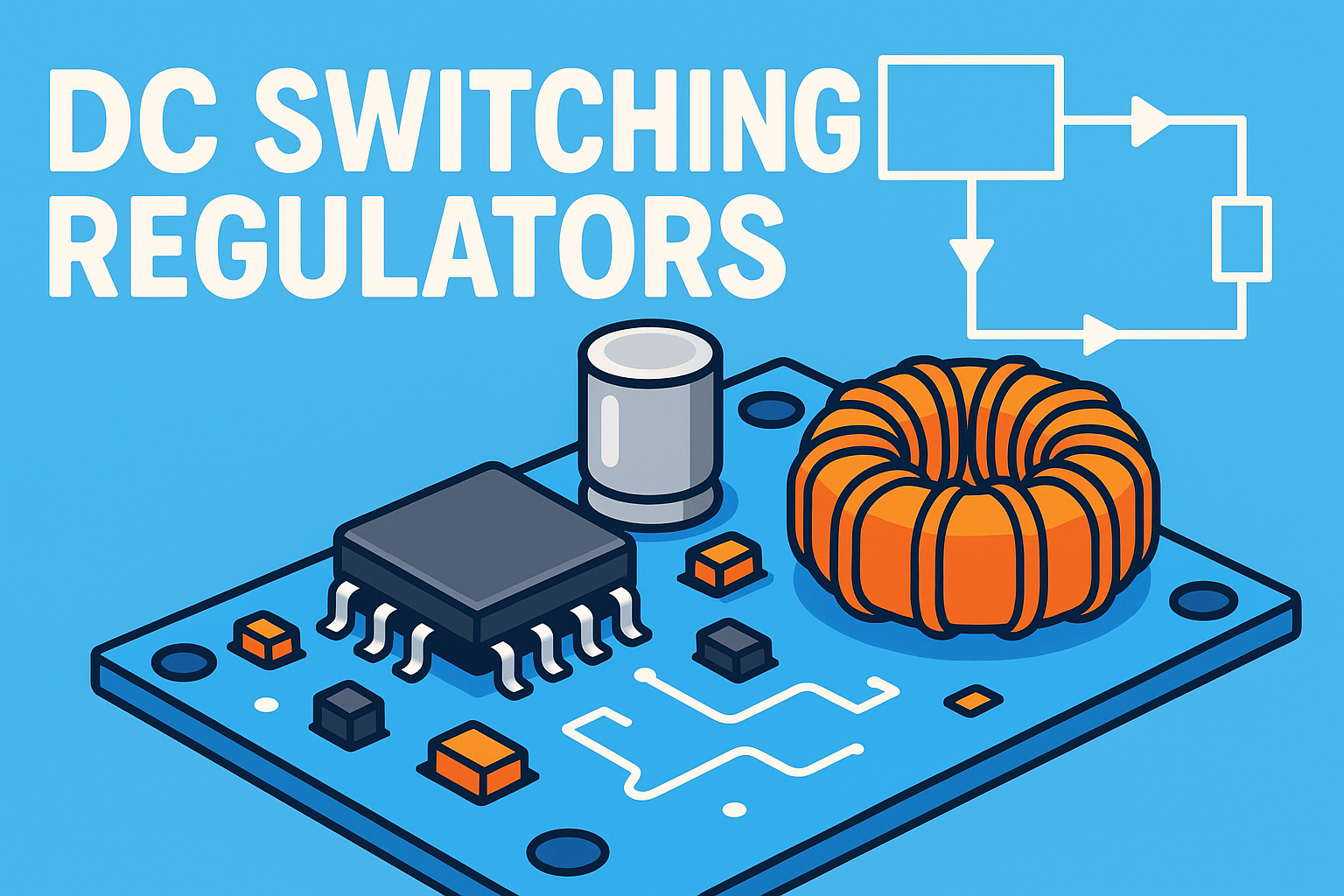
DC Switching Regulators: Principles, Selection, and Applications2025-05-30
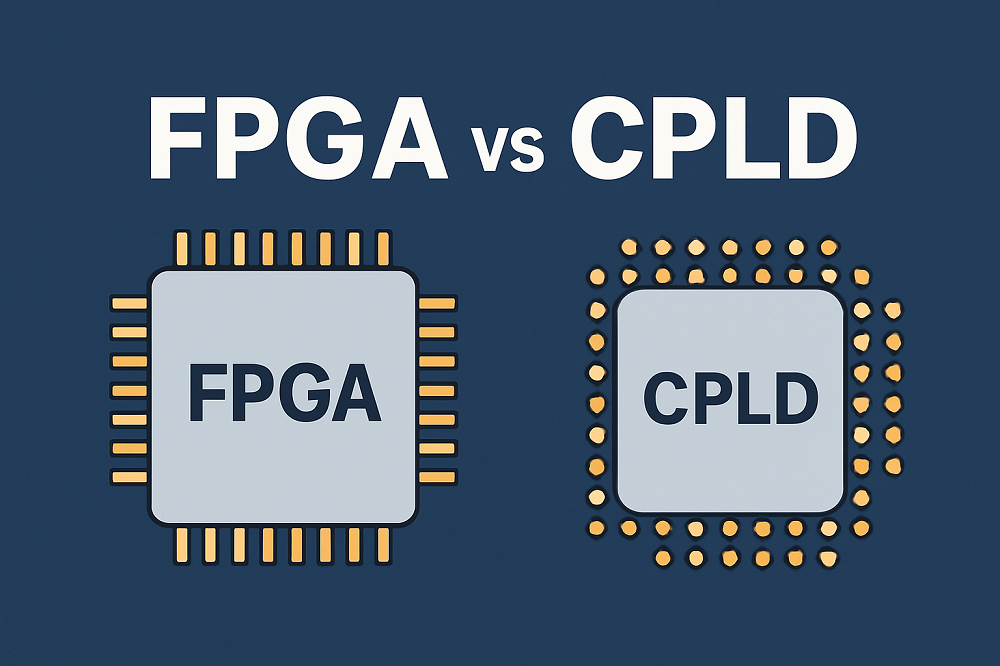
FPGA vs CPLD: In-depth Analysis of Architecture, Performance and Application2025-05-07
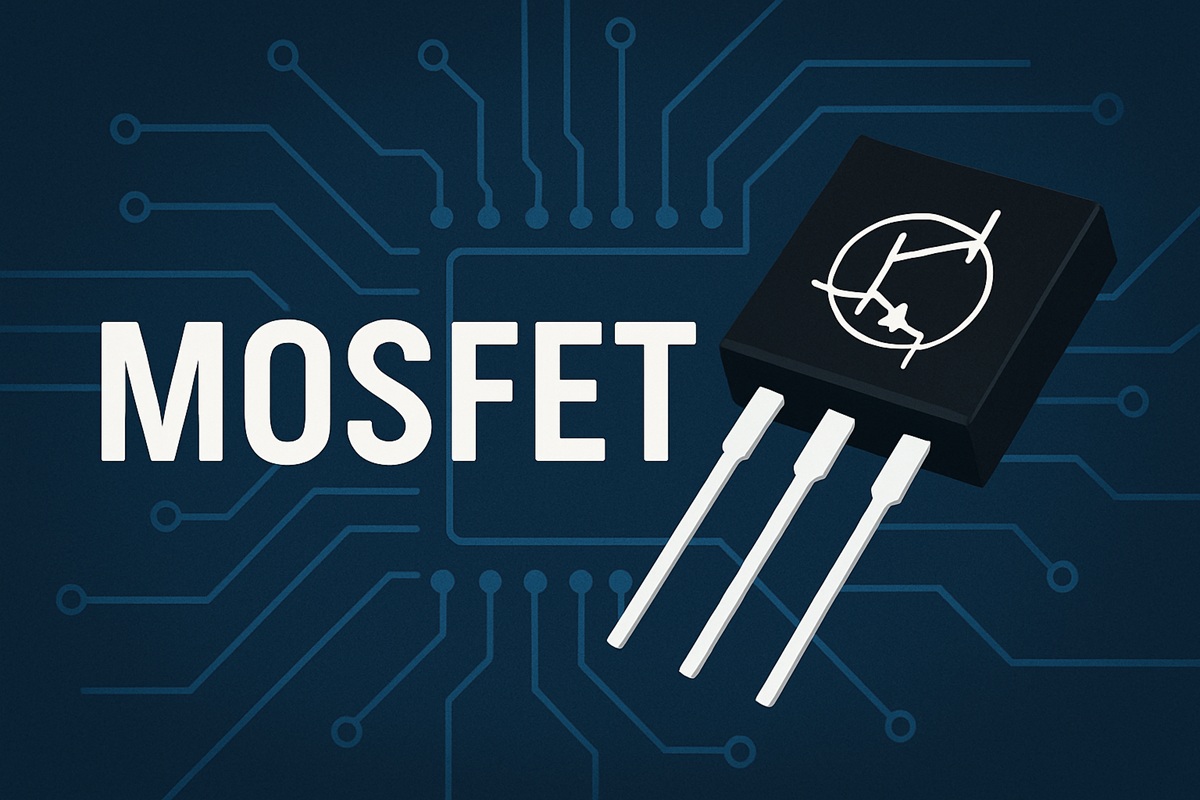
MOSFET Technology: Essential Guide to Working Principles & Applications2025-05-04
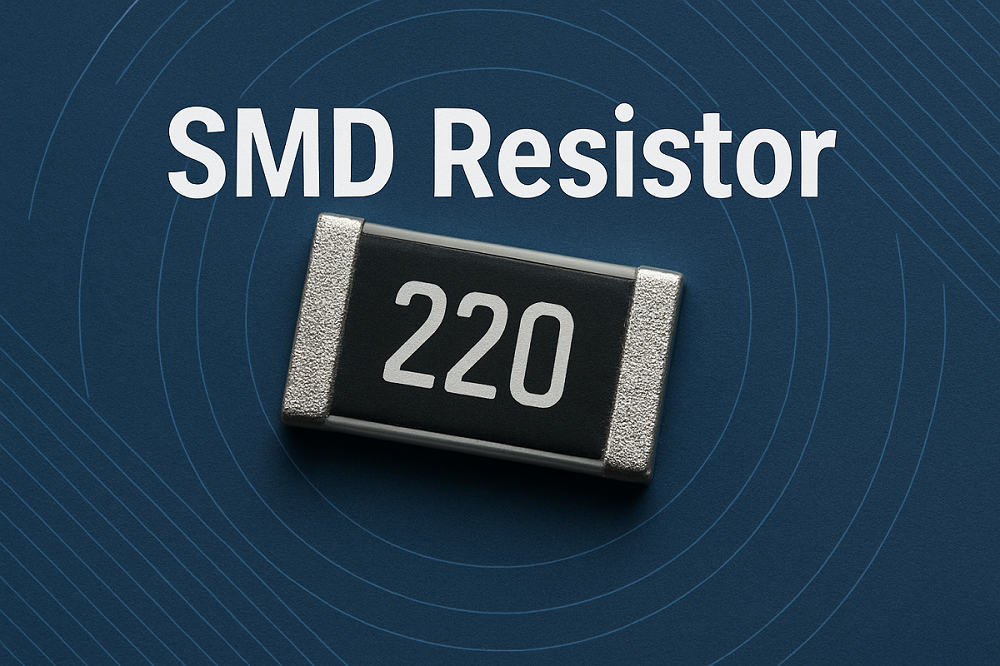
SMD Resistor: Types, Applications, and Selection Guide2025-04-30