
 00852-6915 1330


Order
 How to purchase?
Step 01
Login
Login to your Kynix account.

Step 02
Search part number
Enter the part number in the search box and search. Click the "Buy" button of the search result if available and this will bring you to your cart.

Step 03
Place your order
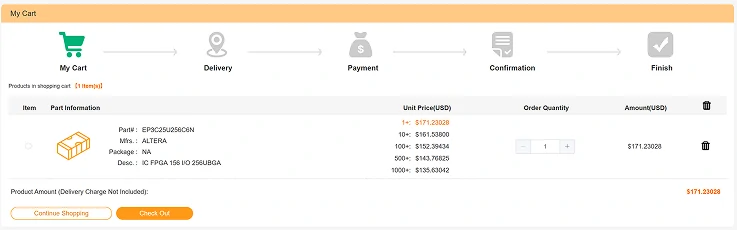
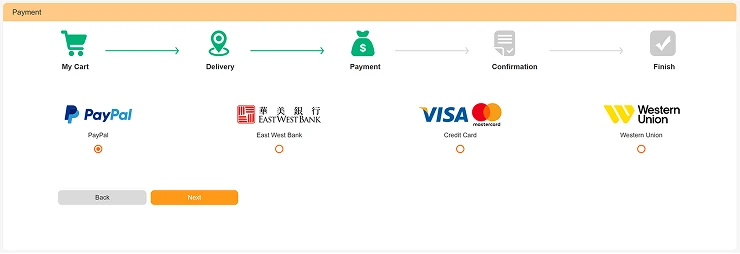
You can either "Check Out" the current product or "Continue Shopping" and put more goods into the cart. When finished adding, complete the order details according to instructions step by step (see the following illustrations).


Step 04
Payment
Kynix supports PayPal, Credit Card, Wire Transfer, and Western Union.
Step 05
Get Delivery
You can evaluate the goods when you received them. If you are unsatisfied with the products you can contact after-sale service.
- Home
- |
- Index
- |
- Privacy Policy
- |
- Terms & Conitions
- |
- Customer Service
- |
- Contact us
- |
- Blog
- |
- Popular Products
© 2008-2026 kynix.com all rights reserve.