No data
Introduction
How to Read an Electrical Diagram Lesson
What is a circuit Diagram?
Circuit diagram is the basic of engineering research and planning. A schematic layout diagram, which is drawn with the standard symbol of physical electricity, can show the working principle of each component and device relationship, Each electronic component has a symbol. After seeing a few circuit diagrams, you’ll quickly learn how to distinguish the different symbols, and provide planning plan for installing electrons or electrical products. Circuit diagram is one of the basic skills that must be learned by electronic engineers. So this paper gathers the classical circuit materials related to regulated voltage power supply, DCDC conversion power supply, switching power supply, charging circuit, constant current source to provide the most practical circuit diagram reference for engineers.

Schematic Symbols
Basic Devices
|
|
An inductor, also called a coil, choke, or reactor, is a passive two-terminal electrical component that stores energy in a magnetic field when electric current flows through it. An inductor typically consists of an insulated wire wound into a coil around a core. |
|
|
An electric battery is a device consisting of one or more electrochemical cells with external connections provided to power electrical devices such as flashlights, smartphones, and electric cars.[1] When a battery is supplying electric power, its positive terminal is the cathode and its negative terminal is the anode.[2] The terminal marked negative is the source of electrons that will flow through an external electric circuit to the positive terminal. |
|
|
A relay is an electrically operated switch. Many relays use an electromagnet to mechanically operate a switch, but other operating principles are also used, such as solid-state relays. Relays are used where it is necessary to control a circuit by a separate low-power signal, or where several circuits must be controlled by one signal. |
|
Five Parts to Understand Circuit Diagrams *Regulated Power Supply 1. The voltage adjustable range is between 3.5V~25V, the output current is large, using VR- tube circuit to obtain the stable output voltage. Working principle: after rectifying and filtering, DC voltage is supplied by R1 to the base of the adjusting tube, so that the adjusting tube can be switched on. When the voltage passes through the RP, R2 of the V1 conduction, V2 switched on, and then V3 is switched on. At this time, the emitter and collector voltage of V1, V2 and V3 do not change (it acts exactly like a voltage stabilizer). A stable output voltage can be obtained by adjusting RP, and the ratio of R1, PR, R2 to R3 determines the output voltage of the circuit.
Fig 1. VR-tube Circuit 2. Regulated Voltage Adjustable Power Supply Circuit Diagram Whether the computer detection or electronic product can not be separated from the regulated power supply(RPS). This paper introduces one kind of RPS: a DC voltage continuously adjustable from 3V to 15V, the maximum current can be up to 10A, and the circuit uses a high precision standard voltage source integrated circuit (TL431) with temperature compensation which makes the voltage stabilizer more accurate. If there is no special requirement, it can basically meet the normal maintenance. The circuit is shown in the figure below.
Fig 2. Regulated Voltage Adjustable Power Supply Circuit Diagram Its working principle is divided into two parts. The first part is a fixed 5V/1.5A power supply circuit; the second part is a high precision and large current regulator circuit which can be adjusted continuously from 3V to 15V. The first circuit is very simple. The DC voltage rectified by silicon bridge QL1 is filtered by C1 from the secondary 8V AC voltage of transformer, then the 5V three-terminal stabilizer block LM7805 can produce a fixed 5V | 1A power supply at the output end without any adjustment. This power supply can be used as an internal power source when the computer board is overhauled. The second part is basically the same as the common series power supply. The circuit is simple, the cost is low, but the voltage stabilizer performance is very high. The resistor R4, the regulator TL431, potentiometer R3 constitutes a continuously adjustable constant voltage source, which provides the reference voltage for the BG2 base. The regulated voltage value of the regulator TL431 is continuously adjustable, which determines the maximum output voltage of the power supply. If you want to expand the range of adjustable voltage, you can change the resistance values of R4 and R3, of course, the secondary voltage of transformer should also be increased. The power of the transformer can be controlled flexibly according to the output current, and the secondary voltage is about 15 V. Bridge rectifier QL, using 15A-20A silicon bridge, compact structure, fixed screws in the middle, can be directly fixed on the shell aluminum plate, better for heat sink. What adjusts the tube is the high current NPN metal shell silicon tube, because it has the very big heat, if the chassis allows, buying the big radiator as far as possible to expand the heat dissipation area; if does not need the big current, a smaller power silicon tube can be used to makes it smaller. The filter uses three 50V/4700uF electrolytic capacitance C5 and C7 in parallel, respectively, to make the output of large current more stable. In addition, this capacitor should be bought with a relatively larger volume, and those smaller ones will also mark 50V/4700uF, but the voltage fluctuates frequently, Or easy to fail for a long time lay idle. Finally, the power transformer can buy a ready-made switching power supply of more than 200W instead of the transformer. In this way, the voltage stability can be further improved, but the manufacturing cost is not too high, and other electronic components have no special requirements. After installation is completed, it can work properly without too much adjustment.
*Switched Power Supply(specific examples) The working principle of integrated control IC-UC3842 for PWM switching power supply The following is the UC3842 internal block diagram and pin diagram. UC3842 uses a fixed frequency pulse width controllable modulation mode, a total of 8 pins, each foot function as follows: Pin① is the output of the error amplifier, and the external resistor-capacitor unit is used to improve the gain and frequency characteristics of the error amplifier; Pin② is the feedback voltage input, which is compared with the 2.5 V reference voltage at the same phase of the error amplifier to generate the error voltage, thus controlling the pulse width; Pin③ is the current detection input, when detecting voltage exceeds 1V, the pulse width is reduced so that the power supply is in the state of intermittent operation; Pin④ is the timing end, the operating frequency of the internal oscillator is determined by the external resistor-capacitor time constant, f=1.8 / (RT×CT); Pin⑤ is the common ground; Pin⑦ is a DC power supply terminal with the function of undervoltage and overvoltage locking, the chip power consumption is 15mW. Pin⑧ is the output terminal of 5V reference voltage, its load capacity is 50mA.
Fig 3. IC-UC3842 Electrical Diagram
UC3842 Internal Schematic Diagram UC3842 is an integrated controller of PWM switching power supply with excellent performance, wide application and simple structure. Because it has only one output, it is mainly used for voice control. The UC3842 pin7 is a voltage input with a starting voltage range of 16V-34V. When the power supply is on, the VCC is less than 16V, and the output of the Schmidt comparator is 0. At the same time, no reference voltage is generated and the circuit does not work. When Vcc > 16V, the input voltage Schmidt comparator sends out a high voltage to the 5V fern voltage regulator, which generates a 5V reference voltage. On the one hand, this voltage used in internal circuit; on the other hand, it provides a reference voltage to the outside through pin8. Once the Schmidt comparator flips to a high level (when the chip starts working), Vcc can change in the 10V-34V range without affecting circuit; when the Vcc is below 10V, the Schmidt comparator flips to a low level and the circuit stops working. When the reference voltage stabilizer has a 5V reference voltage output, the reference voltage detection logic comparator outputs a high level signal to the output circuit. At the same time, the oscillator will generate the oscillation signal of the f=Rt/Ct according to the parameters of the pin④ external Rt and Ct, which is added directly to the input of the totem pole circuit, the other is added to the position end of RS flip-flop made by PWM pulse width modulator, and the output end of R connects the output of current-detection comparator. The R-terminal is the control end of the duty ratio. When the R voltage rises, the Q pulse is widened. At the same time, the pulse width of pin⑥ is widened (duty cycle increased); when the R voltage drops, The Q pulse narrows and the pin⑥ pulse width becomes narrow (duty cycle reduced). The sequence of UC3842 points is as shown in the diagram. Only when the E point is in high level, and meanwhile, a point and b point is all in high level, the d point sends out the high level, the c point sends the low level, otherwise the d point sends the low level, c point sends out the high level. Pin② generally connects the feedback signal. When the pin②voltage increases, the pin① voltage will decrease, and the R-terminal voltage will also decrease, so the pin⑥ pulse will narrow, on the contrary, the pin⑥ pulse will become wider. Pin③ is a current sensing terminal. Usually, a small sample resistor is inserted into the source or emitter of the power transistor to convert the current passing through the switch to a voltage, and the voltage is introduced into the pin. When the load short circuit or other reasons cause the current of the power transistor to increase and the voltage on the sampling resistance exceeds 1V, the pulse output pin⑥ is stopped, which can effectively protect the power transistor from damage.
Fig 4. UC3842 Internal Schematic Diagram TOP224P 12V | 20W Switching DC Power Supply Circuit Based on Regulated Voltage Two integrated circuits are used in the circuit: TOP224P three-terminal monolithic switching power supply (IC1) and PC817A linear optical coupler (IC2). After UR and Cl rectifier filter, AC power supply produces DC high voltage Ui, to supply primary winding of high frequency transformer T. VDz1 and VD1 can clamp the peak voltage of leakage inductance to the safe value and can attenuate the ringing voltage. VDz1 adopts P6KE200 type transient voltage suppressor with reverse breakdown voltage 200V, and VDl uses UF4005 type UFRD in 1A/600V. The secondary winding voltage is filtered by V, C2, L1 and C3 rectifier, getting 12V output voltage Uo. Uo value is set by the sum of the forward voltage drop UF, R1 of LED and the value of regulated voltage Uz2. Other output voltage values can be obtained by changing the turn ratio of high frequency transformer and the regulated voltage value of VDz2. R2 and VDz2 also provide a false load for 12V output to improve the load adjustment rate at light load. The feedback winding voltage is filtered by VD3 and C4 rectifier to supply the bias voltage required by TOP224P. Since the control current is regulated by R2 and VDz2, the output duty cycle is changed to stabilize the voltage. The common mode choke L2 can reduce the common mode leakage current generated by the waveform of the high voltage switch connected to the D by the primary winding. C7 is a protective capacitor used to filter out interference caused by coupling capacitors of primary and secondary windings. C6 can reduce the differential mode leakage current caused by the fundamental and harmonic waves of the primary winding current. C5 can not only filter the peak current added to the control terminal, but also determine the self-starting frequency, compensating the control loop with R1 and R3.
Fig 5. TOP224P 12V | 20W Switching DC Power Supply Circuit The Main Technical Specifications of This Power Supply are as Follows AC Voltage: u=85~265V Voltage Regulation: η=78% Grid Frequency: fLl=47~440Hz Input Voltage (Io=1.67A): Uo=12V Working Temperature: TA=0~50℃ Maximum Output Current: IOM=1.67A Maximum Output Ripple Voltage: ±60mV Continuous Power Output: Po=20W /TA=25℃ or 15W /TA=50℃)
*DC-DC Power Supply 3V→+5V or +12V Circuit Portable electronic products powered by batteries generally use low power supply voltage, which can reduce the number of batteries and product size. In order to ensure the stability and accuracy of the circuit, it is necessary to use a regulated power supply. If the circuit uses 5V working voltage, but one component requires a higher working voltage, this often makes the designer feeling hard. In this paper, a circuit composed of two booster modules is introduced to solve this problem, and only two batteries are used to supply power. The circuit has fewer components, small size, light weight, stable output of 5V or 12V, and meets the requirements of portable electronic products. +5V power supply can output 60mA, and +12 V power supply maximum output current is 5 mA.
Fig 6. 3V→+5V or +12V Circuit The circuit is shown above. It is composed of AH805 and FP106 booster module. AH805 is a kind of boost module with an input of 1.2V~3V and an output of 5V, which can output 100mA current at 3V. FP106 is a chip boost module with input of 4V~6V and output fixed voltage of 29 ±1V, the output current up to 40 mA. AH805 and FP106 are both a level-controlled to shut down the power. The output voltage of two 1.5V alkaline batteries is 3V, inputting to the AH805, and its output voltage is 5V, inputting 5V to the FP106, and the output voltage is 28V~30V, and then the output voltage is 12 V after through the voltage stabilizer. It can be seen from the diagram that different output voltages can be obtained by changing the stabilizer voltage. Pin⑤ of FP106 is the closing end of controlling the power supply. When Pin⑤ is added a high level > 2.5V, the power supply is switched on; When adding the low level is less than 0.4V, the power supply is off. It can be controlled by circuit or manually. If it is not necessary, Pin⑤ is connected to Pin⑧. MC34063 3.6V→9V Circuit Working State: No-load: Output 3.65V| 18uA Load: Output 9.88V | 50.2mA; Input 3.65V | 186.7mA, efficiency 72% Working Principle: When there is no load, the IC has no power on pin⑥ and stops working. The input current is only 18uA with input 3.65V. When there is a load (Q1 has Ieb current), the EC pole of 8550 is switched on and the IC is operating. Whether the IC works is determined by whether there is a load or not, it is quite a battery. Using IC has a high voltage conversion efficiency and output stably. If this circuit adds a point of improvement, for example, when increasing power, it can turn into a power supply from 4.2V to 5V without switch. You can use a battery box as a backup power source for your phone.
Fig 7. MC34063 3.6V→9V Circuit
*Charging Circuit lm358 basic Battery Charger Circuit Diagram
Fig 8. lm358 basic Battery Charger Circuit Diagram There are two different arguments about whether alkaline batteries can be recharged. Some can be filled; the other say it has a risk of explosion. In fact, alkaline batteries can be rechargeable, generally 30-50 times of its service life. In fact, due to the charging methods, there are two different consequences. First of all, there is no doubt that alkaline batteries can be rechargeable, and in the battery instructions, it is mentioned that alkaline batteries are not rechargeable and that charging can lead to explosions. That's true, but note that the word is "could". Actually, it can be viewed as a manufacturer's self-protection statement of exemption. The key to charging alkaline batteries is temperature. As long as you can charge the battery without high temperature, you can successfully do it. The right charging method requires several points: small current: 50mA charge 1.7V discharge 1.3V After some people tried charging practice, they said categorically that they could not recharge. The reason for the problems such as lack of charging, short electricity consumption, leakage, explosion, actually, most are charger problems. If the charging current of the charger is too large, far more than 50 ma, and some fast chargers is above 200ma, the direct result is that the temperature of the battery is very high. If the battery is hot, the batteries will leak, and the serious will explode. Some people use Ni-MH rechargeable battery charger to charge, low grade charger does not automatically stop charging function, after long time charging will lead to overcharge then causing battery leakage and explosion. A better charger has the function of automatic shutdown, but the stop charge voltage is generally set to 1.42 V of the Ni-MH rechargeable battery, while the voltage of the alkaline battery is about 1.7V when it fully charged. As a result, the voltage is too low which causing fake charge. And not to wait until the battery is completely out of power to charge, it will lead to poor lifetime of the battery. It is recommended that the voltage of alkaline battery is not less than 1.3V. Therefore, if you plan to charge the alkaline battery, you must have a qualified charger, charging current around 50mA, and charging cut-off voltage is about 1.7V.
Related Description Alkaline manganese rechargeable battery: based on alkaline zinc manganese battery, it is also called mercury-free alkaline manganese battery because of the use of mercury-free zinc powder and new additives. The battery can be recharged for dozens to hundreds of times without changing the discharge characteristics of the alkaline battery, which is more economical. Alkaline zinc-manganese battery was developed in 1882. It was developed in 1912 and put into production in 1949. It has been found that when KOH electrolyte solution replaces NH4Cl as electrolyte, both the electrolyte and the structure change greatly, its performance improved significantly. Features Open voltage is 1.5V Working temperature is between -20℃ to 60℃, it is suitable in alpine region. The capacity of high current continuous discharge is about 5 times that of acid zinc-manganese battery. 2.75W USB Charger This design adopts Power Integrations's LinkSwitch series product LNK613DG. This design is well suited for mobile phones or similar USB charger applications, including mobile phone battery chargers, USB chargers, or any application with constant voltage or constant current. In the circuit, the diode D1 to D4 rectifies the AC input, and the capacitors C1 and C2 filter the DC. The L1, C1 and C2 form a π type filter to attenuate the differential mode conduction EMI noise. These are connected by E-sheild technology of Power Integrations transformers. This design can easily meet the requirements of EN55022 B-type conduction EMI with sufficient margin, and no Y capacitor is required. Fire proof, fusible, winding resistor RF1 provides fault protection and limits surge current generated during startup.
Fig 9. 2.75W USB Charger Circuit Fig 9 shows that U1 is powered by optional offset power, which reduces no-load power to less than 40 mW. The value of by-pass capacitance C4 determines the number of cable voltage drop compensation. The value of 1μF corresponds to the compensation of a 0.3Ω / 24 AWG USB output cable. (10μF capacitance compensates 0.49 Ω / 26 AWG USB output cable.). In the constant voltage stage, the output voltage is regulated by switch control. The output voltage is maintained by skipping the switching cycle. By adjusting the ratio of the prohibition period to maintain voltage regularly. This also optimizes the efficiency of the converter throughout the load range. Under the condition of light load (trickle charge), the current limit will be decreased to reduce the magnetic flux density of the transformer, thus reducing the audio noise and switching loss. With the increase of load current, the current limit will increase, and the skipping period will be reduced continuously. When no longer skipping any switching period (maximum power point), the controller in the LinkSwitch-II switches to constant current mode. When the load current needs to be further increased, the output voltage will decrease, and it reflects in the FB pin voltage. In response to the voltage drop of the FB pin, the switching frequency will decrease linearly to achieve constant current output. The RCD-R clamping circuit is composed of D5, R2, R3 and C3, which is used to limit the leakage voltage spike caused by leakage inductance. Resistance R3 has a relatively large value to avoid drain voltage waveform oscillations caused by leakage inductance, which prevents excessive oscillation during turn-off, thus reducing EMI conduction. Diode D7 rectifies secondary and C7 filters it. C6 and R7 together limit the transient voltage spike on D7 and reduce EMI conduction and radiation. The resistor R8 and Zener diode VR1 form an false output load which ensures that the output voltage is within an acceptable limit and that the battery does not discharge completely when the charger is off. Feedback resistors R5 and R6 set maximum operating frequency and output voltage at constant voltage stage.
*Constant-Current Source 1. Discussion on How to Design Three-wire Constant Current Source Driving Circuit The constant current source drive circuit is responsible for driving the temperature sensor Pt1000, to convert its sensing resistive signal with temperature into measurable voltage signal. In this system, the required constant current source should have good temperature stability, large output resistance, output current less than 0.5mA (upper limit of Pt1000 without self-heating effect), earthing at one end of load, and variable polarity of output current. Because the influence of temperature on the parameters of integrated operational amplifier is less significant than of the transistor or FET, the constant current source composed of integrated operational amplifier has the advantages of better stability and higher constant current performance. Especially in the case where one end of the load needs grounding, it has been widely used. So use the dual operational amplifier constant current source shown in figure 2. Amplifier UA1 is used as adder, UA2 as follower, UA1 and UA2 are gain bipolar operational amplifier OP07, which having low noise, low misalignment and high open-loop.
Fig 10. Three-wire Constant Current Source Driving Circuit Vb and Va are the up and down potential of the reference resistor Rref in figure 2: Va is the output of in-phase adder UA1. When taking the resistor R1= R2 , R3=R4, the output current of the Va=VREFx+Vb. It can be seen that the dual operational amplifier constant-current source has the following remarkable characteristics: Load earthing The output current is bipolar when the operational amplifier is supplied by a dual power source. The constant current can be achieved by changing the input reference VREF or adjusting the reference resistor Rref0. It is easy to obtain stable small current and compensation calibration. Because of the mismatch of the resistor, the voltage at both ends of the reference resistance Rref0 will be affected by the terminal voltage Vb of its driving load. At the same time, as a constant current source, Vb will definitely change with the load, which will affect the stability of the constant current source. Therefore, the four resistors R1, R2, R3, R4 are chosen according to the principle that the mismatch should be as small as possible, in addition, the mismatch direction of each pair of resistors should be consistent. In practice, a large number of precision resistors of the same batch can be screened, and 4 resistors with close resistance values can be selected. 2. High Voltage Constant Current Source Circuit Diagram(switch power model) The instrument needs a constant current source that can generate 1mA current on 0 to 3 megabytes ohmic resistance. A design composed with 12V storage battery and UC3845 has be made: the transformer uses a color TV high voltage packet, in which L1 enamelled wire is wound 24 turns on the core of the original high voltage package; L3 uses a coil of the original high voltage package and L2 with the high voltage part of the high voltage packet; L3 and LM393 constitute a voltage limiting circuit which limits the output voltage too high and adjusts the open-circuit output voltage by adjusting R10.
Fig 11. High Voltage Constant Current Source Circuit Diagram(switch power model) You May Also Like Filtering Circuit Tutorial (Schematic Diagrams) Switch Mode Power Supply Circuit Design Tutorial Selection Guidance of Five Main Materials for Flexible Circuit Board Production Recommendation
FAQ 1. What are the basic elements of electronics?
2. What is the schematic symbol represented in the electrical and electronic diagram?
3. What are the 5 components of electricity?
4. What are the types of electronics?
5. What are the different schematic symbols?
6. What are the electrical diagrams?
7. What are the three types of electrical diagrams?
8. What are the four types of electrical diagram?
9. What are the 2 main types of electricity?
10. What are the 2 types of electric circuit?
11. What is electrical block diagram?
12. What are the 4 basic components of a circuit?
13. What is type of wiring diagram?
14. What is the main purpose of electrical diagram?
15. Which software is used for electrical design? Kynix was founded in 2008, specializing in the electronic components distribution business. We adhere to honesty and ethics as our business philosophy and have gradually established an excellent reputation and credibility in our international business. With the accurate quotation, excellent credit, reasonable price, reliable quality, fast delivery, and authentic service, we have won the praise of the majority of customers. Join our mailing list! Be the first to know about new products, special offers, and more.
Recent Posts
Related Articles![]()
You plug in an ethernet cable, but nothing works. You check the rj45 colour code on both ends and spot something odd. The colors don’t match the standard. Ethernet problems like this can confuse anyone. Always look at the rj45 colour code before connecting a network cable. Use a cable tester to check your ethernet wiring. Remember, wire pairs matter more than matching colors. Grab a reference chart if you need help with ethernet cables.Spotting Non-Standard RJ45 Colour CodeImage Source: pexelsVisual CluesWhen you look at an ethernet cable, you might expect to see the usual t568a color code or t568b color code. Sometimes, though, the rj45 colour code looks different. You may notice stripes, faded colors, or even shades that do not match any standard. If you see wires that look odd, stop and check both ends of the cable.Tip: Always untwist the pairs and lay them flat. This makes it easier to compare the colors to a t568a color code or t568b color code chart.Here are some common signs that you are dealing with a non-standard rj45 color code:The wire colors do not match the t568a color code or t568b color code.Some wires have extra stripes or unusual shades.The order of the colors seems random or mixed up.The cable uses colors not found in standard ethernet cables.You might also run into problems if the cable is old or dirty. Dust and debris inside the connector can make it hard to see the true colors. Physical damage, like bending or crushing, can also change how the wires look.Pairing and ShadesYou may feel tempted to match colors from end to end, but the real key is correct pairing. Technical experts agree that keeping the right pairs together is what keeps your ethernet working well. If you mix up the pairs, your network cable may not work at all, even if the colors look right.A quick table can help you compare standard pairings:Pin Numbert568a color codet568b color code1Green/WhiteOrange/White2GreenOrange3Orange/WhiteGreen/White4BlueBlue5Blue/WhiteBlue/White6OrangeGreen7Brown/WhiteBrown/White8BrownBrownIf you see a cable that does not follow these patterns, check the pairs by untwisting and matching them up. Sometimes, you will find that the cable uses the right pairs but with different colors. That is okay, as long as the pairs match at both ends.You may also run into trouble if the cable is not the right type for your needs. Using a Cat5 cable instead of Cat6 can slow down your ethernet or cause problems with high-speed connections. Improper crimping or damaged connectors can also lead to network failures or complete disconnection.Remember: Always focus on correct pairing, not just matching colors. This will help you avoid headaches and keep your ethernet running smoothly.RJ45 Color Code Identification StepsImage Source: pexelsTools NeededBefore you start working with any ethernet cable, you need the right tools. Having the right equipment makes the job easier and helps you avoid mistakes. Here’s what you should have on hand:Cable tester: This device checks if your ethernet cable works and if all wires connect correctly. Some cable testers can even show you which wire is broken or out of order.Multimeter: You can use this tool to check for continuity and make sure there are no shorts in the cable.Reference charts: Keep a chart for the t568b color code and other wiring standards nearby. This helps you compare what you see with what’s correct.Wire stripper: This tool lets you remove the outer jacket of the cable without damaging the wires inside.Crimping tool: You need this to attach a new rj45 connector if you have to re-terminate the cable.Flashlight: Sometimes, you need extra light to see the wire colors clearly.Tip: Good lighting and a clean workspace help you spot color differences and avoid mixing up wires.Many cable testers offer advanced features. Some can measure cable length, check for signal loss, and even test for Power over Ethernet (PoE). Others use LEDs to show if each wire connects properly. Testing devices like the Fluke LinkIQ can diagnose problems like crosstalk or signal loss. These features help you find and fix issues fast.Mapping WiresNow, let’s get into the process of mapping the wires. This step is where you match each wire to its correct pin in the rj45 connector. You want to make sure the cable works for ethernet, even if the rj45 color code looks different from what you expect.Strip about one inch of the cable’s outer jacket. Be careful not to nick the wires inside.Untwist the wire pairs and straighten them out. Lay them flat so you can see all the colors.Compare the wire colors to your reference chart. Even if the colors are odd, focus on keeping the pairs together.Arrange the wires in the order you want for the rj45 connector. Use either the T568A or T568B standard, but stay consistent at both ends.Trim the wires so they are even. This helps them fit into the connector.Insert the wires into the rj45 connector. Double-check the order before you crimp.Use your crimping tool to secure the connector.Test the cable with your cable tester. Make sure each pin connects to the right spot at the other end.Note: Always check both ends of the cable. The pinout must match for ethernet to work. If you see a non-standard rj45 color code, write down the order for future reference.Industry standards like T568A and T568B, set by the Telecommunications Industry Association (TIA) and Electronic Industries Alliance (EIA), define how you should map wire colors to pin numbers. These standards help everyone create cables that work with all devices. The IEEE 802.3 Ethernet standard also explains which pins send and receive data. Following these steps and standards keeps your network stable and fast.Custom DiagramWhen you run into a non-standard rj45 color code, drawing your own diagram can save you time later. A custom diagram shows exactly how the wires connect inside the rj45 connector. This is helpful if you need to fix the cable again or explain the wiring to someone else.Here’s a simple way to make your own diagram:Pin NumberWire Color at End AWire Color at End B12345678Fill in the table with the actual colors you see at each end of the ethernet cable. If the colors do not match the t568b color code or any standard, this table helps you keep track. You can also take a photo of the cable ends for your records.Pro Tip: Save your diagram or photo with the cable or in your network documentation. This makes troubleshooting much easier if you or someone else needs to check the cable later.Technical guides recommend documenting your custom wiring, especially for non-standard setups. This helps you avoid confusion and keeps your network running smoothly. Consistency and clear records are key when working with any rj45 connector.RJ45 Connector TroubleshootingContinuity TestingWhen your ethernet cable stops working, you need to check if the wires inside connect the right way. That’s where a cable tester comes in handy. You plug both ends of the cable into the tester. The device checks if each wire goes from one end to the other without any breaks or shorts. This is called a continuity test.A continuity test is the first step in finding problems with an rj45 connector. If the tester shows a problem, you know there is a break or a short inside the cable. Sometimes, the tester will show that all wires connect, but your ethernet still does not work. This can happen if the pairs are mixed up or twisted the wrong way. In that case, you may need more advanced testing devices or a loopback test. A loopback test sends a signal through the cable and checks if it comes back. This helps you find deeper problems like signal loss or poor connections.Tip: Always start with a continuity test. If you still have trouble, try a loopback test or check the cable with a different device.Some advanced testers also measure resistance and signal quality. They can tell you if the cable can carry data at high speeds. These extra tests help you find problems that a simple continuity test might miss.Common IssuesYou might run into several problems when working with an rj45 connector. Here are some of the most common issues:Mismatched pairs: The wires are not paired correctly. This can cause slow speeds or no connection at all.Split pairs: The wires from different pairs get mixed up. Your ethernet might pass a basic test but still fail to work right.Shorts and opens: A short means two wires touch when they should not. An open means a wire does not connect at all.Intermittent connections: Sometimes the cable works, and sometimes it does not. This can happen if the wires do not fit tightly in the connector.Physical damage: Bent pins, crushed cables, or worn-out connectors can all cause trouble.Technical reports show that even small differences in wire thickness can cause problems. For example, if the wires are too thin, they might not fit the rj45 connector well. This can lead to loose connections, especially at higher speeds or when using Power over Ethernet. Always check that your cable and connector match in size.Note: Using certified cables and connectors helps you avoid many of these problems. Always follow the wiring standards like T568A or T568B.If you keep running into the same problems, you might need to look at your installation process. Make sure you do not untwist the pairs too much. Only expose about one inch of wire when you strip the cable. This keeps the signal strong and reduces errors.Fixing and Re-TerminationIf you find a problem with your rj45 connector, you can often fix it by re-terminating the cable. Here’s how you can do it:Cut off the old connector with a clean snip.Strip about one inch of the cable jacket. Be careful not to damage the wires inside.Untwist the pairs just enough to fit them into the connector. Keep the twists as close as possible to the connector.Arrange the wires in the correct order for T568A or T568B.Trim the wires so they are even.Insert the wires into a new rj45 connector.Use a crimping tool to secure the connector.Test the cable again with your cable tester.Some new systems, like the REVConnect, make this process even easier. They use a special tool and a universal cable manager. You do not need to untwist the pairs as much, which keeps the signal strong. Even if you do not have special tools, you can still get good results by following the steps above.Pro Tip: Always test the cable after you fix it. If you still have trouble, check your work or try a new connector.Best practices say you should always follow industry standards when you repair or re-terminate a cable. Use the right tools, keep your workspace clean, and document your work. This helps you and others fix problems faster in the future.If you see the same issue again and again, check your cables and connectors. Make sure they are certified and match in size. Sometimes, the problem is not with your work but with the parts you use.Network Cable DocumentationLabeling WiresYou can save yourself a lot of trouble by labeling every network cable as soon as you make it. Clear labels on both ends help you know exactly where each cable goes. Use durable labels that won’t fade or fall off. Write down the port number, device name, or even the room location. Some people use color-coded wraps or cables to make things even easier. This helps you spot different network segments at a glance.Pro Tip: Good cable management can cut troubleshooting time by more than half and help your equipment last longer.Many companies use cable management tools like D-Rings, patch panels, or vertical organizers. These tools keep your cables neat and easy to trace. When you label and organize your network cable setup, you avoid confusion and reduce the risk of unplugging the wrong wire. You also make it easier for anyone else who works on your network later.Here’s a quick checklist for labeling:Label both ends of every cable.Include port numbers, device IDs, or destinations.Use color codes for different network segments.Update labels if you move or change cables.Sharing InfoYou should always keep records of your network cable layout. Draw diagrams or use spreadsheets to track where each cable runs and what it connects to. If you make changes, update your records right away. Write down the date, what you changed, and who did the work. This way, you build a history that helps with future upgrades or repairs.When you work with other technicians, share your documentation. Clear records help everyone understand the setup. If you use special color codes or non-standard wiring, make sure to explain them. Good documentation and communication can prevent mistakes and keep your network running smoothly.Note: Following best practices like labeling, documenting, and sharing info leads to fewer network outages and faster repairs.You can avoid network headaches by always checking, testing, and writing down any non-standard RJ45 color codes you find. Make sure the wire pairs match at both ends. Use the right tools and keep your notes handy. Studies show that when you follow these steps, you get:Fewer network failures and less downtimeFaster troubleshooting and easier repairsStronger, more reliable connectionsStay organized and share your documentation. Your network will thank you! ??FAQWhat should you do if the wire colors don’t match any standard?If you see strange colors, stop and check both ends of the cable. Use a cable tester. Focus on keeping the wire pairs together. Write down the color order for future reference.Can you use a cable with non-standard colors for Ethernet?Yes, you can. The cable will work if the pairs match at both ends. The color does not matter as much as the correct pairing. Always test the cable before using it.How do you fix a cable with mixed-up pairs?Cut off the connector. Arrange the wires in the right order for T568A or T568B. Crimp a new connector. Test the cable again. This usually solves the problem.Why is documenting non-standard wiring important?You might forget the color order later. Good documentation helps you and others fix or replace cables quickly. It also prevents mistakes during future repairs.What tools help you identify non-standard RJ45 color codes?Cable testerReference chartFlashlightMultimeterThese tools make it easier to spot problems and fix them fast.
On 2025-08-16
![]()
If you want the fastest and most reliable wired connection, cat 7 ethernet stands out as a strong choice for 2025. Many homeowners worry about speed, cable quality, and network performance. You should also think about how cat 7 ethernet can be good for smart home technology. Common concerns include:Managing cable lengths for best performanceAvoiding electrical interferencePicking the right cable type for your needsConsider what matters most for your home—streaming, gaming, or building a connected smart space.Cat 7 Ethernet OverviewImage Source: unsplashWhat Is Cat7?You may wonder what makes cat7 different from other network cables. Cat7 is a type of Ethernet cable designed for high-speed and high-performance networks. Cat 7 ethernet supports speeds up to 10 Gbps over 100 meters and can even reach 40 Gbps at shorter distances. The cable operates at a bandwidth of up to 600 MHz, which means it can handle more data at once compared to older cables. Each twisted pair inside cat7 has its own shield, and there is an extra shield around the whole cable. This strong shielding protects your network from electromagnetic interference, making cat 7 cables very reliable in busy or noisy environments.Here is a quick look at the technical details:Specification AspectCat7 Ethernet Cable DetailsSpeedUp to 10 Gbps at 100 meters; up to 40 Gbps at 50 metersBandwidthTypically 600 MHz (Cat7), up to 1 GHz (Cat7a)ShieldingFull shielding required: each twisted pair individually shielded plus an overall shield (STP)Standard RatificationRatified by ISO/IEC, not by TIAConnectorsSpecialized connectors like TERA or GG45 to support higher frequenciesNotesCat7 cables are heavier, more expensive, and require specialized termination hardware and toolsCat 7 ethernet is not as common in North American homes, but you might see it in places where interference is a big problem or where future-proofing is important.Cat 7 vs Cat 6 and Cat 8When you compare cat7 to cat6 and cat8, you see some clear differences. Cat6 is the most popular choice for home networks. It supports up to 10 Gbps, but only for distances up to 55 meters, and its bandwidth is up to 250 MHz. Cat7 keeps the same 10 Gbps speed but can do it over 100 meters and offers much better shielding. Cat 7 cables also have a higher bandwidth of 600 MHz, which helps with data-heavy tasks.Cat8 is even faster, supporting up to 40 Gbps, but only for short runs up to 30 meters. Its bandwidth can reach 2000 MHz, making it best for special uses like data centers.Here is a table to help you compare:Cable CategoryBandwidthMaximum SpeedMaximum DistanceCat6250 MHz10 Gbps55 metersCat7600 MHz10 Gbps100 metersCat82000 MHz40 Gbps30 metersImage Source: statics.mylandingpages.coYou will find cat6 in most homes because it is affordable and easy to install. Cat7 is growing in popularity for smart homes and places with lots of devices. Cat8 is usually for special jobs like high-speed servers or scientific labs.Tip: For most home users, cat6 gives you enough speed and bandwidth for streaming, gaming, and smart devices. Cat7 is a good choice if you want extra protection from interference or plan to upgrade your network in the future. Cat8 is often more than you need unless you run a server room at home.Performance and ReliabilitySpeed and BandwidthWhen you set up your home network, you want high speeds and stable connections. Cat7 cables deliver up to 10 Gbps for distances up to 100 meters. This means you can enjoy high-speed data transmission for gaming, streaming, or working from home. Cat7 also gives you more bandwidth than cat6 or cat6a. More bandwidth allows your network to handle more devices and more data at once.Here is a table that shows how cat7 compares to other Ethernet cables:Ethernet CableMax SpeedMax BandwidthMax Length for Max SpeedTypical Use CasesCat5e1 Gbps100 MHzUp to 100 metersResidential, basic office useCat610 Gbps250 MHzUp to 55 meters (for 10 Gbps)General office, some data centersCat6a10 Gbps500 MHzUp to 100 metersAdvanced office, data centers, industrialCat710 Gbps600 MHzUp to 100 metersHigh-speed networks, data centers, server roomsCat825-40 Gbps2000 MHzUp to 30 metersHigh-performance data centers, server-to-serverImage Source: statics.mylandingpages.coCat7 cables improve on cat6 by offering more bandwidth (600 MHz vs. 250 MHz) and better insulation. This means you get reduced noise and crosstalk, which helps keep your connection strong. Cat7 does not boost your speed above 10 Gbps unless you use advanced equipment, but it gives you more headroom for future upgrades. For most homes, cat6 or cat6a will meet your needs, but cat7 offers extra stability and more bandwidth if you want to future-proof your setup.Shielding and InterferenceInsulation plays a big role in network reliability. Cat6 cables usually have basic insulation and rely on twisted pairs to fight interference. Cat7 cables use advanced insulation with foil or braided mesh shields around each pair and the whole cable. This extra insulation blocks electromagnetic interference from other electronics in your home.Cat6 cables use simple insulation and tight twists to lower interference.Cat7 cables add more insulation with shields on each twisted pair and the whole cable, giving you better protection.Cat7 insulation means you get more stable connections in rooms with lots of electrical devices.Cat8 cables use even more complex insulation, but they work best for short distances in data centers.With cat7, you get more bandwidth and better insulation, so your network stays strong even in busy environments. You will notice fewer drops in connection and less lag during high-speed data transmission. Cat7 insulation helps keep your network reliable, especially if you have many smart devices or live in an area with lots of electrical noise.Tip: If you want the most reliable connection and more bandwidth for your home, cat7 insulation and shielding give you a clear advantage over cat6.Cat 7 Cables CompatibilityDevice SupportYou want your network cables to work with all your devices at home. Most cat 7 cables you find for home use come with RJ45 connectors. These connectors fit into the same ports as older cables, so you can use them with your router, modem, computer, gaming console, or smart TV. Many popular routers, like the TP-Link Archer C7 and Linksys EA7500, support these cables and can deliver speeds up to 10 Gbps.Cat 7 cables with RJ45 connectors are backwards compatible with Cat 5, Cat 5e, and Cat 6 devices.You can use them with Power over Ethernet (PoE) devices, such as smart cameras or Wi-Fi access points.The extra shielding in cat 7 cables helps reduce interference, which is useful if you have many electronics in one room.Note: The official cat 7 standard uses GG45 or TERA connectors, but most home devices use RJ45. This makes cat 7 cables with RJ45 connectors a practical choice for your home network.Home Network IssuesYou may face some challenges when using cat 7 cables in your home. While these cables are backwards compatible, the speed and performance depend on your equipment. If you plug a cat 7 cable into a Cat 5e port, your network will only run at Cat 5e speeds, up to 1 Gbps. The cable cannot make your devices faster than their own limits.Cat 7 cables are thicker and less flexible, which can make installation harder, especially in tight spaces.Proper termination is important. The shielding in cat 7 cables needs good grounding to avoid problems like ground loop interference.Using backwards compatible cables with older routers or switches will not give you the full benefits of cat 7. Your network will work, but it will not reach the highest speeds unless all parts support them.Tip: If you want to future-proof your home, cat 7 cables offer strong shielding and high speeds. Just remember that your network will only be as fast as your slowest device.Installation and CostImage Source: pexelsInstallation ChallengesYou might find that installing Cat 7 Ethernet cables in your home is not as simple as running older cables. Cat 7 cables have extra shielding and are thicker than Cat 5e or Cat 6. This makes them less flexible and harder to pull through walls or tight spaces. You may need to plan your cable routes carefully.Here are some common challenges you could face:Cat 7 cables are bulkier and more rigid, which makes them tough to bend around corners or fit behind baseboards.The extra shielding adds weight and stiffness, so you need more effort to install them in existing walls.You must handle the shielding with care. If you damage it, you could lose the benefit of reduced interference.Proper cable termination is important. You may need to upgrade your wall jacks or connectors to match Cat 7 standards.Cat 7 cables cost more than Cat 6, so you should consider your budget before starting a big project.You might need special tools or help from a professional installer, especially if you want to keep the shielding intact.Tip: If you want the best performance from Cat 7, plan your installation ahead of time and make sure your connectors and jacks are compatible.Price ComparisonWhen you look at the cost of Cat 7 Ethernet cables, you will notice a big difference compared to Cat 6. Cat 7 cables cost about two to three times more per meter than Cat 6. Cat 8 cables are even more expensive.Here is a quick comparison:Cable TypePrice Range per Meter (USD)Relative Cost Compared to Cat6Cat6$5 - $10BaselineCat7$10 - $302 to 3 times Cat6Cat8$25 - $1005 to 10 times Cat6The total installation cost for Cat 7 in a typical home is higher than Cat 6 but less than Cat 8. For example, Cat 6 installation averages about $3,800 for a home. Cat 7 installation costs more because of the cable price and the extra work needed. Cat 8 is the most expensive and is usually not needed for home use.Note: Cat 6 remains the standard for most homes because it balances speed, cost, and ease of installation. Cat 7 and Cat 8 offer better performance but come with higher prices and more complex installation.Pros and Cons of Cat7AdvantagesYou will find several strong reasons to choose cat7 for your home network. Here is a table that shows the main advantages and what they mean for you:AdvantageWhat It Means for YouHigher Bandwidth CapacityCat7 supports up to 600 MHz, so your network can handle more data than cat6 or cat5e.Faster Data Transfer SpeedsYou get up to 10 Gbps over 100 meters, which is faster than cat6 at longer distances.Superior ShieldingCat7 uses extra shielding to block interference from other electronics, giving you a more stable connection.Backward CompatibilityYou can use cat7 cables with older devices that support cat5e or cat6, making upgrades easier.Stronger ConstructionCat7 cables last longer because they use tough materials and extra layers.Ideal for High-Interference EnvironmentsCat7 works well in homes with lots of electronics or electrical noise.Future-ProofingCat7 supports new technology, so you will not need to upgrade your cables soon.Tip: If you want a network that can handle heavy streaming, gaming, or many smart devices, cat7 gives you extra speed and reliability.DrawbacksCat7 also comes with some downsides that you should consider before you buy.Cat7 cables cost much more than cat6, making them a bigger investment for most homes.You may find cat7 cables stiff and hard to install, especially in tight spaces.Cat7 uses special connectors like GG45 or TERA, which do not always fit standard home equipment that uses RJ45.Most home networks do not need the extra speed or shielding that cat7 offers. Cat6 usually meets your needs for streaming, gaming, and smart devices.Cat7 is not widely recognized in North America, so you might have trouble finding support or compatible hardware.You need special tools and skills to install cat7 properly, which can add to your costs.Cat7 cables are heavier and take up more space than cat6, which can make cable management harder.Note: For most homes, cat6 provides enough speed and is easier to install. Cat7 may be more than you need unless you have a very busy network or lots of interference.Is Cat 7 Ethernet Right for Your Home?Best Use CasesYou want your home network to be fast, stable, and ready for new technology. Cat 7 Ethernet cables work best in homes where you need top performance and strong protection from interference. If you have a smart home with many connected devices, Cat 7 can help keep everything running smoothly. Homes with lots of smart gadgets—like security cameras, smart lights, voice assistants, and smart fridges—benefit from Cat 7’s high bandwidth and strong shielding. This cable keeps your network stable, even when many devices use the internet at the same time.Gamers also see big advantages with Cat 7. The cable supports speeds up to 10 Gbps and a bandwidth of 600 MHz. Its advanced shielding reduces interference and crosstalk. You get lower latency, less lag, and fewer dropped connections. Many gamers notice smoother gameplay and lower ping rates, sometimes by 5-10 milliseconds. If you play online games or use VR, Cat 7 gives you a more reliable connection.Cat 7 is also great for homes with high-bandwidth needs, such as 4K streaming or advanced home theaters. The cable’s shielding keeps your video streams clear and free from buffering. You may prepare for future growth by choosing Cat 7, especially if you plan to add more smart devices or upgrade your internet speed later.Tip: Cat 7 cables shine in homes with lots of electronics, smart devices, or gaming setups. If you want a network that stays strong even in busy, noisy environments, Cat 7 is a smart pick.Here is a quick look at how Cat 7 compares to other cables for high-bandwidth activities:FeatureCat5Cat6Cat7Max SpeedUp to 100 MbpsUp to 1 GbpsUp to 10 GbpsBandwidth100 MHz250 MHz600 MHzShieldingMinimalImprovedSuperior (reduces interference)Max DistanceUp to 100 metersUp to 100 metersUp to 50 metersCat 7’s shielding and speed make it ideal for homes with many devices or high-tech setups.Image Source: statics.mylandingpages.coAlternativesYou have several good alternatives to Cat 7 for your home network. Cat 6 and Cat 6a cables are the most popular choices in 2025. Cat 6 supports up to 10 Gbps for short distances and works well for most homes. Cat 6a offers 10 Gbps speeds at up to 100 meters and uses standard RJ45 connectors, making it easy to install and compatible with most devices. Cat 6a is also cost-effective and provides enough speed for streaming, gaming, and smart home devices.Cat 8 cables deliver the highest speeds—up to 40 Gbps—and the most bandwidth. However, Cat 8 is usually overkill for home use. It costs much more and only works at top speed for short distances (up to 30 meters). Most homes do not need this level of performance unless you run a server room or need the fastest possible speeds for special projects.Here is a table to help you compare the main alternatives:Cable CategoryMax Speed & DistanceFrequency (MHz)Recommended Use CasePopularity in 2025Cat6Up to 10 Gbps (55m), 1 Gbps (100m)250Baseline for new home and office installations, cost-effective future-proofingMost popular alternative to Cat7, de facto standardCat6A10 Gbps (100m)500High-performance, future-proof installations, multi-gigabit networksIncreasingly standard for high-density and enterprise environmentsCat8Up to 40 Gbps (30m)2000Specialized data center and short-run applications, generally overkill for home useNiche, not common for home networkingCat5eUp to 1 Gbps (100m)100Legacy or budget installations, temporary setupsRarely recommended for new installationsImage Source: statics.mylandingpages.coCat 6a stands out as the best balance of cost, performance, and future-proofing for most homes. It supports 10 Gbps speeds, works with standard connectors, and is easy to install. Cat 7 is more expensive and harder to install, with little extra benefit for most users. Cat 8 is best for special cases where you need the fastest speeds over short distances.Note: When you choose a cable, think about your current devices, your internet speed, and whether you plan future upgrades. Cat 6a usually gives you the best mix of speed, price, and ease of use for home networks.Choosing cat 7 ethernet gives you strong speed, excellent shielding, and future-proofing for your home network. You get reliable performance for gaming, streaming, and smart devices, but you pay more and face tougher installation. Think about your needs—if you want the best for a busy, tech-filled home, cat 7 ethernet is a smart investment. For basic setups, Cat 6 may be enough. Weigh your budget, network demands, and plans for future upgrades before you decide.FAQCan you use Cat 7 cables with older devices?Yes, you can use Cat 7 cables with most older devices. The RJ45 connectors fit standard Ethernet ports. Your network speed will match the slowest device in your setup.Is Cat 7 Ethernet overkill for most homes?For many homes, Cat 6 or Cat 6a cables provide enough speed and reliability. Cat 7 works best if you have many smart devices, lots of interference, or want to future-proof your network.Do Cat 7 cables improve Wi-Fi speed?Cat 7 cables do not make your Wi-Fi faster. They improve wired connections between devices. You get better speed and stability for computers, gaming consoles, or smart TVs that use Ethernet.How long do Cat 7 cables last?Cat 7 cables last many years. The strong shielding and tough materials protect them from damage. You can expect reliable performance for at least 10 years if you install them properly.Can you install Cat 7 cables yourself?You can install Cat 7 cables yourself if you have basic tools and patience. The cables are thick and stiff, so plan your routes carefully. For best results, consider hiring a professional installer.
On 2025-08-16
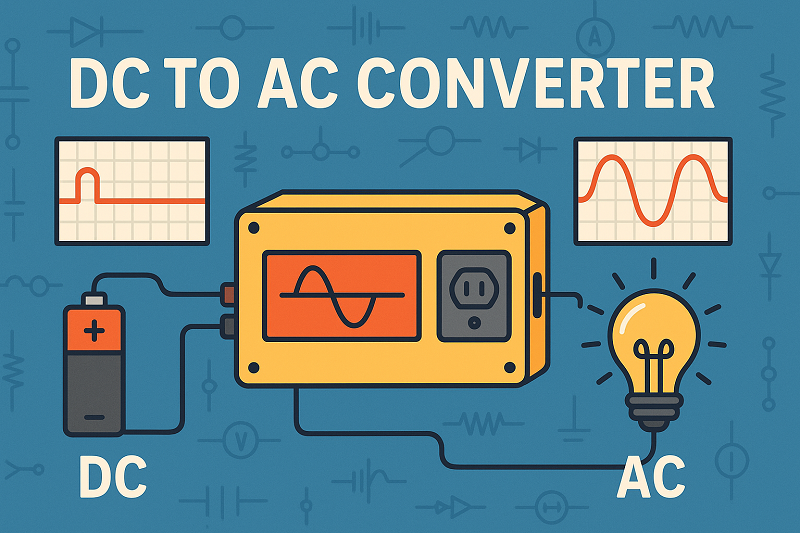
A dc to ac converter, often called an inverter, helps you change dc electricity into ac electricity. You use dc electricity from batteries, solar panels, or even electric vehicles. Most household devices need ac electricity to run. The inverter lets you convert dc to ac so you can power your TV, refrigerator, or lights. You find a dc to ac converter in many renewable energy systems. The inverter makes it possible to use dc electricity in your daily life.What Is a DC to AC Converter?DC to AC Inverter BasicsA dc to ac converter, also called an inverter, changes dc electricity into ac electricity. You often find dc electricity in batteries, solar panels, and electric vehicles. This type of electricity flows in one direction and keeps a steady voltage. Most of your home devices, like lights and refrigerators, need ac electricity. Ac electricity changes direction many times each second and has a wave-like pattern.In electrical engineering, a dc to ac inverter uses special parts to make this change. The inverter takes the steady flow of dc electricity and uses an oscillator to switch the current on and off very quickly. This process creates pulses. The inverter then shapes these pulses into a wave that looks like ac electricity. It uses components such as transistors, resistors, capacitors, and sometimes transformers. These parts help create different types of ac waveforms, such as sine wave, modified sine wave, or square wave. The inverter also uses filters to smooth out the wave, so your devices can use the power safely.Tip: Inverters use a method called Pulse Width Modulation (PWM) to make the ac wave smoother and reduce unwanted signals. This helps protect your electronics and makes the power more reliable.Why Convert DC to AC?You need a dc to ac converter because most homes and businesses use ac electricity. Power companies send ac electricity through power lines because it travels long distances with less energy loss. Ac electricity also makes it easy to change voltage levels using transformers.Here is a simple table to show the main differences between dc and ac power:AspectDC PowerAC PowerVoltageConstant, one directionChanges direction, wave-like patternCurrentFlows one wayFlows back and forthBest UseBatteries, solar panels, carsHomes, businesses, large machinesTransmissionShort distancesLong distancesYou use a dc to ac inverter in many places. For example:Solar panels and wind turbines make dc electricity. You need an inverter to use this power in your home or send it to the electric grid.Electric vehicles use inverters to run their motors and charge their batteries.Many consumer electronics, like laptops and smartphones, rely on inverters to work with different power sources.The process of dc to ac conversion is important for power conversion in modern life. Inverters help you use renewable energy, power your home, and run many devices safely and efficiently.How DC to AC Conversion WorksDC to AC Power Converter ProcessYou might wonder how a dc to ac inverter actually changes dc electricity into a usable ac waveform. The process starts with an oscillator circuit. This circuit creates a square wave signal at the frequency you need, such as 50Hz or 60Hz. The inverter uses this signal to control a set of switches called an H-bridge. The H-bridge has four transistors that rapidly switch the direction of the current. This switching action makes the dc electricity alternate back and forth, forming an ac waveform.Here is a simple step-by-step look at how a dc to ac power converter works:The oscillator circuit generates a square wave at the desired frequency.Power transistors or MOSFETs amplify this signal and switch the dc input on and off very quickly.The H-bridge circuit alternates the polarity of the dc electricity, creating an ac waveform.A transformer steps up the voltage to match what your appliances need.Filters smooth out the waveform, making it safe for sensitive electronics.Note: The inverter uses switching devices to control the frequency and voltage of the ac output. This helps you match the power to your devices and keeps everything running smoothly.Key ComponentsA dc to ac inverter relies on several important parts to complete the dc to ac conversion. Each component plays a special role in shaping and improving the ac waveform.Component TypeRole in DC to AC ConversionExample/CharacteristicPower TransistorsSwitch the dc input rapidly to create the ac waveformMOSFETs for speed, IGBTs for high powerH-Bridge CircuitAlternates the voltage polarity to form the ac waveformUses four transistors for switchingTransformerChanges the ac voltage to the right level for your devicesSteps up voltage for home useFiltersSmooth out the ac waveform and remove unwanted signalsLC and RC filters for clean outputFlyback DiodesProtect switching parts from voltage spikes during waveform changesPrevents damage and improves reliabilityTransistors and MOSFETs act as the main switches in the inverter. They turn on and off thousands of times per second. This rapid switching creates the ac waveform from the steady dc electricity. The transformer then adjusts the voltage, and filters make the final waveform smooth and safe for your electronics. The inverter uses all these parts together to give you reliable ac power from dc sources.Key Benefits of DC to AC ConvertersPowering AC DevicesYou use many devices at home that need AC power. An inverter lets you run these devices using energy from batteries, solar panels, or even your car. This is one of the biggest advantages of a dc to ac converter. You can plug in your TV, refrigerator, or lights, even if your main power goes out. Inverters give you voltage flexibility, so you can adjust the power for different appliances. Many inverters also have built-in safety features like overload protection and surge protection. These features keep your electronics safe and make your power system more reliable.Here are some key advantages you get from using an inverter at home:You can use AC appliances with DC sources.You get backup power during outages.You can use portable power for camping or emergencies.You save money by reducing the need for fuel-based generators.Supporting Renewable EnergyIf you use solar panels or wind turbines, you need an inverter to connect them to your home or the power grid. These renewable sources make DC electricity, but your home and the grid use AC. The inverter changes the DC into an AC waveform that matches the grid. This process is called power conversion. Inverters also help keep the voltage and frequency steady, which is important for grid stability. Some inverters use smart features like Maximum Power Point Tracking (MPPT) to get the most energy from your solar panels.You can see the advantages of inverters in renewable energy systems:They let you use clean energy at home.They help balance supply and demand with energy storage.They support microgrids and smart grids for better energy management.They make it easier to add more solar or wind power in the future.Efficient Power TransmissionWhen you need to send electricity over long distances, AC power works better than DC. Inverters play a big role in this process. They change DC from sources like solar farms into AC, which travels with less energy loss. This means you get more usable power at the end of the line. Modern inverters use advanced technology to keep conversion losses low and improve overall efficiency. This is one of the main advantages of using a dc to ac converter in large power systems.Tip: Inverters help lower your energy costs by making your system more efficient and reducing waste.Here is a quick table showing the advantages of inverters in different situations:ApplicationAdvantages of InvertersHome backup powerReliable AC for appliances, safety featuresSolar and wind systemsGrid compatibility, maximum energy use, easy expansionLong-distance transmissionLower energy loss, better efficiency, cost savingsTypes of DC to AC InvertersWhen you choose an inverter, you need to know about the three main types. Each type creates a different kind of waveform. The waveform affects how well your devices work and how safe your power system is. Let’s look at each type and see how they compare.The type of inverter you pick can change how your electronics perform and how much you spend on your system.Pure Sine WaveA pure sine wave inverter gives you the smoothest and cleanest waveform. This waveform looks almost the same as the power you get from the electric grid. You can use this inverter with any device, even sensitive electronics like laptops, medical equipment, and microwaves. The pure sine wave inverter keeps the total harmonic distortion very low, around 3%. This means your devices run quietly and safely. You also get better efficiency and less heat. Many homes with solar panels use this inverter because it protects modern electronics and keeps everything running smoothly. The cost is higher, but you get reliable power and longer device life.Modified Sine WaveA modified sine wave inverter creates a stepped waveform. This waveform tries to copy a pure sine wave but uses straight lines and sharp turns. You can use this inverter with simple devices like toasters, fans, and some power tools. The modified sine wave inverter has more harmonic distortion, about 30%. This can cause buzzing sounds in speakers or make motors run hotter. You might notice lights flicker or electronics act strangely. The modified sine wave inverter costs less than a pure sine wave inverter. It works well for basic needs or short-term use, but it is not good for sensitive or high-tech devices.Square WaveA square wave inverter makes the simplest waveform. The waveform looks like a series of blocks, switching quickly between high and low. This inverter is the cheapest, but it has the most harmonic distortion. You should only use a square wave inverter with basic resistive loads like old-style light bulbs or simple heaters. If you try to use it with modern electronics or anything with a motor, you risk damage or overheating. The square wave inverter is rare today because it does not protect your devices and wastes more energy.Here is a table to help you compare the three inverter types:AspectPure Sine Wave InverterModified Sine Wave InverterSquare Wave InverterWaveform QualitySmooth, continuousStepped, blockyRough, block-likeOutput QualityClean, stableSome noise, less stableNoisy, unstableDevice CompatibilityAll devicesSimple devices onlyOnly basic resistive loadsEfficiency and HeatHigh, less heatLower, more heatLowest, most heatCostHighestMediumLowestBest UseSensitive electronicsSimple appliancesBasic loads onlyTip: If you want to power computers, TVs, or anything with a motor, always choose a pure sine wave inverter for the best results.DC to AC Power Converter ApplicationsImage Source: pexelsHome and OfficeYou use an inverter at home or in the office to power many devices. When you have a backup battery system, the inverter changes the stored DC power into AC. This lets you run your lights, computers, and kitchen appliances even during a power outage. The inverter creates a waveform that matches what your devices need. If you use a pure sine wave inverter, your electronics work smoothly and safely. You can also use a modified sine wave inverter for basic devices, but the waveform may cause some buzzing or heat. Many home solar systems include an inverter to turn solar DC into AC for daily use. The right waveform keeps your appliances safe and helps them last longer.Vehicles and RVsYou rely on an inverter in vehicles and RVs to make travel comfortable. In electric vehicles, the inverter takes DC from the battery and creates an AC waveform to drive the motor. This process gives you smooth acceleration and better control. The inverter also helps with regenerative braking, sending power back to the battery when you slow down. In RVs, you use an inverter to run AC appliances like microwaves and TVs from your battery. The inverter produces a waveform that matches your devices, so you can enjoy home comforts on the road. Some RVs use a pure sine wave inverter for sensitive electronics, while others use a modified sine wave inverter for simple loads.Solar and Battery SystemsYou need an inverter in solar and battery systems to use the energy you collect. Solar panels make DC power, but your home needs AC. The inverter converts this DC into an AC waveform that matches your appliances. Off-grid inverters manage battery charging and discharging, keeping your system safe and your batteries healthy. You get a stable waveform, so your lights and electronics work without flicker or noise. Many inverters include safety features like overload and short circuit protection. You can choose a pure sine wave inverter for clean power or a modified sine wave inverter for basic needs. The inverter connects all parts of your solar system and makes sure you always have usable power.Off-grid inverters:Change solar DC to AC for your home.Protect batteries and extend their life.Provide a steady waveform for all devices.Include safety features for peace of mind.Industry and GridYou see inverters everywhere in industry and on the power grid. Factories use inverters to run large machines and motors. Many machines need a specific AC waveform for best performance. The inverter takes DC from solar panels or batteries and creates the right waveform for each machine. Variable frequency drives use inverters to control motor speed and save energy. On the grid, inverters help connect renewable energy sources. They change DC from solar farms into an AC waveform that matches the grid. High-voltage systems use inverters to send power over long distances and then convert it back for local use. The inverter ensures every device gets the correct waveform, improving efficiency and lowering costs.Tip: Always match the inverter and waveform to your equipment for the best results and longest life.You rely on an inverter to turn DC power into AC for your home, car, or business. This device helps you use solar panels, batteries, and electric vehicles every day. Thanks to new inverter technology, you get more reliable energy and better grid stability. Government incentives and smart grid systems make inverter adoption easier and more affordable. The market for inverters is growing fast, as shown below:SourceForecast PeriodCAGR (%)Research and Markets2025 - 20309.16Research Nester2025 - 203720.7Roots Analysis2024 - 203513.39As you look to the future, you will see the inverter play a bigger role in clean energy and smart homes.FAQWhat size inverter do you need for your home?You should add up the wattage of all devices you want to run at the same time. Choose an inverter with a higher wattage than your total. This gives you a safety margin and helps prevent overload.Can you use a DC to AC converter with solar panels?Yes, you can. Solar panels produce DC power. You need an inverter to change this DC into AC so you can use it for your home appliances or send it to the grid.Is it safe to run sensitive electronics on an inverter?Pure sine wave inverters work best for sensitive electronics like computers and TVs. They provide clean, stable power. Modified sine wave or square wave inverters may cause noise or damage to delicate devices.How do you maintain a DC to AC inverter?Keep the inverter clean and dry.Check the connections for tightness.Avoid overloading the inverter.Follow the manufacturer’s instructions for regular checks.Tip: Regular maintenance helps your inverter last longer and work safely.
On 2025-08-16
Selector switches stand out in electrical systems because they offer precise control over multiple circuits from a single point. A selector switch is a mechanical device that allows a user to choose between different electrical connections using a simple turning motion or lever. Unlike ordinary switches, selector switches provide several operating positions, making them ideal for managing complex machines or automated processes. Their importance grows as industries seek more reliable and customizable solutions.Recent market research highlights strong growth in selector switch applications, especially in industrial automation, automotive, and energy sectors. The table below shows how different industries drive this trend:Sector/ApplicationGrowth Drivers and TrendsRegional HighlightsIndustrial AutomationAutomation boosts demand for reliable, customizable selector switchesStrong growth in Asia Pacific, North America, and EuropeAutomotiveElectric vehicles and advanced features increase selector switch useAsia Pacific leads growth; global expansionEnergy and PowerRenewable energy projects require efficient selector switch controlGlobal investments in infrastructureSelector Switch BasicsWhat Is a Selector SwitchA selector switch is a mechanical device that lets users control which electrical circuit is active. It works by moving a knob, lever, or key to different positions. Each position connects or disconnects certain circuits. Selector switches help manage machines, lights, or other equipment from a single control point.Selector switches have evolved over time. Early electrical systems used basic methods like disconnecting wires by hand, which was unsafe and slow. The invention of lever-based switches made it easier and safer to control lights and machines. Later, toggle switches became popular in homes because they were reliable and simple to use. As technology advanced, new types of switches appeared, such as rotary, push-button, and dimmer switches. Today, smart switches and motion sensors offer even more control and convenience. This history shows how selector switches have changed to meet new needs and improve safety.Selector switches come in many shapes and sizes. Some use a bare shaft, while others have a knob or key. The actuator, or the part you turn or push, can be made of plastic, metal, or thermoplastic. Many selector switches have detents, which are small notches that hold the switch in place. Some have special features like keylocks to prevent unauthorized use or tease-proof designs to stop the switch from getting stuck between positions.Note: Selector switches often use high-quality materials, such as copper alloy contacts and flame-retardant shells, to ensure safety and durability.How Selector Switches WorkSelector switches operate by rotating or moving an actuator to different positions. Each position changes the path of electricity inside the switch. This action connects or disconnects specific circuits. The selector switch working principle relies on cams and contact blocks. When the actuator moves, it turns a cam that pushes or pulls contact blocks. These blocks open or close the electrical contacts, controlling the flow of electricity.Selector switches can have two, three, or even more positions. Some rotary switches allow for dozens of positions, but most selector switches have two or three. The number of positions depends on the design and the application. Detent mechanisms, such as notched wheels and spring-loaded parts, keep the switch steady in each position. Some switches have adjustable or fixed stops, which limit how far the actuator can turn.Common actuator types:Bare shaftKnobbed shaftFlush actuatorKeylock actuatorFeatures found in selector switches:Detents for position holdingGuarded positions for safetyTease-proof mechanismsKeylocking togglesSelector switches use contact blocks to control circuits. These blocks can be shorting or non-shorting. Shorting contacts connect circuits before breaking the old connection, while non-shorting contacts break the old connection before making a new one. This choice affects how the switch behaves in each position.Selector switches must be reliable and durable. Manufacturers test them by operating the switch thousands of times to check for wear and tear. They also test for resistance to voltage, temperature, water, and dust. High-quality selector switches, such as the SWBOI_M01 Silver Selector Switch Head, can last for up to 1,000,000 switching cycles. These switches often have IP65 protection, which means they resist dust and water jets. They also use silver-nickel contacts for better performance and meet safety standards like UL and EN certifications.The table below compares rotary switches and selector switches in terms of efficiency and use:FeatureRotary SwitchesSelector SwitchesNumber of PositionsOften 10 or more, allowing complex configurationsTypically 2 or 3, suitable for simple on/off or three-way switchingSwitching ActionRotating shaft/knob with smooth transitionsSimpler rotary action with fixed positionsContact TypesShorting and non-shorting typesMaintained or momentary contactsPoles and ThrowsMultiple poles and throws for complex circuitsUsually one pole with 2 or 3 throwsUser Interface FeedbackTactile feedback via detents/clicks, position labelsClear visual indication, sometimes with lightingTypical ApplicationsMulti-speed controls, radio bands, multi-mode devicesBasic on/off, manual/auto mode selection, industrial control panelsCostMore expensive due to complexityMore cost-effective due to simpler designSelector switches play a key role in many industries. They provide simple, reliable control for machines, lights, and other equipment. Their design allows for easy operation, clear feedback, and long-lasting performance.Selector Switch FeaturesSelector switches offer several unique features that set them apart from other electrical control devices. These features include multi-position control, advanced contact mechanisms, and stable position retention. Each feature helps selector switches manage complex systems with reliability and safety.Multi-Position ControlSelector switches allow users to choose from two or more operating positions. Each position connects a different circuit or changes the function of a machine. This multi-position control makes selector switches ideal for equipment that needs more than just an on/off setting.Industrial automation relies on selector switches with multiple operating positions to control complex machines and hybrid workflows.Automotive assembly lines in Germany and China use selector switches to manage both combustion engine and electric vehicle production.Modern energy infrastructure, building automation, and railway systems require selector switches for mode selection and circuit reconfiguration.Market research shows that demand for selector switches with multiple positions continues to grow. Sectors like industrial automation, energy, and medical equipment need these switches for precise control and flexibility.The table below highlights key performance metrics that show the operational advantages of multi-position selector switches:Performance MetricOperational AdvantageCurrent Rating (Ith) 10AHandles substantial electrical loads safelyVoltage Rating (Ui) 600VSupports a wide range of applicationsImpulse Voltage Rating (Uimp) 6kVProtects against electrical surgesWaterproof Ratings (IP65, IP55)Ensures durability in harsh environmentsMechanical Endurance (up to 50,000 cycles)Reduces maintenance needsTemperature Range (-25°C to +70°C)Works in extreme conditionsContact Configurations (1NO, NO/NC)Offers flexible circuit designLatching Rotary ActionMaintains secure switch positionsVisual Indicators (Green LED)Provides clear status feedbackMounting Features (22mm hole, up to 8.5mm panel)Allows easy installationCertifications (CE, CCC)Meets safety and quality standardsWarranty (3 years replacement)Shows product durabilityContact MechanismThe contact mechanism inside a selector switch controls how electricity flows between circuits. Selector switches use cams and contact blocks to open or close electrical contacts as the actuator moves. This design allows the switch to control several circuits from one location.Selector switches can use different types of contacts, such as shorting or non-shorting. Shorting contacts connect a new circuit before disconnecting the old one. Non-shorting contacts break the old connection before making a new one. This choice affects how machines respond when the switch changes position.Manufacturers test selector switches to ensure reliable contact performance in multi-circuit environments. These tests include:In-Circuit Testing (ICT) checks each component and connection for defects.Functional Testing verifies that the switch works under real-world conditions.Thermal Testing measures how the switch handles heat during operation.Voltage Drop Measurement detects resistance and hidden defects.Dynamic Load Testing applies real or simulated loads to reveal performance issues.Accelerated Life Testing simulates long-term use to find potential failures.Environmental Testing exposes switches to extreme temperatures and pressure.Vibration Testing checks durability under constant movement.Thermal Cycling Testing evaluates performance during rapid temperature changes.Electrical Testing measures performance under heavy workloads.These tests help ensure that selector switches deliver safe and consistent performance in demanding environments.Position RetentionPosition retention means the selector switch stays firmly in the chosen position until the user changes it. This feature prevents accidental changes and keeps machines operating safely.Selector switches use detents, latching mechanisms, or spring-loaded parts to hold the actuator in place. Some models include keylocks or guarded positions for extra security. Latching rotary action is common in industrial selector switches, helping prevent unintended state changes.Reliable position retention reduces the risk of machine errors and improves safety. Visual indicators, such as green LEDs, give users quick feedback about the switch's current position.Selector switches must withstand frequent use and harsh conditions. Manufacturers design them for mechanical endurance, often up to 50,000 cycles or more. Waterproof ratings like IP65 protect against dust and water, making selector switches suitable for outdoor or industrial use.Selector switches stand out because they combine multi-position control, advanced contact mechanisms, and stable position retention. These features make them essential for managing complex electrical systems.Selector Switch TypesImage Source: unsplashSelector switch types play a vital role in electrical systems. Each type offers unique features for different applications. The main types include rotary selector switches, key-operated selector switches, and lever selector switches. Users select a type based on performance, security, and ease of use.Rotary Selector SwitchesRotary selector switches use a rotating knob or shaft to change positions. This type is common in control panels and industrial machines. Rotary types can have two or more positions. A 2-position selector switch allows users to switch between two circuits, such as on and off. A 3-position selector switch adds another option, often used for forward, reverse, and stop functions.Rotary selector switch types provide versatility and reliability. They handle different voltage and current ratings. Many rotary types offer both shorting and non-shorting contact configurations. Users can choose from short handles for cost savings or long handles for easier operation. Rotary switches also come in illuminated and non-illuminated versions. Illuminated types help users see the switch status in low-light areas.Tip: Rotary selector switches with latching action hold their position securely, reducing accidental changes.Key-Operated Selector SwitchesKey-operated selector switches require a key for operation. This type increases security by preventing unauthorized use. Key-operated types are popular in safety-critical systems, such as emergency stops or restricted access controls. The key must match the lock, so only authorized personnel can change the switch position.Key-operated selector switch types offer strong position retention. They often use durable materials like metal or stainless steel. These types withstand harsh environments and frequent use. Some models combine key operation with illumination for added visibility.Performance CriteriaDescriptionVersatilitySuitable for security and restricted access applications.ReliabilityBuilt for demanding environments.Ease of UseSimple for authorized users, secure against tampering.Material and DurabilityMetal construction for long life.Lever Selector SwitchesLever selector switches use a lever to move between positions. This type provides a simple and direct way to control circuits. Lever types are easy to operate, even with gloves. They are common in industrial and outdoor equipment.Lever selector switch types come in various sizes and mounting options. Some types offer momentary action, returning to the original position after release. Others use maintained action, staying in place until moved again. Lever types support both 2-position and 3-position selector switch designs.Switching speed can vary among selector switch types. Experimental data shows that some advanced types, like Ag filament-based selectors, achieve switching delays under 100 nanoseconds. This fast response supports applications that require quick circuit changes.Common selector switch types include:RotaryKey-operatedLeverIlluminatedNon-illuminated2-position3-positionUsers should consider performance criteria such as voltage rating, durability, and ease of installation when choosing selector switch types. The table below summarizes important factors:Performance CriteriaDescriptionNumber of PositionsTwo or more, depending on application needs.Contact ConfigurationSPDT, DPDT, and more for flexible control.Size and MountingFits different panels and surfaces.PriceBalances cost with required features.Selector switch types give users the flexibility to match the right switch to each application, from industrial automation to security systems.Selector Switch ApplicationsIndustrial ControlSelector switches play a key role in industrial control systems. Factories use these switches to manage machines, conveyor belts, and safety systems. The Harmony Biometric Switch by Schneider Electric shows how selector switches improve safety and control. This switch uses fingerprint recognition to allow only trained workers to operate certain machines. It works like a key-operated selector switch, offering both on-off and pulse modes. The switch responds quickly, taking less than one second to check a fingerprint. It also meets tough standards for dust and water protection. By using selector switches, factories can prevent accidents and keep production running smoothly.Note: Selector switches help restrict access to sensitive equipment, reducing the risk of mistakes or unauthorized use.Automation SystemsAutomation systems rely on selector switches for flexible control. Operators use these switches to choose between different machine modes, such as manual, automatic, or off. For example, a 3-position selector switch can control a pump motor, letting workers pick between Hand, OFF, or AUTO modes. The switch rotates to open or close electrical contacts, making it easy to change settings. Each part of the selector switch, like the contact block and operator knob, serves a special purpose in the system. These switches adapt to many needs, with options for handle length, illumination, and key operation.Selector switches manage devices and circuits in:Industrial robotsPackaging linesHVAC systemsOther UsesSelector switches appear in many other fields. In the automotive industry, they control lighting and power functions. Hospitals use selector switches in medical equipment for safe operation. Building systems use them for lighting, security, and energy management. Home automation systems also use selector switches to control lights and appliances.Selector switches help manage and protect power systems by controlling current flow. They work alongside other switches, such as circuit breakers and load switches, to keep electrical systems safe and flexible. Their design and materials make them reliable in many environments.Selector switches offer multi-position control, reliable contact mechanisms, and strong position retention. These features help users manage complex electrical systems with ease. The global market for selector switches reached USD 1.2 billion in 2024 and could grow to USD 1.8 billion by 2033. The table below highlights key data:Data PointValue/DescriptionMarket Size (2024)USD 1.2 billionMarket Size (2033 forecast)USD 1.8 billionCAGR (2026-2033)5.2%Industrial Segment Market Share70% (dominant segment)Benefits HighlightedFlexibility, safety, efficiency, reduced error, smart connectivityImage Source: statics.mylandingpages.coSelector switches support manufacturing, automotive, and healthcare systems. Their flexibility and safety make them a smart choice for reliable control.FAQWhat is the main purpose of a selector switch?Selector switches let users choose between different circuits or machine modes. They help control equipment safely and easily. Many factories and buildings use them for quick changes in operation.Tip: Selector switches make complex systems simple to manage.How many positions can a selector switch have?Most selector switches have two or three positions. Some special types offer more. Each position controls a different function or circuit.PositionsCommon Uses2On/Off, Start/Stop3Forward/Reverse/StopWhere are selector switches used most often?Factories, power plants, and vehicles use selector switches. Hospitals and office buildings also use them for lighting and safety systems. Selector switches fit many different jobs.Industrial machinesControl panelsMedical equipmentHow do selector switches improve safety?Selector switches prevent accidental changes by locking in place. Some models use keys for extra security. This design keeps machines running safely and stops unauthorized use.Note: Good position retention helps avoid mistakes and accidents.
On 2025-07-05
![]()
Machine vision cameras in 2025 use advanced sensors and artificial intelligence to capture and process images with high speed and accuracy. These cameras support automation, robotics, and computer vision systems by enabling real-time inspection and precise measurement. Recent trends highlight the use of edge AI and synthetic data, which help companies reduce costs and speed up operations. Market reports show strong growth, with machine vision becoming essential for industries like automotive and electronics. The rapid adoption of these cameras demonstrates their importance for quality control and efficient production.Machine Vision Cameras OverviewWhat Are Machine Vision CamerasMachine vision cameras help machines see and understand their surroundings. These cameras use advanced sensors and computer vision to capture images and send them to a processing system. The system analyzes the images to find objects, measure parts, or check for defects. In 2025, machine vision cameras work in many industries, such as automotive, electronics, food, and healthcare. They support tasks like quality assurance, inspection, and position guidance.The global market for machine vision continues to grow. In 2024, the market size reached over $20 billion. Experts expect it to double by 2030. Asia-Pacific leads with more than 43% of the market share. Hardware, including cameras and sensors, makes up the largest part of this market. Companies like Cognex, Basler, and Teledyne focus on research and development to improve these products.Metric CategoryDetails / Quantitative DataMarket SegmentationArea scan, line scan, 3D cameras; CMOS vs CCD sensors; USB, Ethernet, Camera Link, CoaXPressRegional GrowthAsia Pacific CAGR: 10.2%; North America and Europe: steady, mature marketsSensor Technology ShiftCMOS preferred for lower power, faster frame rates, better integrationApplication SectorsAutomotive, electronics, food & packaging, pharmaceuticalsProduct Type UsageArea scan: versatile; Line scan: high-speed; 3D cameras: depth perceptionConnectivity TrendsUSB 3.0 for cost; Ethernet for long-distance, high-speed transferMarket DriversIndustrial automation, Industry 4.0, smart factories, quality control, sustainabilityCompetitive LandscapeMajor players: Cognex, Basler, Teledyne, FLIR; focus on R&D and product expansionImage Source: statics.mylandingpages.coKey Features and DifferencesModern machine vision cameras stand out from regular cameras because they offer high accuracy, speed, and reliability. These cameras use AI and machine learning to recognize objects and detect defects. They process images quickly, which helps factories speed up production and reduce errors. Many cameras now use edge computing, so they can analyze images right where they are captured.Note: Machine vision cameras can detect defects with over 99% accuracy and improve defect detection rates by up to 30% compared to older systems.The table below shows how machine vision cameras compare to traditional imaging systems:Feature / MetricDescription / ValueAccuracyOver 99%, industry benchmark at 99.8%Recall100%Precision99.6%SpeedFaster inspection and production cyclesEfficiencyStreamlined quality controlCost SavingsLess waste, rework, and downtimeDefect Detection RateUp to 30% improvementMaintenance Savings20–40% reductionProduction Efficiency20–30% increaseSafety Incidents40–60% reductionDowntime30–50% reductionMachine vision cameras also support different types of sensors, such as CMOS and CCD, and can work with various platforms, including smart cameras and PC-based systems. They adapt to many environments and connect easily to other machines using USB or Ethernet. These features make machine vision a key part of modern automation and computer vision solutions.Core Components of Machine Vision SystemsImage Source: pexelsImage Sensors and OpticsMachine vision systems rely on advanced image sensors and optics to capture high-resolution images. The sensors in industrial cameras measure light and convert it into digital signals. These signals allow vision systems to detect fine details, even in challenging environments. The choice of sensor and lens affects the accuracy and reliability of machine vision. Different applications require different sensor sizes, lens mounts, and focal lengths. For example, a larger sensor paired with the right lens mount prevents issues like stray light and shading. This careful pairing ensures that machine vision systems deliver consistent results.The table below highlights key performance metrics and optical factors that impact machine vision systems:Performance Metric / Optical FactorExplanation / Impact on Machine Vision SystemsFrame rate, dynamic range, resolution, pixel size, shutter type, ROI and binning output modesThese metrics determine the sensor's ability to capture accurate, high-quality images under dynamic and challenging lighting conditions, which is critical for machine vision accuracy and reliability.Sensor size and optical formatInfluence lens compatibility and image quality; larger sensors require appropriate mounts and optics to avoid performance degradation.Lens mount compatibility (e.g., C-Mount, TFL mount)Proper pairing of mount to sensor size avoids optical issues such as shading, stray light, and mechanical interference, enhancing system robustness.Focal length to sensor size ratioRecommended ratio of 2:1 to 4:1 ensures lenses can achieve required optical performance, especially for high-resolution sensors; ratios near or below 1:1 cause performance challenges.Lens distortion and optical design tradeoffsDifferent lenses perform variably at different working distances; no single lens fits all applications, so selection based on application needs is essential.Note: Matching optics to sensor size and application needs helps machine vision systems maintain durability and accuracy in industrial settings.Lighting and InterfacesLighting plays a vital role in machine vision systems. Proper lighting ensures that cameras capture clear and consistent images. Industrial cameras often use synchronized lighting, which works with hardware triggers and GPIO interfaces. This setup allows vision systems to respond within microseconds, making inspections fast and reliable. Bit depth, ranging from 8-bit to 16-bit, helps cameras handle different lighting conditions and maintain image quality.Modern machine vision systems use several interface standards. USB3 Vision, GigE Vision, CoaXPress, and Camera Link each offer unique benefits. For example, GigE Vision supports long cable runs and multi-camera setups, which helps factories scale their vision systems. CoaXPress provides high bandwidth for applications that need fast or high-resolution images. These interfaces make it easier to integrate machine vision into smart factories. New standards, such as OPC UA Companion Specifications, help different vision systems communicate and work together. This standardization supports efficiency and reliability in Industry 4.0 environments.How Machine Vision WorksImage Capture ProcessMachine vision systems begin their work with the image capture process. Cameras in these systems use advanced sensors to collect visual data from their environment. The sensors detect light and convert it into digital signals. These signals form the raw images that vision systems need for further analysis. Industrial image processing depends on the quality of this first step. High-resolution sensors and precise optics help capture clear and detailed images, even in fast-moving production lines.Lighting plays a key role in this process. Proper lighting ensures that cameras can see every detail, which is critical for industrial image processing. Many machine vision systems use synchronized lighting and hardware triggers. This setup allows cameras to capture images at the exact moment needed. The result is a sharp, consistent image that supports accurate inspection.A recent scientific study highlights the efficiency of modern machine vision systems. Researchers combined a calibrated camera with the YOLOv5 deep learning model. The system achieved a mean Average Precision (mAP) of 0.95 and an error rate of only 0.2%. These results show that machine vision cameras can detect features with high accuracy and minimal errors. This level of performance surpasses many industry standards and supports reliable automated image production.Tip: Consistent lighting and high-quality sensors help machine vision systems maintain accuracy and efficiency in demanding environments.Processing and AnalysisAfter capturing images, machine vision systems move to the processing and analysis stage. Here, image processing software takes the digital signals and extracts useful information. The software uses algorithms to find objects, measure parts, and check for defects. Industrial image processing relies on these steps to ensure products meet quality standards.Modern machine vision systems use advanced techniques to speed up analysis. Deep learning models, such as YOLOv5, help systems recognize complex patterns and features. Feature selection methods, like Feature variable Dimensional Coordination (FDC), reduce the amount of data the system needs to process. This approach cuts processing time by up to 61% while keeping accuracy above 90%. Other methods, such as Random Forest, can complete analysis in just 11 seconds and maintain accuracy above 95%.The table below shows how different techniques impact processing time and accuracy in machine vision systems:Technique / MethodProcessing Time / ReductionAccuracy / Performance MetricsFeature variable Dimensional Coordination (FDC)Reduced processing time by up to 61%Maintained accuracy above 90%Random Forest11 seconds (fast)Accuracy above 95%Hybrid V-WSP-PSO Feature SelectionReduced features from 27,620 to 114High predictive performance (RCV2 = 0.9908)Frequency-based Tokenization (1-mer)N/AAccuracy ~97%Machine vision systems often use embedded processors or edge devices for real-time analysis. These devices run image processing software directly on the camera or nearby hardware. This setup reduces delays and supports fast decision-making in industrial settings. Computer vision and industrial image processing work together to help factories spot defects, guide robots, and improve safety.Note: Advanced image processing software and hardware integration allow machine vision systems to deliver fast, accurate results in real-world applications.Machine vision continues to evolve with new algorithms and hardware. These advancements make vision systems more reliable and flexible. Industrial image processing now supports a wide range of tasks, from quality control to automated image production. As a result, machine vision systems have become essential tools in modern factories and smart manufacturing environments.3D Machine Vision Camera TechnologyImage Source: pexels2D vs 3D Machine VisionA 3d machine vision camera captures depth and shape, while a 2D system only records flat images. This difference allows 3d machine vision camera systems to measure objects in three dimensions, making them ideal for tasks that require precise geometry. Researchers compared 2D and 3d machine vision camera systems using both static and dynamic calibration. They found that static calibration, which uses a single image, produced a mean error of about 0.4 mm. Dynamic calibration, which uses many frames over time, had a slightly higher error of 1.3 mm. Professional-grade 3d machine vision camera models showed less than 0.4 degrees of error, while consumer-grade cameras performed nearly as well.The study also showed that 2D systems are more sensitive to lighting and reflections. Overexposure and blurred edges can reduce accuracy in 2D images. In contrast, a 3d machine vision camera excels at measuring depth and geometry, but curved surfaces can still present challenges. Combining both 2D and 3d machine vision camera data led to over 95% true positive accuracy and reduced inspection time by 20% compared to human inspection.Tip: Using both 2D and 3d machine vision camera data together can improve accuracy and speed in industrial inspections.Applications of 3D CamerasA 3d machine vision camera finds many uses in modern industry. Thousands of scans from different 3d machine vision camera devices help engineers model noise and improve data quality. This process trains neural networks to perform better on real-world tasks. High-resolution 3d machine vision camera images allow for precise measurements, such as checking surface texture or detecting small defects.Many factories use 3d machine vision camera systems for flow visualization, fault detection, and process monitoring. Event-based sensor technology in these cameras can reach frame rates up to 10,000 fps, much faster than traditional cameras. This speed helps detect small changes and high-frequency movements, such as vibrations or acoustic signals. Neuromorphic sensors in some 3d machine vision camera models work well even in poor lighting, handling reflections and shadows better than standard cameras.A 3d machine vision camera also reduces costs by minimizing image retakes and centralizing data collection. Pre-calibrated settings ensure consistent image quality, which is important for quality assurance. These features make the 3d machine vision camera a key tool for modern machine vision applications.Applications in 2025Industrial AutomationFactories in 2025 rely on machine vision cameras to boost productivity and reduce errors. These cameras inspect products faster than humans and never tire. They spot tiny defects, collect real-time data, and help robots work safely. In automotive manufacturing, machine vision increases productivity by 21% and cuts scrap rates by 25%. Electronics factories see a 30% drop in missed defects and 40% shorter inspection times. Semiconductor plants reach 95% accuracy in defect detection. These improvements lead to higher quality products and lower costs.Image Source: statics.mylandingpages.coMachine vision systems operate around the clock, making manufacturing settings more efficient and reliable.Quality ControlEnhanced quality control stands as a key benefit of modern machine vision. Companies use these systems to check every product for defects or size errors. Machine vision software, valued at $1.76 billion in 2024 and projected to reach $2.1 billion in 2025, powers these inspections. Computer vision helps factories find flaws early, which reduces waste and saves money. In-process metrology uses non-contact gaging to measure parts within thousandths of an inch. This technology ensures that only top-quality items leave the production line.IndustryOperational Efficiency ImprovementDescriptionAutomotive Manufacturing21% productivity increaseBoost in production speed and outputAutomotive Manufacturing25% reduction in scrap ratesLess material waste and defective productsElectronics Manufacturing30% reduction in missed defectsImproved defect detection accuracyElectronics Manufacturing40% shorter inspection cycle timesFaster inspection processesSemiconductor Production95% accuracy in defect detectionHigh precision in identifying microscopic flawsEmerging UsesMachine vision now reaches beyond factories. In retail, AI cameras track inventory and enable cashierless checkout. Healthcare uses computer vision for medical image analysis, sometimes surpassing human accuracy. Doctors use these systems for early disease detection and surgery guidance. Smart cities rely on machine vision for real-time traffic analysis and public safety. Autonomous vehicles use computer vision to identify lanes, signs, and people. These new uses show how industrial image processing and computer vision shape daily life.The computer vision market is growing fast, with a projected 19.8% annual growth rate. This growth brings new solutions for many industries.Benefits and ChallengesAdvantages of Machine Vision CamerasMachine vision systems bring many advantages to modern industries. These systems help companies improve product quality and increase efficiency. For example, in agriculture, machine vision systems support precision farming by monitoring crops, guiding automated harvesters, and optimizing resources. Farms can reduce labor costs and improve crop health by using these cameras. In factories, machine vision systems allow for high-speed quality control and real-time data analysis. This leads to fewer mistakes and better products. Companies also use these systems for preventive maintenance, which helps avoid costly breakdowns. Safety improves because machine vision systems can monitor worker compliance and detect hazards quickly. New technologies, such as high-precision vision and 3D imaging, promise even more benefits in the future. These advancements will help industries reach higher levels of automation and sustainability.Machine vision systems help businesses save money, improve safety, and produce better products.Common ChallengesDespite many benefits, machine vision systems face several challenges. One major issue is meeting strict safety and reliability standards, especially in critical areas like self-driving cars or aircraft. Current image classification models have error rates around 1%, which is much higher than what safety standards require. For example, safety integrity levels (SIL) demand extremely low failure rates, as shown in the table below:Safety Integrity Level (SIL)Max Failure Rate (Low Demand)Max Failure Rate (High Demand)SIL 410^-4 failures per use10^-8 failures per hourSIL 310^-3 failures per use10^-7 failures per hourSIL 210^-2 failures per use10^-6 failures per hourSIL 110^-1 failures per use10^-5 failures per hourImage Source: statics.mylandingpages.coAnother challenge comes from dataset bias and testing methods. Many datasets do not represent real-world conditions, which makes it hard for vision systems to perform well in every situation. Testing and verifying deep learning models remains difficult because failure mechanisms are complex and not fully understood. Out-of-distribution detection and formal verification methods still cannot guarantee complete safety. These challenges show that machine vision systems must keep improving to meet the needs of high-risk environments.Machine vision cameras in 2025 help industries work faster and smarter. New technologies like AI, 3D vision, and edge computing make these systems more accurate and reliable. Market research shows strong growth, with a projected CAGR of 8.3% through 2028. Companies use these cameras for better quality control, less waste, and safer workplaces.AI and deep learning improve defect detection3D vision expands uses in robotics and healthcareEdge computing and 5G allow real-time decisionsMachine vision will shape the future of automation. Now is the time for businesses to explore these solutions.FAQWhat makes a machine vision camera different from a regular camera?A machine vision camera captures images for analysis by computers. It uses special sensors and fast processors. These cameras work in factories and labs. They help machines see details that people might miss.How do 3D machine vision cameras help in industry?3D machine vision cameras measure depth and shape. They help robots pick up objects and check product sizes. Factories use them for tasks that need precise measurements. These cameras improve accuracy and speed.Can machine vision cameras work in low light?Yes, many machine vision cameras use advanced sensors and special lighting. They capture clear images even in dim areas. Some models use infrared or event-based sensors for better results in low-light conditions.Are machine vision cameras hard to install?Most machine vision cameras come with easy setup guides. Many connect with USB or Ethernet cables. Companies design them for quick installation. Some systems use plug-and-play features for faster setup.What industries use machine vision cameras in 2025?Machine vision cameras appear in many fields. Factories, farms, hospitals, and smart cities use them. They help with inspection, safety, and automation. Retail stores and warehouses also rely on these cameras for tracking and quality control.
On 2025-07-10
![]()
Ever built a gadget and heard a weird buzzing or seen your signal act up? You’re not alone. Picking the right ferrite core can make that noise vanish. You just need to match your ferrite to your project’s needs. Many people use ferrite cores in everything from laptops to electric cars because these little parts can block unwanted signals and boost performance. When you focus on ferrite core selection, you stop interference before it starts. In fact, the right core can raise your electromagnetic field strength by up to 300%. With a few easy tips, you can master ferrite and make your DIY projects run smoother and cleaner.Project RequirementsWhen you start a new project, you want your ferrite core to match your needs. If you skip this step, you might not block radio frequency interference or get the best performance. Let’s break down what you should look for.Signal TypeFirst, figure out what kind of signal runs through your wire. Is it power, data, or something for radio frequency interference? Each type needs a different ferrite core. For example, power lines often carry low-frequency signals, while data and RF lines can have high-frequency noise. You can use tools like spectrograms and FFT to check what kind of interference you have. Here’s a quick look at how signals and their interference are measured:Interference TypeBandwidth Range (MHz)Signal Power Range (dB)Measurement MethodChirp0.1 to 60-10 to 10FFT SpectrogramFreqHopper0.1 to 50-10 to 10FFT SpectrogramPulsed0.2 to 50-10 to 10FFT SpectrogramNoiseN/AN/AFFT SpectrogramYou want to match your ferrite core to the signal type for the best results.Frequency RangeNext, check the frequency range of your project. Ferrite works best when you pick the right material for your frequency. For most noise suppression, the 2–150 kHz range is key, but some projects need to block noise up to 1 GHz. Here’s a chart that shows where different ferrite materials work best:Image Source: statics.mylandingpages.coIf you use MnZn ferrite, you cover higher kHz to low MHz. NiZn ferrite works for hundreds of MHz up to 1 GHz. Always check your frequency and pick the core that matches.Current & VoltageYou also need to calculate the required current and voltage for your ferrite core. If you use the wrong size, your core might saturate or overheat. The IEC 62044 standard helps you measure ferrite material for both small and large signals. For high current, you want to use the pulse method, which gives you real-world results. Always calculate the required current and check the datasheet for the maximum rating. If your project uses thick wires or high power, make sure your core can handle it. You may need to adjust the number of turns to get the right inductance and avoid saturation.Tip: Always use datasheets to check the core’s magnetic properties, and remember to calculate the number of turns using the formula L = AL * N2. This helps you get the right inductance for your project.When you match your ferrite core to your signal type, frequency, and current, you get the best noise suppression and performance. Don’t forget to consider wire thickness and placement, since these can change how well your core works.Ferrite Core TypesWhen you look at ferrite cores, you’ll see a few main shapes. Each one works best for certain jobs in your DIY projects. Technical guides and product catalogs show that engineers pick these types based on how well they block interference and fit into different electronic setups. Let’s break down the most common types you’ll find.ToroidalToroidal ferrite cores look like donuts. You use them when you want to keep the magnetic field inside the core. This shape helps stop unwanted signals from leaking out. Toroidal cores work great for transformers, inductors, and power supplies. If you wrap your wire around the ring more than once, you boost the noise-blocking power. Many people use toroidal ferrite cores for high-current or high-frequency circuits because they give strong attenuation, especially when you loop the wire through several times.Ferrite BeadsFerrite beads are small cylinders that you slide over wires. You often see them on USB cables, headphone cords, or power lines. These beads shine when you need to block high-frequency noise, like the kind that messes with your audio or data signals. Ferrite beads are easy to use, but you must put them on before you attach connectors. They work best for single wires or small cables. If you want to cut down on radio frequency interference, ferrite beads are your go-to choice. You’ll find them in almost every modern gadget.Tip: Ferrite beads are ideal for high-frequency noise suppression. Try adding one to your USB cable if you hear buzzing in your speakers!Clamp-onClamp-on ferrite cores, also called ferrite clamps, snap around cables without disconnecting anything. You use these when you want a quick fix for interference on thick or already-installed wires. Clamp-on cores come in different sizes and shapes. Thicker clamps block more noise, but you can also loop your cable through the clamp twice to boost the effect. If you double the number of ferrite clamps, you get a small improvement, but looping the wire gives you a bigger jump in noise reduction. Clamp-on ferrite cores are perfect for home theater systems, computer setups, or any spot where you can’t take the cable apart.RodRod ferrite cores look like long sticks. You use them in antennas, radio receivers, or as ferrite chokers for power lines. Rod cores help guide magnetic fields and can boost signal strength in some circuits. They don’t block as much high-frequency noise as beads or clamps, but they work well for tuning and filtering in lower-frequency projects. You’ll see rod ferrite cores in AM radios and some DIY wireless builds.Ferrite cores come in many shapes because each one solves a different problem. Their design, material, and structure change how they perform in your project. Industry datasheets show that MnZn ferrite works best for lower frequencies, while NiZn ferrite handles higher ones. This variety lets you pick the right core for your exact need, whether you want to block noise, boost a signal, or guide a magnetic field.Ferrite Core SelectionChoosing the right ferrite core for your project can feel tricky, but you can break it down into clear steps. You want to look at the material, size, shape, and how the core handles magnetic fields and current. Let’s walk through what matters most for ferrite core selection.Material GradesYou need to pick the right material grade for your ferrite core inductor. Different ferrite mixes work best at different frequencies. For example, NiZn ferrites shine from about 500 kHz up to hundreds of MHz. MnZn ferrites do better at lower frequencies, from 20 kHz to 1 MHz. If you want to block noise on a USB cable, NiZn is a smart choice. For power supplies, MnZn often works better.Manufacturers like Fair-Rite publish impedance curves for each material. These curves show how much noise the core blocks at different frequencies. You can use these charts to match your ferrite core to your project’s needs. Always check the datasheet and look for impedance versus frequency graphs. These help you see if the core will block the right kind of interference.Tip: Always reference datasheets and application notes. They show you which ferrite material grade fits your frequency and application.Size & ShapeThe size and shape of your core matter a lot. Bigger cores can handle more current and block more noise. The shape—like toroidal, bead, or clamp-on—changes how the magnetic field flows. If you use a toroidal core, you keep the magnetic field inside the ring. Ferrite beads work well for single wires and high-frequency noise. Clamp-on cores snap around cables for quick fixes.You also need to calculate the number of turns you wrap around the core. More turns mean higher impedance and better noise suppression. If you double the number of turns, you get four times the impedance. You can also double the core’s length or height to boost performance. Field tests show that you should try different core sizes and shapes in your real setup. This helps you find the best fit for your ferrite core inductor.Try different ferrite samples with your actual cables.Use more turns for better suppression.Pick a core size that fits your wire and handles your current.Impedance & AttenuationImpedance and attenuation tell you how well your ferrite core blocks unwanted signals. Manufacturers publish impedance curves that show how the core performs at different frequencies. You want to match the peak impedance to the frequency of the noise you want to block. Attenuation means how much the core reduces the noise, measured in decibels (dB).Technical guides explain how to read these curves. For example, if your noise is at 100 MHz, look for a core with high impedance at that frequency. The more turns you add, the higher the impedance. You can use the formula:Attenuation (dB) = 20 * log10 ((Zs + Zsc + ZL) / (Zs + ZL))where Zs is source impedance, Zsc is the suppressor core impedance, and ZL is load impedance. This helps you estimate how much noise your ferrite core inductor will block.Note: Always test your ferrite core in your real project. Impedance and attenuation can change based on wire placement and the number of turns.Permeability & SaturationPermeability tells you how easily the core lets magnetic fields flow. High permeability means the core can store more magnetic energy. But you also need to watch out for saturation. If the core saturates, it stops blocking noise and can overheat. You must calculate the flux density to make sure you stay below the core’s saturation point.If you use a gapped core, you lower the effective permeability. This can help keep inductance stable when the temperature changes. Air gaps also help prevent core saturation, especially in high-current projects. You need to calculate the required current and calculate the flux density for your ferrite core inductor. If you see the core getting hot or losing performance, you may need to determine if a gap is needed.Comparative studies show that ferrite cores saturate sharply. Powder cores have softer saturation and higher flux density, but ferrite gives better performance for many DIY uses. Always check the datasheet for permeability and saturation flux density. If you want to avoid core saturation, calculate the flux density and determine if a gap is needed. You may need to adjust the number of turns or pick a bigger core.Callout: If you use too many turns or too much current, you risk core saturation. Always calculate the flux density and determine if a gap is needed for your ferrite core inductor.You can master ferrite core selection by following these steps. Reference datasheets, test different cores, and balance inductance, current, and size. If you calculate the number of turns, calculate the flux density, and determine if a gap is needed, you will get the best performance from your ferrite core inductor.Practical TipsImage Source: pexelsMatching Core to ApplicationYou want your ferrite core to work as hard as you do. Start by thinking about where you need to reduce rfi. Place the core as close as possible to the source of interference. For example, if you have a motor drive, put the core near the drive controller, not the motor. Experts have tested this in real projects. They found that placing the core near the controller cuts down emissions from the cables much more than putting it near the motor. This simple step helps you minimize radio frequency interference and keeps your project running smoothly.When you install a ferrite bead, make sure it fits snugly around the cable. If you use ferrite beads on data or power lines, you block high-frequency noise before it travels. Try looping the wire through the core more than once. Each loop increases the core’s ability to reduce rfi. You can use this trick for both toroidal and clamp-on cores.Sourcing Quality CoresNot all ferrite is the same. When buying ferrite beads or other cores, check the datasheet for the right frequency range and current rating. Look for trusted brands and suppliers. Cheap cores may not block rfi as well or could saturate too quickly. If you buy online, read reviews and look for real test results. Buying ferrite beads from a reliable source gives you better performance and peace of mind.Testing & TroubleshootingAfter installing ferrite beads or other cores, test your setup. Listen for buzzing or check for signal drops. If you still notice rfi, try moving the core or adding another one. Sometimes, you need to adjust the number of turns or try a different size. Testing and tweaking help you get the best results. Don’t be afraid to experiment. Each project is different, and a little trial and error goes a long way.Tip: Always test your project after installing ferrite beads. Small changes in placement or core type can make a big difference!Common MistakesWhen you work with ferrite cores, it’s easy to make a few common mistakes. These can hurt your project’s performance or even cause new problems. Let’s look at what you should watch out for.Over/Under-SpecifyingYou might think bigger is always better, but that’s not true with a core. If you pick a core that’s too large, you waste space and money. If you choose one that’s too small, it can overheat or saturate. You want a core that matches your wire size, current, and the type of rfi you need to block. Always check the datasheet for the right size and material. Don’t guess—measure your needs and pick a core that fits just right.Ignoring FrequencyMany people forget that a ferrite core only works well at certain frequencies. If you ignore this, you might not stop radio frequency interference at all. Here’s what can go wrong:Ferrite beads and chokes only block noise in specific frequency ranges. If you use the wrong one, you get poor noise reduction or even voltage drops and heat problems.Real-world tests show that running a cable through a clamp just once often does almost nothing. You need more turns or the right ferrite material for your target frequency.Using a core without knowing your circuit’s frequency and current can make things worse. Your device might lose performance or still have rfi.Ferrite beads act like resistors at high frequencies. This can cause voltage drops and heat, especially in low-voltage, high-current circuits.If you install a core the wrong way, you might create transformer effects. This can boost voltage or mess up your circuit.The best results come when you match the core’s impedance to the noise frequency you want to block.Tip: Always check your project’s frequency and pick a ferrite core that matches. Testing with different numbers of turns can help you find the best setup.Poor InstallationEven if you pick the perfect core, poor installation can ruin your results. A real case study in power modules showed that mechanical stress during installation can crack the ferrite core. Cracks increase losses and lower performance. The study found that sharp corners on a core break more easily than rounded ones. The way you handle and mount the core matters as much as the electrical specs. If you force a core onto a cable or use the wrong adhesive, you risk breaking it. Always handle ferrite cores gently and follow the manufacturer’s guidelines for mounting.If you avoid these mistakes, your ferrite core will help you fight rfi and keep your electronics running smoothly.You can pick the right ferrite core by following a few simple steps. First, match the material and size to your project’s frequency and current. Always check datasheets and test different setups. Field trials show that testing and tweaking your design leads to better results.Use modeling tools and design tips to keep your builds interference-free.Stay updated, as new ferrite materials and smarter designs keep coming.Ready to build smarter? Try these tips and enjoy cleaner, noise-free DIY projects!FAQWhat does a ferrite core actually do?A ferrite core blocks unwanted noise from your cables. It acts like a filter for electrical signals. You get cleaner sound and better data by stopping interference before it reaches your device.Can I reuse ferrite cores from old cables?Yes, you can! Just remove the core gently and snap it onto another cable. Make sure the size fits. If the core looks cracked or damaged, grab a new one for best results.Where should I place a ferrite core on my cable?You want to put the ferrite core as close to the source of noise as possible. For example, place it near your device’s plug or connector. This helps block interference right where it starts.Do ferrite cores affect power or data speed?No, ferrite cores do not slow down your data or lower your power. They only block high-frequency noise. Your devices will work the same, but with less interference.Tip: If you still hear buzzing or see glitches, try adding another ferrite core or looping the cable through twice!
On 2025-07-11
Popular Articles
I Introduction: The Unsung Hero of ElectronicsHave you ever wondered what makes your electronic devices tick? From your smartphone to your smart home gadgets, countless components work in harmony to bring technology to life. Among these, one unassuming yet critical component often goes unnoticed: the resistor. It’s the unsung hero, quietly ensuring that everything functions as it should. In this comprehensive guide, we’ll dive deep into the world of resistors, exploring their fundamental principles and advanced applications. By the end, you’ll have a profound understanding of why these tiny components are so indispensable.A. What is a Resistor?At its core, a resistor is a passive electrical component that creates resistance in the flow of electric current. Think of it like a water flow regulator in a pipe system. Just as a valve controls the amount of water flowing through a pipe, a resistor controls the amount of electrical current flowing through a circuit. Without resistors, sensitive components could be overwhelmed by excessive current, leading to damage or malfunction. Their ability to limit current and divide voltage makes them fundamental to nearly all electronic circuits, from the simplest LED circuit to the most complex microprocessors. Understanding the basics of what a resistor is and how it functions is the first step in mastering electronics.B. Why Understanding Resistors is CrucialUnderstanding resistors isn’t just for electrical engineers; it’s crucial for anyone looking to delve into electronics, whether as a hobbyist or a professional. Resistors are essential for a multitude of reasons, including protecting components from overcurrent, controlling signal levels in audio circuits, and precisely dividing voltages in sensor applications. Imagine trying to power a delicate LED directly from a battery; without a resistor, the LED would likely burn out instantly due to excessive current. This article will guide you through everything from the basic theory of electrical resistance to practical applications, ensuring you gain a holistic understanding of these vital components. Get ready to unlock the power of resistance!II The Fundamental Function of a ResistorResistors are far more than just simple components; they are the silent workhorses that enable circuits to operate safely and efficiently. Their primary role is to manage the flow of electricity, ensuring that each part of an electronic system receives the precise amount of current and voltage it needs. Without this careful regulation, circuits would be prone to damage, and complex electronic devices simply wouldn’t function. Let’s explore the core functions and the underlying physics that make resistors so indispensable.A. What Does a Resistor Do in a Circuit?The most fundamental function of a resistor is to limit or regulate the flow of current. This is crucial for protecting sensitive components from being overloaded. For instance, an LED requires a specific amount of current to light up without burning out; a resistor ensures it gets just that. Beyond current limiting, resistors perform several other key functions:Voltage Division: Resistors can be arranged to create specific voltage levels within a circuit. This is incredibly useful for providing the correct operating voltage to different parts of a system from a single power source.Adjusting Signal Levels: In audio equipment or sensor interfaces, resistors are used to attenuate or control the strength of signals, ensuring they are at appropriate levels for processing.Heat Generation: While often an undesirable byproduct, in some specialized applications, resistors are intentionally used to convert electrical energy into heat, such as in heating elements or fuses.Protecting Components: Perhaps one of the most vital roles, resistors act as guardians, shielding delicate components like integrated circuits and transistors from excessive current that could otherwise destroy them. This protective function is a cornerstone of reliable circuit design.B. How a Resistor Achieves This: The Physics ExplainedThe working principle of a resistor is rooted in the concept of electrical resistance, which is the opposition to the flow of electrons. When electrons move through a material, they collide with atoms, converting some of their kinetic energy into heat. Materials used in resistors are specifically chosen for their ability to impede electron flow in a controlled manner. The amount of resistance depends on three main factors:Material: Some materials, like nichrome (an alloy of nickel and chromium), are inherently less conductive than others, making them excellent for creating resistance.Length: A longer conductive path means electrons encounter more atoms, leading to greater resistance. Imagine a long, narrow hallway compared to a short, wide one – it’s harder to move quickly through the longer, narrower space.Cross-sectional Area: A thinner conductive path offers more opposition to electron flow, increasing resistance. Think of water flowing through a narrow pipe versus a wide one; the narrow pipe restricts flow more significantly.By manipulating these physical properties, manufacturers can create resistors with precise resistance values. This process involves converting electrical energy into heat, a phenomenon described by Joule heating. This conversion is fundamental to how a resistor dissipates power, a concept we will explore further. Understanding this physical mechanism helps demystify how these small components exert such significant control over electrical currents.Various types of resistors, showcasing their diverse forms and applications.III Ohm’s Law: The Resistor’s Governing PrincipleIf resistors are the unsung heroes of electronics, then Ohm’s Law is their guiding scripture. This fundamental principle, discovered by German physicist Georg Simon Ohm, provides the mathematical relationship between voltage, current, and resistance in an electrical circuit. It’s the cornerstone of circuit analysis and design, allowing engineers and hobbyists alike to predict and control the behavior of electricity. Understanding Ohm’s Law is not just about memorizing a formula; it’s about grasping the very essence of how electricity flows and how resistors influence that flow.A. Defining Ohm’s LawOhm’s Law states that the voltage across a conductor is directly proportional to the current flowing through it, provided the temperature and physical conditions remain unchanged. In simpler terms, if you increase the voltage across a resistor, the current through it will increase proportionally, assuming the resistance stays constant. Conversely, if you increase the resistance, the current will decrease for a given voltage. This relationship is elegantly expressed by the core formula:Voltage (V) = Current (I) x Resistance (R)This formula, often remembered as V = I x R, is incredibly powerful because it allows you to calculate any one of these three quantities if you know the other two. It’s the bedrock upon which all circuit calculations are built, making it indispensable for anyone working with electronics. For a deeper dive into the history and implications of Ohm’s Law, you might find the Wikipedia article on Ohm’s Law to be an excellent resource.B. The Relationship Between Voltage, Current, and ResistanceTo truly appreciate Ohm’s Law, let’s break down each component:Voltage (V): Often referred to as electrical potential difference, voltage is the force that pushes the electric charge. It’s measured in Volts (V). Think of it as the pressure in our water pipe analogy; higher pressure means more force to push the water.Current (I): This is the rate of flow of electric charge, measured in Amperes (A). In our analogy, this would be the volume of water flowing through the pipe per unit of time.Resistance (R): As we’ve discussed, resistance is the opposition to the flow of current, measured in Ohms (Ω). This is analogous to the narrowness or roughness of the pipe, which restricts water flow.The beauty of Ohm’s Law lies in its direct and inverse relationships. For a given voltage, higher resistance leads to lower current. This is why resistors are used to limit current. Conversely, for a given resistance, higher voltage leads to higher current. This fundamental understanding is crucial for designing circuits that function correctly and safely. You can visualize this relationship using the Ohm’s Law triangle, a popular mnemonic aid: The Ohm’s Law triangle, a visual aid for remembering the formulas.C. Practical Application and Calculation ExamplesLet’s put Ohm’s Law into practice with some simple examples. These calculations are fundamental to understanding how resistors behave in real-world circuits.Example 1: Calculating CurrentSuppose you have a 12V battery connected to a 100Ω resistor. What is the current flowing through the resistor?Using Ohm’s Law: I = V / RI = 12V / 100Ω = 0.12 Amperes (A) or 120 milliamperes (mA)Example 2: Calculating ResistanceIf you want to limit the current through an LED to 20mA (0.02A) from a 5V power supply, and the LED has a forward voltage drop of 2V, what resistance do you need?First, calculate the voltage across the resistor: V_resistor = V_supply - V_LED = 5V - 2V = 3VNow, use Ohm’s Law: R = V / IR = 3V / 0.02A = 150 Ohms (Ω)Example 3: Calculating VoltageA circuit has a 0.5A current flowing through a 47Ω resistor. What is the voltage drop across the resistor?Using Ohm’s Law: V = I x RV = 0.5A x 47Ω = 23.5 Volts (V)These examples illustrate the versatility of Ohm’s Law in circuit design and troubleshooting. For more interactive learning, you can explore online Ohm’s Law calculators that allow you to input values and see the results instantly. Mastering these calculations is a crucial step in becoming proficient in electronics.Video: A clear explanation of Ohm’s Law with practical examples.IV Resistor Power Dissipation: Understanding the HeatWhile resistors are designed to limit current and divide voltage, an unavoidable consequence of their operation is the conversion of electrical energy into heat. This process is known as power dissipation, and it’s a critical factor to consider in circuit design. Ignoring power dissipation can lead to overheating, component failure, and even fire hazards. Understanding how to calculate and manage this heat is essential for building reliable and safe electronic circuits.A. What is Power Dissipation in a Resistor?Power dissipation in a resistor refers to the rate at which electrical energy is converted into thermal energy (heat). This occurs because as electrons flow through the resistive material, they collide with atoms, losing energy in the form of heat. It’s an inherent characteristic of resistance; any component that impedes current flow will dissipate power. While sometimes utilized, such as in heating elements, in most electronic applications, this heat is an undesirable byproduct that needs to be managed. The amount of heat generated is directly proportional to the current flowing through the resistor and the resistance value itself. This phenomenon is a direct consequence of Joule heating, where the energy lost by charge carriers is transformed into heat within the material.B. The Importance of Power RatingEvery resistor has a maximum power rating, typically specified in watts (W). This rating indicates the maximum amount of power the resistor can safely dissipate continuously without being damaged or significantly changing its resistance value. Exceeding this rating can lead to several problems:Overheating: The resistor can become excessively hot, potentially damaging itself or nearby components.Resistance Drift: High temperatures can permanently alter the resistor’s material properties, causing its resistance value to drift outside its specified tolerance.Complete Failure: In extreme cases, the resistor can burn out, open-circuit, or even catch fire, leading to circuit malfunction or safety risks.Choosing a resistor with an adequate power rating is paramount for circuit longevity and safety. It’s a common mistake for beginners to focus solely on the resistance value and overlook the power rating, which can lead to frustrating failures. Always consider the power dissipation requirements of your circuit.C. How to Calculate Power DissipationCalculating power dissipation is straightforward using variations of Ohm’s Law. The fundamental formula for power (P) is:P = V x I (Power = Voltage x Current)However, by substituting Ohm’s Law (V = I x R or I = V / R), we can derive two other useful formulas for calculating power dissipation in a resistor:P = I² x R (Power = Current squared x Resistance)P = V² / R (Power = Voltage squared / Resistance)Let’s look at a worked example:Worked Example: Power Dissipation CalculationSuppose you have a 10Ω resistor with 0.5A of current flowing through it. What is the power dissipated by the resistor?Using the formula P = I² x R:P = (0.5A)² x 10ΩP = 0.25 x 10P = 2.5 Watts (W)Important Note: It’s a good practice to select a resistor with a power rating that is at least double the calculated maximum power dissipation. This provides a crucial safety margin, ensuring the resistor operates well within its limits and prolongs its lifespan. For instance, if your calculation shows 2.5W, you should ideally choose a 5W resistor. This practice is often referred to asderating.Video: Explaining power dissipation in resistors.V A Comprehensive Guide to Resistor Types and ApplicationsJust as there are many different tasks in electronics, there are many different types of resistors, each designed for specific applications and performance characteristics. Understanding these variations is key to selecting the right component for your circuit. From the common resistors found in everyday gadgets to specialized ones used in high-precision equipment, let’s explore the diverse world of resistor types.A. Fixed Resistors: The Constant CompanionsFixed resistors are the most common type, providing a constant, unchanging resistance value. They are ubiquitous in almost every electronic circuit. Here are some of the most prevalent types:Carbon Composition Resistors: These are among the oldest types, made from a mixture of carbon powder and a phenolic resin. They are inexpensive and suitable for general-purpose applications where high precision isn’t critical. However, their resistance value can change with temperature and age.Carbon Film Resistors: Offering better tolerance and stability than carbon composition resistors, carbon film resistors are made by depositing a thin carbon film onto a ceramic substrate. They are widely used due to their good performance and relatively low cost.Metal Film Resistors: Known for their high precision, stability, and low noise, metal film resistors are created by depositing a thin metal film (like nickel-chromium) onto a ceramic rod. They are ideal for precision circuits, audio equipment, and measurement instruments where accurate resistance values are crucial. You’ll often find them with 1% or even 0.1% tolerance.Wire-Wound Resistors: These are made by winding a metal wire (usually nichrome) around a non-conductive core. Wire-wound resistors are primarily used for high-power applications (e.g., power supplies, motor controls) and precision applications where high accuracy and stability are required. They can dissipate significant amounts of heat due to their robust construction.Surface Mount (SMD) Resistors: These tiny, rectangular resistors are designed for direct mounting onto Printed Circuit Boards (PCBs). They are the workhorses of modern electronics, enabling miniaturization and automated assembly. You’ll find them in almost every contemporary electronic device, from smartphones to laptops. Their small size and excellent high-frequency performance make them indispensable in today’s compact designs. For more information on SMD components, you can refer to this article on SMD technology.B. Variable Resistors: Adjustable ResistanceUnlike fixed resistors, variable resistors allow their resistance value to be changed, either manually or by external factors. This makes them incredibly versatile for applications requiring adjustment or sensing.Potentiometers: These are three-terminal resistors with a sliding or rotating contact that forms an adjustable voltage divider. They are commonly used as volume controls in audio equipment, dimmers for lights, and position sensors. When you turn a knob on your stereo to adjust the volume, you’re likely interacting with a potentiometer.Rheostats: Similar to potentiometers but typically used as two-terminal devices to adjust current in a circuit. They are often found in high-power applications, such as controlling the speed of motors or the brightness of incandescent lights.Trimmers (Trimpots): These are miniature potentiometers designed for fine-tuning circuits during manufacturing or calibration. They are usually set once and then left untouched, unlike potentiometers which are meant for frequent user adjustment.C. Non-Linear Resistors: The Smart ResistorsNon-linear resistors are special types whose resistance changes significantly with environmental factors like temperature, light, or voltage. This property makes them ideal for sensing and protection applications.Thermistors: Their resistance changes predictably with temperature. There are two main types: NTC (Negative Temperature Coefficient), where resistance decreases as temperature increases, and PTC (Positive Temperature Coefficient), where resistance increases with temperature. Thermistors are widely used in temperature sensing (e.g., digital thermometers, automotive sensors) and temperature compensation circuits.Photoresistors (LDRs - Light Dependent Resistors): The resistance of an LDR decreases as the intensity of light falling on it increases. They are commonly used in light-sensing circuits, such as automatic street lights, camera light meters, and simple alarm systems. Their simplicity and low cost make them popular for basic light detection.Varistors (VDRs - Voltage Dependent Resistors): The resistance of a varistor changes with the applied voltage. Specifically, their resistance is very high at low voltages but drops sharply when the voltage exceeds a certain threshold. This characteristic makes them excellent for surge protection, diverting excessive voltage spikes away from sensitive electronic components. You’ll find them protecting power supplies and communication lines.Each type of resistor plays a unique role in the vast landscape of electronics, enabling everything from simple circuits to complex, intelligent systems. Choosing the right type depends heavily on the specific requirements of your application, including precision, power handling, cost, and environmental conditions. For a visual overview of various resistor types, consider checking out this helpful guide on different resistor types.VI Practical Skills: Reading, Testing, and Using ResistorsNow that you understand the theory behind resistors and their various types, it’s time to get practical. Being able to identify, test, and correctly connect resistors is fundamental to any electronics project. These skills will empower you to confidently work with circuits and troubleshoot issues. Let’s dive into the hands-on aspects of working with these essential components.A. How to Read Resistor Color CodesMost through-hole resistors use a system of colored bands to indicate their resistance value, tolerance, and sometimes their temperature coefficient. This resistor color code is an international standard, making it easy to identify resistor values at a glance. It might seem daunting at first, but with a little practice and a simple mnemonic, you’ll master it quickly.Here’s a step-by-step guide for decoding the color bands:Identify the first significant digit: The first band (closest to one end) represents the first digit of the resistance value.Identify the second significant digit: The second band represents the second digit.Identify the third significant digit (for 5-band resistors) or multiplier: For 4-band resistors, the third band is the multiplier. For 5-band resistors, the third band is the third significant digit, and the fourth band is the multiplier.Identify the multiplier: This band indicates how many zeros to add after the significant digits, or by what power of ten to multiply the significant digits.Identify the tolerance: The last band (often gold or silver, and usually spaced further apart) indicates the percentage deviation from the stated resistance value. Common tolerances are ±5% (gold) and ±10% (silver).Identify the temperature coefficient (for 6-band resistors): The sixth band, if present, indicates the temperature coefficient of resistance (TCR), which describes how much the resistance changes per degree Celsius.Mnemonic to remember the color sequence: “BB ROY of Great Britain had a Very Good Wife” (Black, Brown, Red, Orange, Yellow, Green, Blue, Violet, Grey, White). A standard resistor color code chart for quick reference.Pro Tip: If you’re ever unsure, or dealing with complex 5 or 6-band resistors, there are many excellent online resistor color code calculators that can instantly decode the value for you. Just input the colors, and it will tell you the resistance and tolerance.B. How to Test if a Resistor is WorkingEven with color codes, sometimes you need to verify a resistor’s value or check if it’s still functional. This is where a Digital Multimeter (DMM) comes in handy. Testing a resistor is a simple process:Visual Inspection: Before anything else, visually inspect the resistor for any signs of damage, such as charring, blackening, cracks, or swollen areas. These are clear indicators of failure.Turn off Power and Isolate: Crucially, always ensure the circuit is powered off and the resistor is isolated from the circuit (ideally, desolder one lead) before testing. Testing a resistor in-circuit can lead to inaccurate readings due to parallel paths.Set the DMM: Turn your DMM’s dial to the resistance (Ω) range. Start with a higher range if you don’t know the approximate value, and then adjust downwards for a more precise reading.Connect the Probes: Touch the red and black probes of the DMM to the two leads of the resistor. The polarity doesn’t matter for a resistor.Read the Value: The DMM display will show the resistance value. Compare this measured value to the resistor’s rated value (from its color code or datasheet), keeping its tolerance in mind. A reading within the tolerance range indicates a healthy resistor. If the reading is significantly off, or if it shows an “OL” (Over Limit) or “1” (Open Loop), the resistor is likely faulty.C. Resistors in Series and ParallelResistors are rarely used in isolation; they are often combined in series or parallel configurations to achieve a desired total resistance or to distribute power. Understanding how to calculate the equivalent resistance in these configurations is fundamental to circuit design.Series CircuitsWhen resistors are connected in series, they are placed end-to-end, forming a single path for the current to flow. The total resistance in a series circuit is simply the sum of the individual resistances. This means that adding more resistors in series will always increase the total resistance.Formula for Series Resistors:R_total = R1 + R2 + R3 + … + RnPractical Example: If you have three resistors with values of 10Ω, 20Ω, and 30Ω connected in series, the total resistance would be 10 + 20 + 30 = 60Ω. This configuration is often used to limit current more effectively or to drop a specific amount of voltage across different parts of a circuit.Parallel CircuitsWhen resistors are connected in parallel, both ends of the resistors are connected to common points, providing multiple paths for the current to flow. This configuration effectively decreases the total resistance, as current has more ways to bypass individual resistors. Adding more resistors in parallel will always decrease the total resistance.Formula for Parallel Resistors:1/R_total = 1/R1 + 1/R2 + 1/R3 + … + 1/RnFor two resistors in parallel, a simplified formula can be used:R_total = (R1 * R2) / (R1 + R2)Practical Example: If you have two resistors with values of 10Ω and 20Ω connected in parallel, the total resistance would be:1/R_total = 1/10 + 1/20 = 2/20 + 1/20 = 3/20R_total = 20/3 = 6.67Ω (approximately)Parallel configurations are commonly used to provide multiple current paths, to reduce the overall resistance, or to increase the power handling capability of a resistive network. For a more detailed explanation and visual examples of series and parallel circuits, you can refer to this comprehensive guide on series and parallel circuits.VII Advanced Concepts for the Enthusiast and ProfessionalAs you delve deeper into electronics, you’ll encounter more nuanced aspects of resistor behavior that are crucial for designing high-performance and reliable circuits. These advanced concepts move beyond the basics of Ohm’s Law and power dissipation, focusing on the subtle characteristics that can significantly impact circuit performance, especially in sensitive applications. Let’s explore some of these critical considerations.A. Resistor Tolerance and Temperature Coefficient (TCR)When you buy a resistor, its stated value (e.g., 100Ω) is an ideal. In reality, every resistor has a slight deviation from this ideal, known as its tolerance. Tolerance is the permissible variation from the specified resistance value, expressed as a percentage. Common tolerances include ±5%, ±1%, and for precision applications, even ±0.1% or lower. A 100Ω resistor with a ±5% tolerance means its actual resistance can be anywhere between 95Ω and 105Ω. For many general-purpose circuits, a 5% or 10% tolerance is perfectly acceptable. However, in applications like precision measurement equipment, medical devices, or high-fidelity audio, even a small deviation can lead to significant errors, making low-tolerance resistors essential.Another critical factor is the Temperature Coefficient of Resistance (TCR). This parameter describes how much the resistance value changes with temperature, measured in parts per million per degree Celsius (ppm/°C). For example, a TCR of 100 ppm/°C means that for every 1°C change in temperature, the resistance will change by 0.01%. While this might seem small, over a wide temperature range or in highly sensitive circuits, these changes can accumulate and cause performance issues. For instance, a metal film resistor typically has a much lower TCR than a carbon composition resistor, making it more stable across varying temperatures. Understanding TCR is vital for designing circuits that perform consistently in different thermal environments, ensuring stability and accuracy.B. Resistors in Voltage Divider CircuitsOne of the most common and powerful applications of resistors is in voltage divider circuits. A voltage divider is a simple series circuit that produces a fixed fraction of its input voltage. It’s essentially two resistors connected in series across a voltage source, with the output voltage taken across one of the resistors. This configuration allows you to step down a higher voltage to a lower, usable voltage for other components.The voltage divider formula is straightforward:Vout = Vin * (R2 / (R1 + R2))Where: * Vout is the output voltage across R2 * Vin is the input voltage across both resistors * R1 is the resistor connected to the positive supply * R2 is the resistor connected to ground (or the lower potential)Common applications of voltage dividers include providing a reference voltage to a sensor, biasing transistors, or creating specific voltage levels for integrated circuits. For example, if you have a 9V battery and need 3V for a small sensor, you can use a voltage divider. If R1 is 6kΩ and R2 is 3kΩ, then Vout = 9V * (3kΩ / (6kΩ + 3kΩ)) = 9V * (3kΩ / 9kΩ) = 9V * (1/3) = 3V. It’s important to note that voltage dividers are generally not suitable for powering loads that draw significant current, as this will affect the output voltage. For such cases, a voltage regulator is a more appropriate solution. You can learn more about voltage dividers and their applications on Electronics Tutorials.C. Resistor Failure Modes and AnalysisEven the most robust resistors can fail, and understanding their common failure modes is crucial for troubleshooting and improving circuit reliability. While resistors are generally very reliable, various factors can lead to their demise. Recognizing these failure patterns can help you diagnose issues and design more resilient systems.Common Failure Modes:Open Circuit: This is perhaps the most common failure mode, where the resistive element breaks, leading to an infinite resistance. The current path is completely interrupted. This can be caused by excessive heat (burning out the element), mechanical stress, or internal manufacturing defects. When a resistor goes open, the circuit it’s part of will often stop functioning entirely.Resistance Drift: The resistance value changes beyond its specified tolerance. This is a more subtle failure, often caused by aging, prolonged exposure to high temperatures, or chemical degradation (e.g., sulfur contamination in some types of resistors). A drifted resistor might cause a circuit to operate incorrectly or inefficiently, even if it hasn’t completely failed.Lead Breakage: Physical damage to the resistor leads, often due to excessive bending, vibration, or poor soldering, can cause an intermittent or complete open circuit. This is more of a mechanical failure than an electrical one.Short Circuit: This is a very rare failure mode for resistors. It implies the resistive element has somehow become a perfect conductor, offering zero resistance. This usually happens only under extreme conditions, such as a direct short across the resistor due to external factors, rather than an internal failure of the resistor itself.Causes of Failure:Overheating: The most frequent culprit. Exceeding the resistor’s power rating causes it to overheat, leading to thermal runaway and eventual burnout. This is why proper power dissipation calculation and derating are so important.Corrosion: Environmental factors, particularly humidity and chemical contaminants (like sulfur in the atmosphere), can corrode the resistive element or its connections, leading to resistance drift or open circuits.Mechanical Stress: Physical impacts, excessive vibration, or improper handling during assembly can cause internal damage or lead breakage.Electrostatic Discharge (ESD): While less common for robust power resistors, sensitive film resistors can be damaged by high voltage ESD events, leading to subtle changes in resistance or complete failure.Understanding these failure modes allows engineers to select appropriate resistor types for specific environments and to implement protective measures, enhancing the overall reliability and longevity of electronic systems. For more in-depth analysis of component failures, you might find resources from reputable engineering sites like EE Times useful.VIII How to Choose the Right Resistor: A Selection GuideSelecting the appropriate resistor for your circuit is a critical step in ensuring its proper function, reliability, and longevity. It’s not just about picking a value; it involves considering several factors that can significantly impact performance. This guide will walk you through the essential steps to make an informed decision, helping you avoid common pitfalls and optimize your designs.A. Step 1: Determine the Required Resistance ValueThe first and most obvious step is to determine the precise resistance value your circuit requires. This is typically derived from your circuit calculations, primarily using Ohm’s Law (V=IR). For instance, if you need to limit current to an LED or set up a voltage divider, your calculations will yield a specific resistance. Always double-check your math to ensure accuracy. Remember that standard resistor values (E-series) are available, so you might need to choose the closest standard value if your calculated value isn’t exact. Sometimes, a combination of series or parallel resistors can be used to achieve a non-standard value.B. Step 2: Calculate the Necessary Power RatingOnce you have the resistance value, the next crucial step is to calculate the maximum power dissipation the resistor will experience in your circuit. As discussed in Section IV, this is calculated using formulas like P = I²R or P = V²/R. After calculating the maximum expected power, always select a resistor with a power rating significantly higher than this calculated value. A common rule of thumb is to choose a resistor with a power rating at least double the calculated maximum. This derating practice provides a safety margin, preventing overheating and extending the resistor’s lifespan. For example, if your circuit dissipates 0.2W, a 0.5W or 1W resistor would be a safer choice than a 0.25W one.C. Step 3: Select the Appropriate ToleranceResistor tolerance dictates how close the actual resistance value is to its nominal value. The choice of tolerance depends entirely on the application’s precision requirements:General-purpose circuits (e.g., LED current limiting, simple pull-up/pull-down resistors) can often use 5% or 10% tolerance resistors. These are typically less expensive and widely available.Precision applications (e.g., analog signal processing, measurement equipment, sensitive sensor interfaces) will require 1% or lower tolerance resistors (e.g., 0.5%, 0.1%). While more costly, they ensure the circuit operates within tighter specifications. Always consider the impact of resistance variation on your circuit’s overall performance.D. Step 4: Consider the Resistor Type and MaterialThe type of resistor you choose will depend on the specific demands of your application beyond just resistance and power. Refer back to Section V for a detailed overview. Here are some considerations:Cost and Availability: Carbon film and metal film resistors are generally cost-effective and widely available for most common applications.High Power: For applications requiring significant power dissipation (e.g., power supplies, motor control), wire-wound resistors are often the best choice due to their robust construction and ability to handle high wattage.High Frequency: In high-frequency circuits (e.g., RF applications), metal film or SMD resistors are preferred due to their lower parasitic inductance and capacitance compared to wire-wound types.Space Constraints: For compact designs, Surface Mount Device (SMD) resistors are indispensable due to their small footprint.Adjustability/Sensing: If you need to adjust resistance (e.g., volume control) or sense environmental changes (e.g., temperature, light), then variable resistors (potentiometers, thermistors, photoresistors) are necessary.E. Step 5: Evaluate Environmental and Thermal PerformanceFinally, consider the operating environment of your circuit. Factors like temperature, humidity, and potential exposure to corrosive elements can affect a resistor’s long-term stability and reliability. Pay attention to the Temperature Coefficient of Resistance (TCR), especially for precision applications that will operate over a wide temperature range. Resistors with lower TCR values will maintain their resistance more consistently despite temperature fluctuations. Also, consider the physical size and mounting options, especially for high-power resistors that might require heat sinks or specific ventilation to manage their heat dissipation effectively. This holistic approach ensures that your chosen resistor not only meets the electrical requirements but also performs reliably under real-world conditions.Common Pitfalls When Buying ResistorsEven experienced engineers can sometimes fall into traps when selecting resistors. Here are some common pitfalls to avoid:Ignoring Power Rating: This is the most frequent and dangerous mistake. Underestimating the power dissipation can lead to resistor burnout, circuit failure, and even fire. Always calculate and derate!Overlooking Tolerance: Using a 5% tolerance resistor in a circuit that requires 0.1% precision will lead to inaccurate or unstable performance. Match the tolerance to the application’s needs.Assuming All Resistors Are Equal: Different resistor types have different characteristics (e.g., noise, frequency response, stability). A carbon composition resistor might be fine for a simple LED, but disastrous in a sensitive audio amplifier.Not Considering Temperature: Resistance values can drift with temperature. If your circuit operates in varying thermal environments, a resistor with a poor TCR can lead to performance issues.Buying Counterfeit Components: Especially when sourcing from non-reputable suppliers, counterfeit resistors with incorrect values or poor quality are a risk. Always buy from trusted distributors.Ignoring Physical Size: While often an afterthought, the physical size of the resistor needs to fit within your PCB layout and enclosure. High-power resistors are physically larger.Product Selection Checklist: How to Choose the Best Resistor for Your ProjectTo simplify your resistor selection process, use this checklist:Resistance Value (Ω): What is the calculated or required resistance? (e.g., 220Ω, 10kΩ)Power Rating (W): What is the maximum power dissipated? (e.g., 0.25W, 1W, 5W) Remember to derate!Tolerance (%): How precise does the resistance need to be? (e.g., ±5%, ±1%, ±0.1%)Type of Resistor: What are the specific application needs? (e.g., Metal Film for precision, Wire-Wound for high power, SMD for compact, Thermistor for temperature sensing)Temperature Coefficient (ppm/°C): Is temperature stability critical? (e.g., low TCR for precision)Physical Size/Package: Does it fit your PCB layout? (e.g., 0805 SMD, through-hole)Cost & Availability: Does it fit your budget and supply chain? (e.g., common values are cheaper)Environmental Factors: Will it be exposed to extreme temperatures, humidity, or chemicals?By systematically going through these steps, you can confidently select the right resistor for any electronic project, ensuring optimal performance and reliability. Remember, the right resistor is not just about the correct resistance value, but also about its ability to withstand the operational conditions and meet the circuit’s overall demands. Your thoughtful selection will be rewarded with a robust and well-functioning electronic design. I genuinely believe that taking the time to consider these factors will save you headaches down the line, and you’ll feel a real sense of accomplishment when your circuit performs exactly as intended!IX Conclusion: The Power of ResistanceWe’ve journeyed through the fascinating world of resistors, from their fundamental role as current regulators to their diverse types and advanced applications. It’s clear that these seemingly simple components are, in fact, the unsung heroes of electronics, quietly enabling the complex functionalities of nearly every device we interact with daily. You’ve learned about the critical importance of Ohm’s Law as the governing principle, how to calculate and manage power dissipation to ensure circuit longevity, and the vast array of resistor types available for every conceivable application.We’ve also covered essential practical skills, such as decoding resistor color codes and testing their functionality with a multimeter, along with understanding how they behave in series and parallel circuits. For the more enthusiastic, we delved into advanced concepts like tolerance, temperature coefficient, and common failure modes, all of which are vital for designing robust and reliable electronic systems. Finally, we equipped you with a comprehensive selection guide, ensuring you can confidently choose the right resistor for any project, avoiding common pitfalls.I truly hope this guide has demystified the resistor for you and ignited a deeper appreciation for its indispensable role. The power of resistance, both literally and figuratively, is immense in the world of electronics. Now, armed with this knowledge, I encourage you to apply what you’ve learned in your own electronics projects. Experiment, build, and explore! The more you work with these components, the more intuitive their behavior will become. Remember, every great electronic innovation stands on the shoulders of fundamental components like the resistor. Keep learning, keep building, and let your creativity flow!Fixed Resistor Types ComparisonTo help you quickly compare the characteristics of common fixed resistor types, here’s a summary table: Resistor TypeKey CharacteristicsTypical TolerancePower HandlingCostCarbon CompositionInexpensive, general-purpose, less stable±5% to ±20%Low to MediumLowCarbon FilmGood general-purpose, better stability than carbon comp±1% to ±5%Low to MediumLowMetal FilmHigh precision, high stability, low noise±0.1% to ±1%Low to MediumMediumWire-WoundHigh power, high precision, low noise±0.1% to ±5%Medium to HighMedium to HighSurface Mount (SMD)Compact, modern, good high-frequency performance±0.1% to ±5%Low to MediumLow“The art of electronics is not in the complexity of the circuits, but in the elegant simplicity of how fundamental components like resistors, capacitors, and inductors are used to achieve complex functions.” - Unknown Engineer“In the realm of circuit design, understanding the subtle nuances of component behavior, such as a resistor’s temperature coefficient or its failure modes, often separates a functional prototype from a truly robust and reliable product.” - Dr. Eleanor Vance, Senior Electronics Architect
On 2025-07-30
Let's talk about DC switching regulators - what they are, how they work, and how to choose them. Want to make your gadgets more powerful? Power efficiency is super important!Why Do We Need These "DC Switching Regulators" So Much?Hey, look at today's world - phones, computers, electric cars - which one can live without electricity? And they all need stable DC power. But here's the problem: battery voltage changes, and adapters don't output universal solutions. Using them directly will likely cause problems. That's when we need a "translator" to sort out the voltage properly - this "translator" is the voltage regulator.The old linear type was simple, but the efficiency was just terrible! Think about it - all that extra power just turned into heat and disappeared. What a waste! If phones used them, they'd probably be dead in half a day and burn your hands. So, DC switching regulators (DC-DC Switching Regulators) stepped up! These guys are famous for their high efficiency! They're practically the energy-saving champions of modern electronic devices.Have you ever encountered these annoying problems:Phone battery anxiety - charging several times a day?Laptop so hot you could fry an egg on it?Want to build something small, but the power section takes up more space than the core circuit?If so, you really need to read this article carefully. Today we're going to figure out these DC switching regulators once and for all!Figure 1: Look at this complex circuit board - power management is serious business!What's the Deal with This "Switching" Thing?DC switching regulators - you can tell from the name that "switching" is the key. Unlike the old-school linear regulators that stupidly "waste" excess voltage through resistance, these play the "switching" game.Simply put, they use a switching transistor (usually a MOSFET - pretty amazing stuff) to rapidly turn on and off, "chopping" the incoming power into pieces, then use inductors and capacitors as "storage warehouses" to store and smooth out these "power fragments," finally turning them into the stable DC power we want. It's kind of like a chef chopping vegetables and then plating them up!I tell you, when I first understood this principle, I was amazed! Just this simple and crude "on-off-on-off" could so efficiently convert energy - so clever! It's like using minimal effort to achieve maximum results.So its advantages are quite obvious:High! Efficiency! High! Important things said three times. The switching transistor is either fully on or fully off, doesn't consume much power itself, and energy whooshes right through. Good switching regulators can achieve efficiencies of over ninety percent!Flexible and adaptable - whether input voltage is high or low, it can handle it, and output stays stable.Many tricks - not only can it step voltage down (Buck), but also step it up (Boost), or even step up then down, or reverse the output polarity.Because of high efficiency, it doesn't generate much heat, so the whole power supply can be made very small, saving space!Of course, nothing's perfect. It also has some headaches:A bit more complex to design: External components like inductors and capacitors need to be chosen well, and the control part needs proper tuning.A bit "noisy": All that switching inevitably creates some voltage ripple and electromagnetic interference (EMI) that need to be "calmed down."Might cost a bit more: A few more components than linear regulators, and design takes more effort, so cost naturally goes up. But for high performance, this investment is worth it!"Honestly, efficiency is the lifeblood of DC switching regulators - it directly affects your precious gadget's battery life and heat generation."Common "Transformers": Main Topology StructuresThese switching regulators, depending on how they transfer energy and change voltage, are divided into several "schools," technically called "topology structures." The most common are these three:Step-Down Expert – Buck Converter (Buck, not Starbucks!)Buck means step-down. This one's used the most - powering CPUs on computer motherboards, powering various modules in phones - many use this. Its job is to convert high voltage (like 12V) into low, stable voltage (like 3.3V or 5V).Simply put, it first "stores" some power in an inductor, then slowly releases it to the load. Amazing when you think about it.Figure 2: Buck step-down circuit looks roughly like this (image from Wikipedia). Want to learn more? Check out Texas Instruments (TI)'s website - they have tons of material on this.Step-Up Champion – Boost ConverterBoost, as the name suggests, steps up voltage. For example, if you want to use one lithium battery (around 3.7V) to light up a string of LEDs that need 12V, you'd need this. It can "boost" low voltage up a level.I personally think Boost circuits are a bit more clever than Buck, because they first "hold" energy in the inductor, then in an instant "series-connect" the input voltage with the inductor voltage to boost the output. Pretty interesting!Figure 3: Boost step-up circuit schematic (image from Wikipedia). Analog Devices (ADI) also has good stuff in this area.Jack-of-All-Trades – Buck-Boost ConverterThis one's even more flexible - output voltage can be higher or lower than input. Especially suitable for situations where input voltage varies widely, like when a battery goes from full charge to nearly dead, but you still want stable output. However, the simplest Buck-Boost has inverted output voltage - meaning negative, which you need to watch out for.Now there are more advanced four-switch Buck-Boost converters that can achieve non-inverting step-up/step-down conversion. These are often used in USB PD fast charging - super convenient!Quick comparison of these three:FeatureStep-Down (Buck)Step-Up (Boost)Inverting Buck-BoostOutput VoltageLower than inputHigher than inputCan be higher or lower (but output is negative)Common ApplicationsCPU power, main system powerLED drivers, high voltage for displaysNegative voltage for displays, or where input varies but output must be stableOf course, there are more complex ones like SEPIC, Cuk, Flyback, but let's get these basics clear first!Overwhelmed by Choices? Picking the Right Switching Regulator - Look at These Points!Faced with all the different DC switching regulators on the market, picking a satisfactory one does take some thought. But don't panic - just focus on a few key points:Input voltage range VIN: This is super important! You need to ensure your power supply voltage, no matter how it fluctuates, stays within its acceptable range.Output voltage (VOUT) and current (IOUT,max): How many volts do you need? What's the maximum current it can handle? This depends on your "appliances," and you should leave some margin - don't cut it too close.Switching frequency (fSW): This parameter is quite tricky. High frequency means you can use smaller inductors and capacitors, saving space; but switching losses are also higher, and EMI problems might be more annoying. It's all about trade-offs!Efficiency (η): Especially for battery-powered devices, efficiency is the lifeline! Be sure to look at efficiency curves under different loads, not just the peak value.Quiescent current (IQ): This is the current the regulator "secretly consumes" when it's not working or working very lightly. For devices that need long standby times, the smaller this current, the better - otherwise the battery drains unknowingly.Package and thermal management: Is there enough space? How much heat does it generate? Choose the right package and consider thermal management well, or it'll burn out and that's no fun.Protection features: Things like overcurrent protection, overvoltage protection, thermal protection - like putting on "body armor," they can save the day when needed.Sometimes, for ultimate performance, you might use a switching regulator to roughly step down the voltage first, then use an LDO (a type of linear regulator) to provide cleaner, lower-noise voltage. Want to know what an LDO is? I remember reading an article about the physics behind Low Dropout Regulators (LDOs) that explained it pretty well - you can check it out.Selection is really a matter of experience. At first, you might feel overwhelmed by all the parameters and not know where to start. My advice is to focus on the most important ones first, like input/output voltage and current, then gradually refine. Read more datasheets, compare more options, and you'll get the feel for it with practice.Good Performance Depends on These "Behind-the-Scenes" DetailsBesides those basic parameters, some "invisible" performance and design details have huge impacts on DC switching regulator performance.Output ripple and noise: This is like ripples on water - switching regulators naturally create some. Our goal is to make these "ripples" as small as possible. Choosing good capacitors and inductors, and careful PCB layout can all help.Transient response: When load current suddenly increases or decreases, can the output voltage stay stable? It's like driving - when you suddenly accelerate or brake, the car shouldn't shake too much.Electromagnetic interference (EMI): Ugh, EMI is such a troublesome little devil! Switching regulators are major noise sources on circuit boards. PCB layout is especially important - that switching loop area must be small! Small! Small! Otherwise, radiation will mess up other circuits.Thermal management: No matter how high the efficiency, high power still generates heat. You need to let it dissipate heat comfortably, or thermal damage will be trouble.Component selection: How big should the inductor be? What material? Is saturation current enough? What about capacitors? What's the ESR (equivalent series resistance)? These all need careful consideration. MOSFET on-resistance, diode recovery time - these small details all affect efficiency.By the way, no matter how accurate a regulator's output voltage is, it can't work without a good "reference" - the reference voltage. For some particularly demanding applications, you need to think carefully about why precision reference ICs are so important - they have a big impact on the accuracy of the entire power system.Where Are These Used? They're Everywhere!Speaking of where DC switching regulators are used, there are just too many - they're truly the "cure-all" of the electronic world:Daily consumer electronics: Your phone, tablet, laptop, camera, gaming console... which one doesn't have several switching regulators working silently inside?Computers and servers: CPUs, graphics cards, memory modules - the power they consume is all "made" by switching regulators working hard.Inside cars: From navigation entertainment systems to control units, to cool LED headlights - they all need them.Industrial equipment: PLCs, sensors, motor drives... these industrial control devices have high requirements for power stability and efficiency.Communication networks: Base stations, routers, switches - these 24/7 non-stop devices especially need power efficiency.Plus medical devices, new energy vehicles, solar panels... really countless! See how important they are?Video 1: Find a DC-DC converter educational video to watch for a more intuitive understanding. (A real video link can go here)My Friend Mike's "Lifesaver" StoryI have a friend Mike who loves electronic DIY projects. Once he made a portable weather station powered by two dry batteries, wanting to power an ESP32 (which needs 3.3V). At first, he took the easy route and used an LDO, but what happened? When battery voltage dropped, the LDO gave up, and battery drain was super fast! He was so frustrated...Later I recommended he try a boost-type switching regulator to stably boost that pitiful battery voltage to 3.3V. Guess what? Hey, it worked! Not only did it solve the low voltage problem, but battery life tripled! Although the board had an extra small inductor and a few capacitors, it was worth it! He called that tiny switching regulator IC his "lifesaver"!After All This Talk, What Do You Think?We've talked so much about DC switching regulators - are you getting itchy hands too? Or do you have your own insights?Do you have any projects on hand that you think could be transformed with switching regulators?Besides the Buck, Boost, Buck-Boost we discussed today, do you know any more "advanced" techniques? Like Flyback or Forward? How are they different?When choosing switching regulators, which parameter do you value most? If several parameters "conflict" (like high frequency saves space but might consume more power), what do you do?For dealing with EMI, that little devil, besides PCB layout, do you have any secret weapons?Feel free to leave comments - let's exchange ideas!FAQ: Some Frequently Asked QuestionsQ1: What's the real difference between switching regulators and linear regulators (like LDOs)?A: Simply put, switching regulators are "tech-savvy" - they work through switching and energy storage elements, with high efficiency (usually 80%+), but circuits are a bit complex with some output ripple. Linear regulators are "honest workers" - they regulate through internal resistance, with simple circuits and clean output, but low efficiency. Especially when input-output voltage difference is large, they get hot enough to burn your hands!Q2: Can the "small ripple" (ripple) from switching regulator output be reduced?A: Absolutely! Methods include: 1. Use larger output capacitors; 2. Choose capacitors with low ESR (equivalent series resistance); 3. Add another stage of LC or RC filtering; 4. Be careful with PCB routing - keep high-frequency loops short and tight; 5. Some advanced techniques use multi-phase outputs. In short, there are always more solutions than problems!Q3: What is "synchronous rectification"? What are its benefits?A: Oh, "synchronous rectification" is mainly used in switching regulators (especially step-down types). It's using a MOSFET with very low on-resistance to replace the original freewheeling diode. The benefit is that when the MOSFET conducts, its voltage drop is much smaller than a diode's, so efficiency can improve significantly! This is especially noticeable with low output voltage and high current.Q4: Is higher switching frequency always better?A: Not necessarily! High frequency does allow smaller inductors and capacitors, making boards more compact. But! When frequency goes up, switching losses also rise proportionally (switching losses are proportional to frequency), efficiency might drop, and EMI problems might be more troublesome. So choosing frequency depends on what you prioritize - small size, high efficiency, or easy EMI compliance. You need to consider comprehensively, not be single-minded.Q5: Does PCB layout really affect switching regulators that much?A: It's huge! So huge you can't imagine! Poor layout makes even the best IC useless! Output ripple becomes frighteningly large, system instability, EMI failures that make you question life, even direct IC burnout is possible! The key is that high-current, fast-switching loop area - it must be small! Input/output capacitors must be placed right next to the IC pins! Ground planes need proper handling too! I strongly recommend: when you get a switching regulator IC, the first thing to do is carefully read the layout guidelines in its datasheet! That's blood and tears experience! Want to learn more? Search for EE Times articles about switching power supply layout - lots of good stuff there.So, About These Switching Regulators...After all this talk, do you have a new understanding of these little DC switching regulators? They might look insignificant, but they're really the pacemakers of modern electronic devices - high efficiency, versatile, absolutely essential!Understanding how they work, knowing how to choose the right one, and paying attention to design details (PCB layout! PCB layout! PCB layout! Important things said three times!), your circuits can reach the next level.And this technology is still developing - it'll definitely get better in the future: higher frequency, smaller size, more intelligent! Don't you think it's pretty interesting? Anyway, I think power management is a huge field of study, worth our careful exploration. When you have time, check out websites of major manufacturers like STMicroelectronics (ST) or Monolithic Power Systems (MPS) - they have lots of new stuff. h2, h3 { color: #1a73e8; } h2 { font-size: 24px; border-bottom: 2px solid #eee; padding-bottom: 10px; margin-top: 40px; margin-bottom: 20px;} h3 { font-size: 20px; margin-top: 30px; margin-bottom: 15px; color: #4a4a4a; } p { margin-bottom: 18px; text-align: left; } ul, ol { margin-bottom: 18px; padding-left: 25px; } li { margin-bottom: 10px; } strong { color: #e67e22; } em { color: #3498db; font-style: normal; font-weight: bold; } a { color: #1a73e8; text-decoration: none; } a:hover { text-decoration: underline; } .alt-text { text-align: center; font-size: 0.9em; color: #777; margin-top: -15px; margin-bottom: 25px; } blockquote { border-left: 4px solid #1a73e8; padding: 15px 25px; margin: 25px 0; background-color: #f0f8ff; font-style: italic; font-size: 1.05em; } table { width: 100%; border-collapse: collapse; margin: 25px 0; } th, td { border: 1px solid #ddd; padding: 12px; text-align: left; } th { background-color: #f2f2f2; color: #333; font-weight: bold;} .faq-question { font-weight: bold; color: #1a73e8; margin-top:15px;} .user-story { background-color: #eef7f2; padding: 20px; border-radius: 5px; margin-bottom: 25px; border-left: 5px solid #2ecc71; } .user-story h3 { color: #27ae60; margin-top: 0; } .conclusion { background-color: #f0f4f8; padding: 25px; border-radius: 5px; margin-top: 40px; } .conclusion h2 { border: none; } .highlight { background-color: #fff3cd; padding: 2px 5px; border-radius: 3px; } .my-thoughts { background-color: #fdf2e9; border: 1px dashed #e85d04; padding: 15px; margin: 20px 0; border-radius: 5px;} .my-thoughts p { margin-bottom: 10px;}
On 2025-05-30
Summary: This comprehensive guide explores the critical differences between FPGAs and CPLDs, detailing their unique architectures, performance metrics, and ideal application scenarios. By comparing logic capacity, power consumption, and timing characteristics, it provides engineers with a practical framework for selecting the right programmable logic device for 2026 hardware designs.What is the Difference Between FPGA and CPLD?The primary difference between an FPGA (Field-Programmable Gate Array) and a CPLD (Complex Programmable Logic Device) lies in their architecture: FPGAs use a complex, look-up table (LUT) based structure ideal for high-capacity, parallel processing, while CPLDs rely on a simpler, macrocell-based architecture that provides deterministic timing and instant-on capabilities. In the field of digital electronic design, PLDs (Programmable Logic Devices) are becoming increasingly important due to their flexibility and rapid development capabilities. Among other things, the FPGAs and CPLDs are the two most prominent high-capacity programmable logic devices.While both devices provide programmable digital logic capabilities, they have significant differences in architecture, performance characteristics and application scenarios. It is critical for engineers and designers to understand these differences, as selecting the right device can significantly impact the cost, performance and development time of a project.In today's electronic designs, many functions that were traditionally implemented using multiple SPLD (Simple Programmable Logic Device) chips can now be integrated into a single CPLD; and complex functions that used to require custom ASICs (Application Specific Integrated Circuits) can now be realised through FPGAs. With the growth of the Internet of Things (IoT), artificial intelligence, and high-performance computing, the demand for these programmable devices is surging. In fact, the global FPGA market is projected to reach USD 15.2 billion in 2026, while the CPLD market is expected to grow to USD 0.68 billion in the same year.🔍 ‘Choosing an FPGA or a CPLD is not just a matter of capacity, it's a strategic decision for specific application needs.’This article will comprehensively analyse the technical differences between FPGAs and CPLDs, application scenarios, and provide a detailed selection guide to help you choose the most appropriate programmable logic solution for your project. Whether you are an experienced engineer, a student just entering the field, or a project manager seeking to optimise your product design, this guide will provide you with a valuable reference.How Do FPGA and CPLD Architectures Differ?FPGA and CPLD architectures differ fundamentally in their logic blocks, interconnects, and storage mechanisms. Although both FPGAs and CPLDs are programmable logic devices, their internal architectures and operating principles are fundamentally different. Understanding these differences is critical to the proper selection and application of these devices.Figure 1: Comparison of FPGA and CPLD architectures and functionsWhat is the Internal Architecture of an FPGA?The internal architecture of an FPGA consists of a vast array of Configurable Logic Blocks (CLBs), programmable interconnects, and Input/Output Blocks (IOBs).Logical block structure:Logic blocks in FPGAs are usually implemented based on look-up tables (LUTs), each of which is essentially a small memory cell that can implement arbitrary combinatorial logic functions.Interconnection resource:FPGAs use distributed, hierarchical interconnection networks that allow flexible routing but also increase cabling complexity.Storage Technology:Mainstream FPGAs use SRAM technology to store configuration data, the configuration is lost after power down, and external memory is needed to save the configuration; there are also FPGAs based on Antifuse (Antifuse) technology, which is programmed once and cannot be changed.Special resources:Modern FPGAs integrate a wealth of hardcore resources such as DSP blocks, embedded RAM, high-speed transceivers, and even complete processor cores.Figure 2: Schematic of FPGA internal architecture and componentsWhat is the Internal Architecture of a CPLD?A CPLD architecture is built around multiple macrocells connected by a central, predictable interconnect matrix.Macrocellular structure:Each macro cell contains a programmable AND-OR Array, optional registers, and output logic, enabling relatively complex combinational and timing logic.Interconnection method:CPLDs use a centralised fully-connected or nearly fully-connected interconnection matrix to make signal delays more deterministic and predictable.Storage Technology:CPLDs usually use non-volatile storage technology (e.g. EEPROM, Flash), where the configuration is maintained after power down and is ready for use on power up.Pin Assignment:CPLDs have more fixed pin assignments, usually each macrocell corresponds to a specific output pin.Figure 3: Basic CPLD architecture and organisationWhat Are the Key Technological Differences?FPGAs and CPLDs are fundamentally different in several key technology areas, particularly regarding logic implementation and configuration storage:CharacterisationFPGACPLDBasic building blocksLook-up table (LUT)-basedMacrocells (PAL-like structures)Logical implementation approachFine granularity, spreading resourcesWide with or array, centralised resourcesInterconnection ArchitectureDistributed, Multi-Level InterconnectionCentralised interconnection matrixConfiguration storageMainly SRAM (volatile)Mainly EEPROM/Flash (non-volatile)Timing CharacteristicsDelay is highly influenced by cabling and is highly variableDelays are fixed and predictableResource utilisationRelatively low due to wiring complexityHigher, almost all logic availableLogic DensityVery high (up to millions of gates)Medium (typically no more than 10,000 gates)Power consumption characteristicsRelatively high, with significant static power consumptionLow, especially static power consumptionThese architectural differences directly contribute to the differences in performance, application scenarios, and types of applicable projects between FPGAs and CPLDs. Next, we will analyse the performance characteristics, advantages and disadvantages of these two devices in detail.How Do FPGA and CPLD Performances Compare?Selecting the right programmable logic device requires a thorough understanding of the respective strengths and limitations of FPGAs and CPLDs. This section provides an in-depth analysis of the performance characteristics of both devices to help you make an informed choice in your project.What Are the Main Advantages of FPGAs?FPGAs offer unparalleled advantages in logic capacity and hardware-level parallel processing, making them ideal for complex digital systems.Key Advantages of FPGAsUltra-high logic capacity - Modern FPGAs can integrate millions of logic gates to support extremely complex designsParallel processing capability - Thanks to their array structure, FPGAs can enable true hardware parallel computingFlexible resource allocation - Flexible allocation of logic, storage and DSP resources on demandIntegration of special functions - Contains dedicated hard cores: DSP block, memory block, high-speed interface and processor coreHighly customisable - Can implement almost any digital circuit function, similar to a custom ASICThe FPGA architecture is particularly well suited for applications that require a lot of parallel processing, such as image/video processing, high performance computing and network packet processing. Its flexibility makes it ideal for prototyping and low-volume production applications as an alternative to expensive ASIC development. Modern FPGAs often integrate a variety of hard-core resources, such as ARM processor cores, Ethernet MACs, PCIe interfaces, etc., greatly simplifying system design.What Are the Limitations of FPGAs?Despite their power, FPGAs are limited by higher power consumption, complex timing convergence, and the need for external configuration memory.The main limitations of FPGAsRelatively high power consumption - Particularly static power consumption, not suitable for applications with strict power constraintsHigher costs - Higher cost per unit logic capacity than CPLDs and microcontrollersLonger start-up time - SRAM-based FPGAs require configuration time and do not work immediatelyHigh development complexity - Steep learning curve, requiring specialised HDL programming and complex toolchainDifficulty in timing analysis - Signal delay uncertainty is high and timing convergence can be a challengeThe complexity of FPGAs is a double-edged sword. On the one hand, it provides extreme flexibility, but on the other hand, it makes development more difficult. For simple control logic or applications that require instant startup, FPGAs may not be the best choice. In addition, the power consumption of FPGAs can be a serious obstacle in battery-powered applications.What Are the Main Advantages of CPLDs?CPLDs excel in providing deterministic timing, instant-on capabilities, and ultra-low static power consumption.Key Benefits of CPLDsDeterministic time series - Centralised interconnect structure provides stable and predictable signal delayInstant start-up capability - Non-volatile configuration, power-on ready to operate, no loading time requiredLow power consumption - Particularly good static power consumption for battery applicationsHigh I/O ratio - Provides more I/O pins relative to logic resourcesEasy to develop - Simple and clear architecture, easy to use development toolsCPLDs are particularly well suited for interface logic and control applications because of their simplicity and predictability. Their good timing characteristics make them ideal for high-speed interfaces and timing-critical applications. For systems requiring fast start-up, the immediate availability of CPLDs is an irreplaceable advantage.What Are the Limitations of CPLDs?The primary limitations of CPLDs include restricted logic capacity and a lack of dedicated hard-core resources like DSPs or embedded RAM.Major limitations of CPLDsLimited logical capacity - Typically no more than 10,000 equivalent logic gatesLimited memory resources - Lack of significant internal RAM resourcesLack of dedicated functionality - No specialised hardcore such as DSP blocks, high-speed interfaces, etc.Structural rigidity - With or array structure is not efficient enough for some algorithmsPoor scalability - Vulnerable to resource bottlenecks when adding functionalityThe biggest limitation of a CPLD is its capacity. As design complexity increases, it is easy to exceed the resource limitations of CPLDs. In addition, CPLDs are not suitable for applications that require large amounts of storage or complex mathematical operations because they lack the dedicated function blocks commonly found in FPGAs.By comparing the performance characteristics of FPGAs and CPLDs, it can be seen that they are each suitable for different types of application scenarios. In the next section, we will specifically analyse the best application areas for these two devices.What Are the Best Application Scenarios for FPGA vs CPLD?Because of their distinct architectural differences, FPGAs and CPLDs are suited for entirely different application scenarios in modern electronics.When Should You Use an FPGA?You should use an FPGA when your project requires high logic capacity, parallel data processing, or the integration of complex algorithms.High Performance Computing Acceleration - Accelerating computationally intensive tasks such as AI algorithms, scientific computing, and financial analysisImage and video processing - Real-time image filtering, computer vision, video codecs and enhancementData centre and network equipment - High-speed packet processing, network security, software-defined networkingCommunication system - Base station processing, software-defined radio, modemASIC Prototype Validation - Validating complex chip designs before mass productionAerospace and military - Mission-critical systems requiring high reliability and reconfigurabilityIndustrial control and automation - Real-time control and monitoring of complex industrial systemsFPGAs are particularly well suited for applications that require the processing of a large number of parallel data streams, and their hardware-level parallel processing capabilities can significantly improve performance. For example, in image processing, FPGAs can process multiple image regions at the same time, greatly speeding up processing.✨ "In data centres, FPGA accelerators can increase the performance of certain computing workloads by 5-10 times while reducing energy consumption by about 70%, making them ideal for green computing."Figure 4: Typical application scenarios of FPGAs in different industriesWhen Should You Use a CPLD?You should use a CPLD for system boot sequencing, interface bridging, and applications requiring strict deterministic timing.System boot and configuration control - Includes FPGA configuration managementInterface and Protocol Bridging - Connecting system components with different voltage standards or protocolsBus control and arbitration - Manage data flow between multiple devicesAddress decoding - Implement complex memory mapping and address translationState machine control - Implementing deterministic timing control logicLow-power portable devices - Applications with stringent requirements for power consumption and start-up timeOld design replacement and integration - Integration of multiple discrete logic devices into a single CPLDCPLDs excel in applications that require deterministic timing and high reliability. For example, during system startup, the CPLD can provide the necessary control signals before other components are ready, or manage the FPGA configuration process.💡 "CPLDs are often used as the ‘glue logic’ of a system, connecting components of different speeds, voltages or protocols to ensure that the whole system works in harmony. This role, although unassuming, is critical to system functionality."What Are Some Practical Application Case Studies?In real-world designs, FPGAs and CPLDs frequently operate alongside one another to maximize system efficiency and reliability.Case 1: Data Acquisition SystemIn a typical industrial data acquisition system:CPLD:Interface Control, Signal Conditioning, Address Decoding, Bus ManagementFPGA:High-speed data acquisition, real-time signal processing, data compression and pre-processingCase 2: Communications equipmentDivision of labour in modern communication equipment:CPLD:Power Management, Configuration Control, Interface Conversion, Basic Status MonitoringFPGA:Signal processing, complex protocol implementation, encryption/decryption, data flow managementCase 3: Embedded control systemIn Embedded Control Systems:CPLD:Simple timing control, status monitoring, safety shutdown logicFPGA:Complex control algorithms, sensor fusion, high-speed feedback controlIn practice, FPGAs and CPLDs are often not mutually exclusive choices, but rather work together in the same system, each playing to its strengths. For example, CPLDs can handle key control and interface functions of the system, while FPGAs are responsible for data-intensive processing tasks.In the next section, we provide a detailed selection guide to help you choose the most appropriate programmable logic device for your specific project.How to Choose Between an FPGA and a CPLD?Choosing between an FPGA and a CPLD requires a systematic evaluation of your project's logic scale, power constraints, and timing requirements.What Are the Key Decision Factors?The most critical decision factors include logic scale, startup requirements, power consumption, and cost sensitivity.Decision-making factorsPreference for FPGAsPreferences for CPLDsLogical ScaleLarge scale design (>10K gates)Small to medium scale design (<10K gates)Startup RequirementsAllow configuration delayRequires instant power-up to workPower Consumption RequirementsPower consumption is not a major considerationLow power consumption is criticalSignal TimingComplicated timing analysis acceptableDeterministic timing requiredStorage RequirementsLarge internal storage requirementsLow storage requirementsSpecialised FunctionsRequires DSP, high-speed interfaces, etc.Mainly general purpose logicDevelopment CycleLonger development cycle acceptableRapid development requiredCost SensitivityPerformance takes precedence over costCost is the key factorWhat is the Recommended Selection Process?To systematically select the appropriate device, follow this step-by-step evaluation process:Requirements Analysis: Clearly define the functional requirements and performance metrics of the projectResource Estimation: Evaluate the required number of logic gates, storage needs, and I/O quantityPerformance Constraints Definition: Determine timing requirements, power consumption limitations, and startup time requirementsScalability Considerations: Assess possibilities for future functional expansionDevelopment Resource Assessment: Consider the team's expertise and available development toolsCost Analysis: Consider development costs, unit costs, and lifecycle costsRisk Assessment: Evaluate technical risks and supply chain risks of different optionsDecision Making and Validation: Make decisions based on the above analysis, consider small-scale validationDecision Support Tool: FPGA vs CPLD Selection MatrixFor your project, score each factor (1-5 points), then use the formula below for weighted calculation:FPGA Suitability = Logic Scale×0.25 + Specialized Function Requirements×0.2 + Parallel Processing Requirements×0.2 + Memory Requirements×0.15 + Scalability Requirements×0.2CPLD Suitability = Deterministic Timing×0.25 + Quick Startup×0.2 + Low Power Consumption×0.2 + Development Simplicity×0.15 + Cost Sensitivity×0.2Compare the two scores and choose the technology route with the higher score.What Are Common Selection Misconceptions?Designers frequently make selection errors by focusing solely on gate count while ignoring timing, power, and long-term lifecycle costs.Common Misconceptions and CorrectionsMisconception 1: Selecting Based Only on Logic CapacityYou should consider architectural characteristics and application requirements comprehensively, not just the "gate count".Misconception 2: Over-specification DesignChoosing devices far exceeding requirements will increase cost, power consumption, and development complexity.Misconception 3: Ignoring Timing FactorsFPGA and CPLD have significant differences in timing characteristics, which directly affects design reliability.Misconception 4: Underestimating Development ComplexityFPGA projects typically require more expertise and development time; this factor should not be underestimated.Misconception 5: Ignoring Long-term CostsConsider the sum of development costs, unit costs, power consumption costs, and maintenance costs.In actual projects, many situations may require considering hybrid solutions, such as using CPLD for critical control logic and interfaces while using FPGA for complex data processing tasks in the same system.🔍 "Choosing the right programmable logic device is not just a technical decision, but also a strategic decision balancing cost, performance, power consumption, and development resources."What Are the Most Popular FPGA and CPLD Products in 2026?Based on different application scenarios and requirements, several FPGA and CPLD product families remain industry staples for both cutting-edge and legacy designs.Which FPGA Products Are Recommended?For high-performance and cost-optimized designs, the following FPGA families are highly recommended:Xilinx Artix-7: XC7A35T-1CPG236CKey Parameters: 33,208 Logic Cells, 1V Supply Voltage, Surface Mount 236-Pin LFBGA PackageKey Features: Cost-optimised FPGAs for small to medium-sized designs with low power consumption and good price/performance ratioApplicable Scenarios: Embedded vision, industrial control, automotive electronics, consumer electronicsReference price range: Medium-lowView DetailsIntel (Altera) Cyclone V: 5CGXFC7C6F23C7Key Parameters: 149,500 Logic Cells, 1.1V Supply Voltage, 484-BGA PackageKey Features: Highly integrated, built-in hardware floating-point DSP with PCIe Gen2 and high-speed transceiver supportApplicable Scenarios: Industrial Networking, Video Processing, Software Defined Radio, High Performance ComputingReference price range: Medium-highView DetailsLattice iCE40HX8K-BG121Key Parameters: 8,000 Logic Cells, Ultra Low Power, Small BGA PackageKey Features: One of the industry's lowest power FPGAs, instant startup and ease of useApplicable Scenarios: Portable Devices, Wearables, IoT Applications, Sensor HubsReference price range: lowView DetailsWhich CPLD Products Are Recommended?For low-power, instant-on control logic, these CPLD families continue to dominate the market:Xilinx CoolRunner-II: XC2C64A-7VQ44CKey Parameters: 64 Macrocells, 1.8V Supply Voltage, 44-TQFP PackageKey Features: Ultra-low power CPLD with fast start-up and good jitter controlApplicable Scenarios: Portable Device Control, Bus Interface, Protocol ConversionReference price range: lowView DetailsIntel (Altera) MAX II: EPM240T100C5NKey Parameters: 240 Logic Cells, 3.3V Operating Voltage, 100-Pin TQFP PackageKey Features: User flash technology, instant boot, rich I/O optionsApplicable Scenarios: System Control, Interface Bridging, Configuration ManagementReference price range: lowView DetailsLattice MachXO2: LCMXO2-1200HC-4TG100CKey Parameters: 1,200LUT, internal flash memory, 100-pin TQFP packageKey Features: Hybrid FPGA/CPLD Architecture, Instant Start, Flexible I/OApplicable Scenarios: Embedded control, interface management, real-time controlReference price range: mediumView DetailsWhen shopping for a product, it is recommended to consider the following factors:Development tool compatibility:Ensure your team is familiar with the relevant vendor's development environmentSupply chain stability:Assessing the long-term security of supply and life cycle of productsTechnical Support:Consider the quality of support and documentation provided by the manufacturerCommunity Resources:An active user community can provide a valuable development resourceUpgrade Path:Consider compatibility for future upgrades to higher performance productsConclusionIn this paper, we provide an in-depth analysis of the characteristics, strengths and weaknesses, and application scenarios of two important programmable logic devices, FPGAs and CPLDs. While both devices offer programmable logic capabilities, there are significant differences in architecture, performance, and areas of application.Summary of the selection guideSelecting an FPGA:When high logical capacity, complex functional implementations, large amounts of internal storage, dedicated hard-core resources, and scalability are requiredSelecting a CPLD:When deterministic timing, instant startup, low power consumption, simple development process and stable and reliable interface logic are requiredImportantly, FPGAs and CPLDs are not simply competing, but complementary technology solutions. In many complex systems, the two tend to work in tandem: CPLDs handle critical control and interface logic, while FPGAs are responsible for data-intensive processing tasks.With the growth of the Internet of Things, artificial intelligence, and edge computing, the demand for high-performance, low-power programmable logic will continue to grow. Understanding the characteristics of FPGAs and CPLDs and their optimal application scenarios will help engineers and designers make informed technology choices, optimise system performance, and reduce development risk.Ultimately, the choice of FPGA or CPLD should be based on the specific needs and constraints of the project, rather than simply going for the latest or most complex technology. Hopefully, the analysis and guidance provided in this article will help you make the best choice for your future projects.🔍 "In the field of digital design, understanding the differences in programmable logic devices and choosing the right technology path is often one of the key factors in the success of a project."Frequently Asked QuestionsWhich is faster, an FPGA or a CPLD?While FPGAs offer superior overall processing power and high-speed parallel execution for complex algorithms, CPLDs provide faster, more predictable pin-to-pin routing delays. For simple, timing-critical combinational logic, a CPLD often guarantees stricter deterministic timing, whereas an FPGA excels in high-throughput data processing tasks.Can a CPLD completely replace an FPGA?A CPLD cannot replace an FPGA for complex, data-intensive applications requiring thousands of logic gates, embedded memory, or DSP blocks. However, for simple glue logic, voltage translation, or system boot sequencing, a CPLD is often a more cost-effective, power-efficient, and reliable alternative to an over-specified FPGA.Why are FPGAs generally more expensive than CPLDs?FPGAs are more expensive because they feature significantly higher logic density, complex distributed interconnect architectures, and advanced integrated hard cores like DSPs and memory blocks. Manufacturing these high-capacity, SRAM-based chips requires advanced semiconductor nodes, whereas CPLDs use simpler, mature EEPROM or Flash-based macrocell architectures.Do CPLDs require external configuration memory?No, CPLDs do not require external configuration memory. They utilize non-volatile storage technologies, such as EEPROM or Flash memory, to retain their logic configuration even when powered down. This allows CPLDs to function instantly upon power-up, making them ideal for managing system boot sequences.FPGA vs CPLD Knowledge Cardbody {font-family: 'Segoe UI', Tahoma, Geneva, Verdana, sans-serif;line-height: 1.6;color: #333;background-color: #f8f9fa;}.container {max-width: 1200px;margin: 0 auto;padding: 20px;}h1, h2, h3, h4 {font-weight: 700;margin-top: 1.5em;margin-bottom: 0.8em;color: #2c3e50;}h1 {font-size: 2.5rem;margin-top: 1em;}h2 {font-size: 2rem;border-bottom: 2px solid #eaecef;padding-bottom: 0.3em;}h3 {font-size: 1.5rem;}h4 {font-size: 1.25rem;}p {margin-bottom: 1.2em;font-size: 1.05rem;}ul, ol {margin-left: 1.5em;margin-bottom: 1.2em;}li {margin-bottom: 0.5em;}.quote-box {background-color: #f1f8ff;border-left: 4px solid #2b6cb0;padding: 1em;margin: 1.5em 0;border-radius: 0 4px 4px 0;}.highlight-box {background-color: #fdf2e9;border-radius: 4px;padding: 1.5em;margin: 1.5em 0;box-shadow: 0 2px 5px rgba(0,0,0,0.1);}.comparison-table {width: 100%;border-collapse: collapse;margin: 1.5em 0;}.comparison-table th, .comparison-table td {border: 1px solid #ddd;padding: 12px;text-align: left;}.comparison-table th {background-color: #2b6cb0;color: white;}.comparison-table tr:nth-child(even) {background-color: #f2f2f2;}.image-container {display: flex;justify-content: center;margin: 2em 0;}.image-container img {max-width: 100%;height: auto;border-radius: 4px;box-shadow: 0 3px 6px rgba(0,0,0,0.16);}.caption {text-align: center;color: #666;font-size: 0.9rem;margin-top: 0.5em;}.faq-item {margin-bottom: 1.5em;border-bottom: 1px solid #eaecef;padding-bottom: 1em;}.faq-question {font-weight: 600;color: #2c3e50;font-size: 1.1rem;margin-bottom: 0.5em;}.faq-answer {padding-left: 1em;border-left: 3px solid #e5e7eb;}.product-card {border: 1px solid #e5e7eb;border-radius: 8px;overflow: hidden;margin-bottom: 1.5em;background-color: white;box-shadow: 0 2px 5px rgba(0,0,0,0.05);transition: transform 0.3s, box-shadow 0.3s;}.product-card:hover {transform: translateY(-5px);box-shadow: 0 5px 15px rgba(0,0,0,0.1);}.card-header {padding: 1em;background-color: #2b6cb0;color: white;font-weight: bold;}.card-body {padding: 1em;}.card-footer {padding: 1em;background-color: #f9fafb;border-top: 1px solid #e5e7eb;}.btn {display: inline-block;padding: 0.5em 1em;background-color: #2b6cb0;color: white;text-decoration: none;border-radius: 4px;font-weight: 500;transition: background-color 0.3s;}.btn:hover {background-color: #1e4e8c;}.tip-box {background-color: #e6fffa;border-left: 4px solid #38b2ac;padding: 1em;margin: 1.5em 0;border-radius: 0 4px 4px 0;}.warning-box {background-color: #fff5f5;border-left: 4px solid #e53e3e;padding: 1em;margin: 1.5em 0;border-radius: 0 4px 4px 0;}.video-container {position: relative;overflow: hidden;width: 100%;padding-top: 56.25%; /* 16:9 Aspect Ratio */margin: 2em 0;}.video-container iframe {position: absolute;top: 0;left: 0;bottom: 0;right: 0;width: 100%;height: 100%;border: none;}.toc {background-color: #f8f9fa;border: 1px solid #eaecef;border-radius: 4px;padding: 1.5em;margin: 1.5em 0;}.toc-title {font-weight: 600;margin-bottom: 1em;font-size: 1.2rem;}.toc-list {list-style-type: none;margin-left: 0;}.toc-list li {margin-bottom: 0.5em;}.toc-list a {color: #3182ce;text-decoration: none;}.toc-list a:hover {text-decoration: underline;}.sublist {margin-left: 1.5em;margin-top: 0.5em;}{ "@context": "https://schema.org", "@type": "Article", "headline": "FPGA vs CPLD: Comprehensive Architecture, Performance, and Selection Guide", "datePublished": "2025-05-07", "dateModified": "2026-03-31", "author": { "@type": "Organization", "name": "Kynix" }, "publisher": { "@type": "Organization", "name": "Kynix" }}{ "@context": "https://schema.org", "@type": "FAQPage", "mainEntity":[ { "@type": "Question", "name": "Which is faster, an FPGA or a CPLD?", "acceptedAnswer": { "@type": "Answer", "text": "While FPGAs offer superior overall processing power and high-speed parallel execution for complex algorithms, CPLDs provide faster, more predictable pin-to-pin routing delays. For simple, timing-critical combinational logic, a CPLD often guarantees stricter deterministic timing, whereas an FPGA excels in high-throughput data processing tasks." } }, { "@type": "Question", "name": "Can a CPLD completely replace an FPGA?", "acceptedAnswer": { "@type": "Answer", "text": "A CPLD cannot replace an FPGA for complex, data-intensive applications requiring thousands of logic gates, embedded memory, or DSP blocks. However, for simple glue logic, voltage translation, or system boot sequencing, a CPLD is often a more cost-effective, power-efficient, and reliable alternative to an over-specified FPGA." } }, { "@type": "Question", "name": "Why are FPGAs generally more expensive than CPLDs?", "acceptedAnswer": { "@type": "Answer", "text": "FPGAs are more expensive because they feature significantly higher logic density, complex distributed interconnect architectures, and advanced integrated hard cores like DSPs and memory blocks. Manufacturing these high-capacity, SRAM-based chips requires advanced semiconductor nodes, whereas CPLDs use simpler, mature EEPROM or Flash-based macrocell architectures." } }, { "@type": "Question", "name": "Do CPLDs require external configuration memory?", "acceptedAnswer": { "@type": "Answer", "text": "No, CPLDs do not require external configuration memory. They utilize non-volatile storage technologies, such as EEPROM or Flash memory, to retain their logic configuration even when powered down. This allows CPLDs to function instantly upon power-up, making them ideal for managing system boot sequences." } } ]}{ "@context": "https://schema.org", "@type": "ItemList", "name": "Popular FPGA and CPLD Products in 2026", "itemListElement":[ { "@type": "Product", "position": 1, "name": "Xilinx Artix-7: XC7A35T-1CPG236C", "description": "Cost-optimised FPGAs for small to medium-sized designs with low power consumption and good price/performance ratio." }, { "@type": "Product", "position": 2, "name": "Intel (Altera) Cyclone V: 5CGXFC7C6F23C7", "description": "Highly integrated, built-in hardware floating-point DSP with PCIe Gen2 and high-speed transceiver support." }, { "@type": "Product", "position": 3, "name": "Lattice iCE40HX8K-BG121", "description": "One of the industry's lowest power FPGAs, instant startup and ease of use." }, { "@type": "Product", "position": 4, "name": "Xilinx CoolRunner-II: XC2C64A-7VQ44C", "description": "Ultra-low power CPLD with fast start-up and good jitter control." }, { "@type": "Product", "position": 5, "name": "Intel (Altera) MAX II: EPM240T100C5N", "description": "User flash technology, instant boot, rich I/O options." }, { "@type": "Product", "position": 6, "name": "Lattice MachXO2: LCMXO2-1200HC-4TG100C", "description": "Hybrid FPGA/CPLD Architecture, Instant Start, Flexible I/O." } ]}
On 2025-05-07
1. Introduction to MOSFETs In the world of modern electronics, few components have revolutionized circuit design as profoundly as the Metal-Oxide-Semiconductor Field-Effect Transistor (MOSFET). These tiny yet powerful semiconductor devices have become the backbone of contemporary electronic systems, from smartphones and laptops to industrial equipment and automotive electronics. Figure 1: Various types of MOSFET packages used in modern electronics Did you know that a single advanced microprocessor can contain billions of MOSFETs on a chip smaller than your fingernail? This incredible density has enabled the computing revolution we take for granted today. MOSFETs have become fundamental building blocks for both analog and digital circuits due to their unique electrical properties and outstanding performance. The MOSFET differs significantly from its predecessor, the bipolar junction transistor (BJT), by operating as a voltage-controlled device rather than a current-controlled one. This fundamental difference makes MOSFETs exceptionally energy-efficient and ideal for applications where power consumption is a critical concern. "MOSFETs represent one of the most significant technological breakthroughs in semiconductor history, enabling the dramatic miniaturization and increased efficiency of electronic devices over the past five decades." In this comprehensive guide, we'll explore the working principles, types, applications, and selection criteria for MOSFETs. Whether you're an electronics enthusiast, engineering student, or professional designer, understanding these versatile components will enhance your ability to create efficient and innovative electronic systems. 2. MOSFET Working Principles 2.1 Basic Structure and Components At its core, a MOSFET consists of several key components working together to control electrical current flow. Understanding the physical structure of a MOSFET is essential to grasp its operating principles and capabilities. Figure 2: Basic structure of a MOSFET showing key components The fundamental components of a MOSFET include: Gate Terminal: The control electrode that regulates current flow through the device. It's separated from the semiconductor material by an insulating oxide layer.Source Terminal: The terminal where charge carriers enter the device.Drain Terminal: The terminal where charge carriers exit the device.Substrate (Body): The semiconductor material that forms the foundation of the device, typically made of silicon.Oxide Layer: A thin insulating layer (usually silicon dioxide) that separates the gate from the channel, preventing direct electrical contact.Channel: The region between source and drain where current flows when the device is turned on. The name MOSFET itself describes its construction: Metal (gate electrode), Oxide (insulating layer), and Semiconductor (substrate), combined with Field-Effect Transistor (operating principle). Pro Tip: MOSFETs are sometimes called IGFETs (Insulated Gate Field-Effect Transistors) because the gate is electrically insulated from the channel, which is a key feature distinguishing them from other transistor types. 2.2 Operation Modes MOSFETs operate in different modes depending on the voltage applied to their terminals. The two primary modes are enhancement mode and depletion mode. Enhancement Mode Figure 3: Enhancement Mode MOSFET operation In enhancement mode operation: The MOSFET acts like an open switch when no voltage is applied to the gate (normally OFF).A conductive channel forms between source and drain only when sufficient voltage is applied to the gate.For N-channel enhancement MOSFETs, a positive gate voltage is required to create an electron-rich channel.For P-channel enhancement MOSFETs, a negative gate voltage is required to create a hole-rich channel. Depletion Mode Figure 4: Depletion Mode MOSFET operation In depletion mode operation: The MOSFET has a conductive channel even with no gate voltage (normally ON).Applying a voltage of appropriate polarity to the gate reduces or "depletes" the channel, decreasing current flow.For N-channel depletion MOSFETs, a negative gate voltage depletes the channel.For P-channel depletion MOSFETs, a positive gate voltage depletes the channel. MOSFETs also operate in three distinct regions based on the relationship between gate-source voltage (VGS) and drain-source voltage (VDS): Cut-off Region: The MOSFET is turned off, and no significant current flows between drain and source.Ohmic (Linear) Region: The MOSFET acts like a voltage-controlled resistor, with current proportional to voltage.Saturation Region: The MOSFET delivers a relatively constant current regardless of increases in drain-source voltage. 2.3 Electrical Characteristics MOSFETs exhibit several important electrical characteristics that determine their performance in circuits: Threshold Voltage (Vth) The threshold voltage is the minimum gate-source voltage required to create a conductive channel between source and drain. Typical threshold values range from 1-4V, with lower voltages (1-2V) for logic-level MOSFETs designed to work with digital circuits, and higher voltages for power applications. On-Resistance (RDS(on)) On-resistance is the resistance between drain and source when the MOSFET is fully turned on. Lower RDS(on) values result in less power dissipation and higher efficiency. Modern power MOSFETs can achieve RDS(on) values below 1 milliohm for high-current applications. Transconductance (gm) Transconductance measures how efficiently the gate voltage controls the drain current. Higher transconductance values indicate better control and amplification capabilities. Gate Charge (Qg) Gate charge represents the amount of electrical charge required to turn the MOSFET on. Lower gate charge values enable faster switching speeds and lower switching losses, which is critical in high-frequency applications. Breakdown Voltage (VDSS or BVDSS) This is the maximum voltage the MOSFET can withstand between drain and source before breakdown occurs. Power MOSFETs are available with breakdown voltages ranging from tens to thousands of volts. Important Note: The relationship between on-resistance and breakdown voltage involves a fundamental tradeoff in MOSFET design. Higher breakdown voltage ratings generally result in higher on-resistance, which means increased power losses during conduction. This tradeoff must be carefully considered when selecting MOSFETs for specific applications. 3. Types of MOSFETs 3.1 N-Channel vs P-Channel Figure 5: Comparison of N-Channel and P-Channel MOSFETs MOSFETs are primarily classified by the type of charge carriers that form their conductive channel: N-Channel MOSFETs In N-channel MOSFETs, electrons serve as the primary charge carriers. These MOSFETs: Turn on with a positive gate voltage relative to the sourceOffer higher electron mobility, resulting in lower on-resistance and better efficiencyAre more commonly used due to superior performance characteristicsTypically serve as "low-side switches" where the load is connected between the positive supply and the drain P-Channel MOSFETs In P-channel MOSFETs, holes (absence of electrons) serve as the primary charge carriers. These MOSFETs: Turn on with a negative gate voltage relative to the sourceHave higher on-resistance than equivalent N-channel devices (typically 2-3 times higher)Are often used as "high-side switches" where the load is connected between the drain and groundSimplify circuit design in certain applications despite lower efficiencyCharacteristicN-Channel MOSFETP-Channel MOSFETCharge CarriersElectronsHolesGate Voltage to Turn OnPositive relative to sourceNegative relative to sourceTypical ApplicationLow-side switchingHigh-side switchingEfficiencyHigher (lower RDS(on))Lower (higher RDS(on))Circuit Symbol DirectionArrow pointing outwardArrow pointing inward 3.2 Enhancement vs Depletion Mode Figure 6: Enhancement and Depletion Mode MOSFETs Beyond the channel type, MOSFETs are further classified based on their default state without applied gate voltage: Enhancement Mode MOSFETs Enhancement mode MOSFETs are normally OFF when no voltage is applied to the gate. They require an appropriate gate voltage to enhance (create) a conductive channel. Enhancement mode devices are the most common MOSFETs in modern electronics because: They consume no power when off (ideal for battery-powered devices)They offer simplified circuit protection in failure scenariosThey provide more predictable operation in most digital and power circuits Depletion Mode MOSFETs Depletion mode MOSFETs are normally ON when no voltage is applied to the gate. They require an appropriate gate voltage to deplete (remove) the existing conductive channel. Although less common, they offer advantages in: Certain analog circuits where a normally-on condition is desirableApplications requiring fail-safe operation when gate drive is lostSpecific circuit topologies like cascode configurationsPro Tip: Enhancement mode MOSFETs are often symbolized with a broken channel line in circuit diagrams, while depletion mode MOSFETs are shown with a solid channel line. This visual difference helps engineers quickly identify the device type in schematics. 3.3 Power MOSFETs Power MOSFETs are specialized versions designed to handle higher voltages and currents. They feature several important design variations: Figure 7: Various power MOSFET package types Vertical MOSFETs Most power MOSFETs use a vertical structure where current flows from the drain at the bottom of the chip to the source at the top. This design maximizes current handling capability and voltage blocking ability. Planar vs. Trench Technology Power MOSFETs are manufactured using either planar or trench technology: Planar MOSFETs: The older technology with the gate and channel formed on the surface of the siliconTrench MOSFETs: A newer design where the gate structure extends into trenches etched into the silicon, providing higher cell density and lower on-resistance Packaging Options Power MOSFETs come in various package types based on thermal and current requirements: Through-hole packages (TO-220, TO-247): Offer excellent thermal performance and easy mountingSurface-mount packages (DPAK, D2PAK, SO-8): Provide space efficiency for automated assemblyPQFN packages: Offer ultra-low profile and excellent thermal performanceDirectFET packages: Provide optimized thermal and electrical performance for high-efficiency applications"The development of power MOSFETs has been one of the key enablers for the miniaturization of power electronics, allowing engineers to create smaller, more efficient power supplies and motor drives than ever before possible." 4. Applications of MOSFETs Figure 8: Common applications of MOSFETs in modern electronics MOSFETs are among the most versatile semiconductor devices, finding applications across virtually every sector of electronics. Their unique properties make them ideal for a wide range of functions, from simple switching to complex signal processing. 4.1 Switching Applications One of the most common uses of MOSFETs is as electronic switches. Their ability to transition quickly between high-resistance (off) and low-resistance (on) states makes them ideal for controlling power to various loads. Low-Side and High-Side Switching MOSFETs can be configured as: Low-side switches: N-channel MOSFETs placed between the load and groundHigh-side switches: P-channel MOSFETs or specially driven N-channel MOSFETs placed between the power supply and the load Pulse Width Modulation (PWM) MOSFETs excel in PWM applications where rapid switching is required to control: 4.2 Amplification Applications MOSFETs serve as excellent amplifiers due to their high input impedance and good frequency response. They are used in: The extremely high input impedance of MOSFETs (typically 1010 to 1015 ohms) allows them to amplify signals without loading down the source, making them ideal for applications where minimal signal distortion is critical. 4.3 Integrated Circuits MOSFETs form the foundation of modern integrated circuit technology: Digital Logic CMOS (Complementary MOS) technology, which combines N-channel and P-channel MOSFETs, dominates digital logic implementation due to its: Low power consumption during static operationHigh noise immunityWide operating voltage rangeHigh integration density Memory MOSFETs are essential in various memory technologies: DRAM (Dynamic RAM): Uses MOSFETs as access transistors for storage capacitorsSRAM (Static RAM): Uses multiple MOSFETs to form bistable latchesFlash memory: Uses specially designed floating-gate MOSFETs to store charge Microprocessors Modern CPUs and microcontrollers contain billions of MOSFETs, with each one serving as a fundamental switching element in the processor's logic circuits. Pro Tip: The miniaturization of MOSFETs following Moore's Law has been the driving force behind the exponential increase in computing power over the past several decades. Today's most advanced processes can create MOSFETs with features as small as 5 nanometers. 4.4 Power Electronics Applications Power MOSFETs handle substantial current and voltage levels in various applications: Power Supplies MOSFETs are critical components in modern switching power supplies: DC-DC converters: Buck, boost, and buck-boost topologiesAC-DC power supplies: Power factor correction stages and synchronous rectificationUninterruptible power supplies (UPS): Inverter stages and battery management Motor Control MOSFETs provide precise control in various motor drive applications: Brushless DC motor controllers in drones and electric vehiclesVariable frequency drives for industrial motorsStepper motor drivers in 3D printers and CNC machinesServo controllers in robotics and automation Automotive Electronics Modern vehicles use MOSFETs extensively in: Electronic control units (ECUs)LED lighting systemsBattery management systemsElectric power steeringElectric and hybrid vehicle powertrains The automotive industry has driven significant advancements in MOSFET technology, demanding devices that can operate reliably in harsh environments with extreme temperature variations and strict reliability requirements. 5. How to Select the Right MOSFET Choosing the appropriate MOSFET for a specific application requires careful consideration of various parameters and requirements. This section provides a structured approach to MOSFET selection based on application needs. 5.1 Key Parameters to Consider Voltage Ratings When selecting a MOSFET, voltage ratings are among the most critical specifications to consider: VDSS (Drain-Source Breakdown Voltage): Should be at least 20-50% higher than the maximum voltage the MOSFET will experience in the circuitVGS(max) (Maximum Gate-Source Voltage): Defines the maximum allowable gate drive voltageVGS(th) (Gate Threshold Voltage): Must be compatible with your gate driver capability Current Ratings Current handling capability determines whether the MOSFET can safely operate in your application: ID (Continuous Drain Current): Should exceed the maximum continuous current required by your application with a safety margin of at least 50%IDM (Pulsed Drain Current): Important for applications with periodic current surgesSafe Operating Area (SOA): Defines the safe combinations of voltage, current, and time duration Resistance and Power Dissipation These parameters affect efficiency and thermal management: RDS(on) (Drain-Source On-Resistance): Lower values mean less power dissipation and higher efficiencyPD (Maximum Power Dissipation): Must exceed the calculated power dissipation in your applicationRθJC (Thermal Resistance, Junction-to-Case): Lower values indicate better heat transfer capability Switching Parameters For applications involving frequent switching, these parameters are crucial: Qg (Total Gate Charge): Lower values enable faster switching and reduce drive requirementstr and tf (Rise and Fall Times): Determine how quickly the MOSFET can transition between on and off statesCiss, Coss, Crss (Input, Output, and Reverse Transfer Capacitances): Affect switching behavior and frequency responseParameterSymbolImportanceTypical RangeDrain-Source Breakdown VoltageVDSSCritical for preventing breakdown20V to 1500V+Continuous Drain CurrentIDDetermines current handling capability1A to 300A+On-ResistanceRDS(on)Critical for efficiency0.5mΩ to 100ΩGate Threshold VoltageVGS(th)Must match drive capability1V to 4VTotal Gate ChargeQgImportant for switching speed1nC to 300nC 5.2 Application Requirements Analysis Different applications place different demands on MOSFETs. Here's how to match MOSFET characteristics to application requirements: Switching Applications For applications where the MOSFET primarily functions as a switch: Prioritize low RDS(on) to minimize conduction lossesConsider gate charge (Qg) for high-frequency switchingEnsure adequate voltage margin (VDSS) to prevent breakdownChoose logic-level gate threshold if driving from microcontrollers or low-voltage logic Amplifier Applications For linear operation in amplifiers: Focus on transconductance (gm) for better gainConsider noise characteristics, especially in audio applicationsLook for devices with good linearity in their transfer characteristicsSelect devices with appropriate frequency response for the signal bandwidth Power Management Applications For power conversion and management: 5.3 Thermal Considerations Thermal management is critical for MOSFET reliability and performance: Power Dissipation Calculation Calculate power dissipation considering both conduction and switching losses: Conduction losses: Pcond = ID2 × RDS(on)Switching losses: Psw = f × Esw (where f is frequency and Esw is energy loss per switching cycle)Total losses: Ptotal = Pcond + Psw Thermal Resistance Understand the thermal path from junction to ambient: RθJC (Junction to Case): Inherent to the MOSFET packageRθCS (Case to Heatsink): Depends on mounting method and thermal interface materialRθSA (Heatsink to Ambient): Depends on heatsink design and airflow Temperature Rise Calculation Calculate junction temperature using: Tj = Ta + Ptotal × (RθJC + RθCS + RθSA) Where Tj is junction temperature and Ta is ambient temperature. Important Note: Always ensure that the calculated junction temperature remains well below the maximum rated junction temperature (typically 150°C to 175°C) with adequate margin for reliability. A good practice is to design for maximum junction temperatures no higher than 110-120°C for long-term reliability. 6. Advantages and Disadvantages 6.1 Benefits of MOSFETs Advantages of MOSFETs High Input Impedance: Virtually no gate current required for operation, minimizing power requirements for control circuitsFast Switching Speed: Capable of operating at frequencies from kilohertz to gigahertz, making them suitable for high-frequency applicationsLow Power Consumption: Minimal power required in the OFF state and low power losses in modern designsPositive Temperature Coefficient: Resistance increases with temperature, allowing easy parallel connection without thermal runawayNo Second Breakdown: More robust against thermal overload compared to bipolar transistorsVoltage-Controlled Device: Simple drive requirements with minimal control powerThermal Stability: Better performance at high temperatures compared to BJTsEasy Paralleling: Multiple devices can be connected in parallel to increase current handling These advantages have made MOSFETs the dominant technology in many applications, especially those requiring high efficiency, fast switching, or minimal control power. 6.2 Limitations of MOSFETs Disadvantages of MOSFETs ESD Sensitivity: The thin gate oxide makes MOSFETs susceptible to damage from electrostatic dischargeGate Drive Requirements: Some MOSFETs require specific voltage levels for proper operationHigher Cost: Can be more expensive than BJTs in certain applicationsOn-Resistance Increases with Voltage Rating: Higher voltage MOSFETs have higher RDS(on), leading to lower efficiencyBody Diode Limitations: The intrinsic body diode may have poor reverse recovery characteristicsMiller Effect: Capacitive feedback can cause unwanted oscillations and switching issuesThermal Runaway in Linear Applications: When operating in the linear region, MOSFETs can suffer from thermal instability Understanding these limitations is crucial for designing reliable circuits. Proper MOSFET selection and circuit design can mitigate many of these disadvantages. 6.3 MOSFETs vs BJTs Bipolar Junction Transistors (BJTs) and MOSFETs are both transistors, but they operate on different principles and have distinct characteristics: CharacteristicMOSFETBJTControl ParameterVoltage-controlled (gate voltage)Current-controlled (base current)Input ImpedanceVery high (1010-1015 Ω)Moderate (1-10 kΩ)Switching SpeedVery fastModerateThermal StabilityGood (positive temperature coefficient)Poor (negative temperature coefficient)Ease of ParallelingExcellentPoorOn-State Voltage DropHigher at high voltages (>200V)Lower at high voltagesESD SensitivityHighLow The choice between MOSFETs and BJTs depends on application requirements: MOSFETs excel in: High-frequency switching, low power applications, parallel operation, digital circuitsBJTs excel in: High-voltage linear amplifiers, cost-sensitive applications with moderate switching speeds, circuits needing low on-state voltage drop 6.4 MOSFETs vs IGBTs Insulated Gate Bipolar Transistors (IGBTs) combine features of both MOSFETs and BJTs: CharacteristicMOSFETIGBTVoltage RangeBetter for <250V applicationsBetter for >600V applicationsSwitching SpeedFaster (nanoseconds to microseconds)Slower (microseconds)On-State Voltage DropResistive (I×RDS(on))Fixed voltage drop + small resistive componentCurrent DensityLowerHigherConduction Losses at High VoltageHigherLowerSwitching LossesLowerHigherParallelingEasyMore difficult Application guidelines for choosing between MOSFETs and IGBTs: Choose MOSFETs for: Lower voltage applications (<600V), high-frequency switching (>20kHz), lower current requirementsChoose IGBTs for: Higher voltage applications (>1000V), lower frequency operation (<20kHz), higher current requirementsConsider both in: The 600-1000V range, where the choice depends on specific requirements for switching speed versus conduction lossesPro Tip: In the midrange (600-1000V) at moderate currents, the latest generations of wide bandgap semiconductors like Silicon Carbide (SiC) MOSFETs are challenging IGBTs by offering both low conduction losses and fast switching speeds, though at a premium price. 7. Latest Advancements in MOSFET Technology The field of MOSFET technology continues to evolve rapidly, with several significant innovations expanding their capabilities and applications: Wide Bandgap Semiconductors Silicon Carbide (SiC) MOSFETs and Gallium Nitride (GaN) MOSFETs represent major advancements over traditional silicon devices: Higher breakdown voltage capabilities (up to 1700V for commercial SiC devices)Lower on-resistance for a given voltage ratingFaster switching speeds with reduced lossesBetter thermal conductivity allowing operation at higher temperaturesSmaller die size for the same power handling capability These wide bandgap devices are enabling more efficient power conversion in electric vehicles, solar inverters, and industrial motor drives, with efficiency improvements of 2-5% compared to silicon-based solutions. Superjunction Technology Superjunction MOSFETs use a unique charge-balanced structure to overcome the traditional silicon MOSFET limitations: Dramatically reduced RDS(on) for a given breakdown voltageBetter figure of merit (RDS(on) × gate charge) for improved efficiencyEnhanced switching performance in the 500-900V rangeImproved ruggedness and reliability in hard-switching applications Advanced Packaging Technologies Innovations in MOSFET packaging are addressing thermal and parasitic challenges: Clip-bond technology: Replaces traditional wire bonds with metal clips for lower resistance and inductanceDouble-sided cooling: Allows heat extraction from both sides of the dieCopper clip technology: Improves current handling and thermal performanceIntegrated packages: Combining multiple MOSFETs or drivers with MOSFETs in a single package Specialized MOSFET Types New MOSFET designs address specific application challenges: Radiation-hardened MOSFETs: For space and nuclear applicationsUltra-low RDS(on) MOSFETs: For battery-powered and automotive applicationsFast-recovery body diode MOSFETs: For synchronous rectification applicationsIntegrated protection features: MOSFETs with built-in temperature, current, and voltage protection"The development of wide bandgap semiconductors represents the most significant advancement in power MOSFET technology in the past two decades, enabling power conversion efficiency levels that were previously unattainable with silicon devices." 8. Frequently Asked Questions Q1: How can I test if a MOSFET is working properly? To test a MOSFET's functionality, you can use a digital multimeter with diode test mode. For N-channel MOSFETs: For P-channel MOSFETs, reverse the probe polarities in the above procedure. Q2: What's the difference between a logic-level and standard MOSFET? Logic-level MOSFETs are designed to be fully turned on at lower gate voltages (typically 3.3-5V) compatible with digital logic outputs. Standard MOSFETs generally require higher gate voltages (8-10V or more) to achieve their rated performance. The key differences include: Logic-level MOSFETs have a lower threshold voltage (VGS(th)), usually below 2VThey achieve their specified RDS(on) at gate voltages of 4.5-5VThey're ideal for microcontroller-driven applicationsHowever, they typically have higher RDS(on) than standard MOSFETs of the same size when both are fully enhancedQ3: Why do MOSFETs get hot, and how can I prevent this? MOSFETs generate heat primarily due to three factors: Conduction losses: I2R losses from current flowing through RDS(on)Switching losses: Energy lost during transitions between on and off statesLinear operation losses: High power dissipation when operating in the linear region To prevent overheating: Select MOSFETs with lower RDS(on) for high-current applicationsUse appropriate heatsinking and thermal designAvoid operating MOSFETs in the linear region for extended periodsOptimize gate drive for faster switching transitionsUse snubber circuits to minimize switching lossesConsider parallel MOSFETs to distribute current and heatQ4: Can I use N-channel and P-channel MOSFETs interchangeably? N-channel and P-channel MOSFETs cannot be used interchangeably without circuit modifications, as they: Respond to opposite gate voltage polaritiesHave current flowing in different directionsTypically have different performance characteristics (N-channel usually has lower RDS(on)) When replacing one with the other, you'll need to: Invert the gate drive signalReconfigure the circuit topologyAdjust component values to accommodate different characteristicsConsider that N-channel devices are typically more efficient for low-side switching, while P-channel devices simplify high-side switching in some applicationsQ5: What causes MOSFET failure, and how can I protect against it? Common causes of MOSFET failure include: Overvoltage: Exceeding the maximum drain-source or gate-source voltage ratingsOvercurrent: Exceeding safe current limits or operating outside the Safe Operating Area (SOA)Overtemperature: Operating beyond the maximum junction temperaturedv/dt failure: Excessive voltage change rates triggering parasitic structuresESD damage: Electrostatic discharge damaging the gate oxideGate oxide breakdown: Excessive gate voltage stressing the thin oxide layer Protection strategies include: 9. Conclusion and Future Outlook MOSFETs have transformed electronics since their introduction, enabling the miniaturization, efficiency improvements, and performance enhancements that define modern electronic systems. From tiny signal-level applications to high-power industrial drives, these versatile components continue to evolve and expand their capabilities. The key strengths of MOSFETs include: Exceptional switching performance and efficiencyHigh input impedance and minimal drive requirementsWide range of available specifications to suit diverse applicationsContinuing technological advances expanding their capabilitiesExcellent integration capability in both discrete and IC forms Looking ahead, several trends will shape the future of MOSFET technology: Wide Bandgap Adoption: SiC and GaN MOSFETs will continue to penetrate high-performance power applications, offering unprecedented efficiency in electric vehicles, renewable energy systems, and industrial drives.Integration: More integrated solutions combining MOSFETs with drivers, protection, and control circuitry will simplify design and improve reliability.Miniaturization: Continued advancements in manufacturing will enable smaller MOSFETs with improved performance, supporting the trend toward more compact electronic devices.Specialization: Application-specific MOSFETs tailored for particular use cases will proliferate, with optimizations for automotive, renewable energy, data centers, and consumer electronics.Intelligent Power Devices: MOSFETs with embedded sensing and protection features will enable smarter power systems with enhanced reliability and diagnostic capabilities. Understanding MOSFET technology is increasingly valuable for anyone working in electronics, from hobbyists and students to professional engineers. By mastering the principles, types, and selection criteria presented in this guide, you'll be well-equipped to harness the full potential of these remarkable devices in your own projects and designs. Final Recommendation: When working with MOSFETs, always refer to manufacturer datasheets for specific parameters and recommended operating conditions. Begin your design process by clearly defining your application requirements, then select MOSFETs that provide adequate performance margins for voltage, current, and thermal considerations to ensure reliability under all operating conditions. Further Reading Difference and Relation Between IGBTs and MOSFETsThe Best Tutorial for P-Channel MOSFET External Resources MOSFET - WikipediaList of MOSFET Applications - WikipediaMOSFET Types, Working, Structure, and Applications - ElectronicsForuPower MOSFET Basics - Infineon TechnologiesLast Updated: May 2025 body { font-family: 'Segoe UI', Tahoma, Geneva, Verdana, sans-serif; line-height: 1.6; color: #333; background-color: #f9fafb; } .container { max-width: 1200px; margin: 0 auto; padding: 20px; } h1, h2, h3, h4, h5 { font-weight: 700; margin-top: 1.5em; margin-bottom: 0.75em; color: #2563eb; } h1 { font-size: 2.5rem; margin-top: 0.5em; color: #1e40af; } h2 { font-size: 2rem; border-bottom: 2px solid #ddd; padding-bottom: 0.3em; } h3 { font-size: 1.5rem; color: #3b82f6; } p { margin-bottom: 1.2em; font-size: 1.1rem; } .quote-block { background-color: #e0f2fe; border-left: 4px solid #3b82f6; padding: 15px; margin: 20px 0; font-style: italic; } .pro-tip { background-color: #d1fae5; border-left: 4px solid #059669; padding: 15px; margin: 20px 0; } .important-note { background-color: #fee2e2; border-left: 4px solid #ef4444; padding: 15px; margin: 20px 0; } .image-container { margin: 20px 0; text-align: center; } .image-container img { max-width: 100%; height: auto; border-radius: 5px; box-shadow: 0 4px 6px -1px rgba(0, 0, 0, 0.1), 0 2px 4px -1px rgba(0, 0, 0, 0.06); } .image-caption { text-align: center; font-style: italic; color: #6b7280; margin-top: 8px; } table { width: 100%; border-collapse: collapse; margin: 20px 0; } th, td { border: 1px solid #ddd; padding: 12px; text-align: left; } th { background-color: #2563eb; color: white; } tr:nth-child(even) { background-color: #f2f2f2; } .table-container { overflow-x: auto; margin: 20px 0; } .toc { background-color: #f1f5f9; border-radius: 5px; padding: 20px; margin: 20px 0; } .toc-title { font-size: 1.5rem; margin-bottom: 15px; color: #1e40af; } .toc ol { list-style-type: decimal; margin-left: 20px; } .toc ol ol { list-style-type: lower-alpha; margin-left: 25px; } .toc li { margin-bottom: 8px; } .toc a { color: #2563eb; text-decoration: none; } .toc a:hover { text-decoration: underline; } .external-link { color: #2563eb; text-decoration: none; font-weight: bold; border-bottom: 1px dotted #2563eb; } .external-link:hover { color: #1e40af; } .internal-link { color: #059669; text-decoration: none; font-weight: bold; border-bottom: 1px dotted #059669; } .internal-link:hover { color: #047857; } .rating { display: flex; align-items: center; margin: 20px 0; } .star { color: #fbbf24; font-size: 1.5rem; margin-right: 3px; } .author-info { display: flex; align-items: center; margin-top: 30px; margin-bottom: 30px; background-color: #f1f5f9; padding: 15px; border-radius: 5px; } .author-avatar { width: 60px; height: 60px; border-radius: 50%; margin-right: 15px; } .last-updated { font-style: italic; color: #6b7280; margin-top: 40px; } .faq-item { margin-bottom: 20px; } .faq-question { font-weight: 700; color: #1e40af; margin-bottom: 10px; } .highlight { background-color: #fef3c7; padding: 0 3px; border-radius: 3px; } .pros-cons-container { display: flex; flex-wrap: wrap; gap: 20px; margin: 20px 0; } .pros-container, .cons-container { flex: 1; min-width: 300px; border-radius: 5px; padding: 20px; } .pros-container { background-color: #f0fdf4; border: 1px solid #86efac; } .cons-container { background-color: #fef2f2; border: 1px solid #fecaca; } .pros-cons-title { font-weight: 700; margin-bottom: 15px; color: #333; font-size: 1.2rem; } .pros-cons-list { list-style-type: none; padding-left: 10px; } .pros-cons-list li { margin-bottom: 8px; position: relative; padding-left: 25px; } .pros-cons-list li:before { position: absolute; left: 0; font-family: "Font Awesome 5 Free"; font-weight: 900; } .pros-list li:before { content: "\f00c"; color: #059669; } .cons-list li:before { content: "\f00d"; color: #dc2626; }
On 2025-05-04
Introduction to SMD ResistorsSurface Mount Device (SMD) resistors are electronic components designed to be mounted directly onto the surface of printed circuit boards (PCBs). Unlike traditional through-hole resistors with wire leads that pass through the PCB, SMD resistors are soldered onto pads on the circuit board's surface.SMD resistor construction showing layers and terminalsIn today's electronics industry, SMD resistors have become the standard due to their compact size, ease of automated assembly, and excellent electrical properties. They're found in virtually all modern electronic devices, from smartphones and laptops to automotive systems and medical devices.As an electronics engineer or hobbyist, understanding SMD resistors is crucial for:PCB design and component selectionTroubleshooting and repair of electronic circuitsCircuit optimization for space, performance, and costChoosing appropriate components for specific applicationsThis comprehensive guide will walk you through everything you need to know about SMD resistors, from basic types and construction to reading markings and selecting the right component for your project.Types of SMD ResistorsSMD resistors come in various types, differentiated by their construction, material composition, and electrical characteristics. Understanding these types is essential for selecting the right component for your specific application.Classification by Construction MaterialTypeConstructionCharacteristicsApplicationsThick FilmResistive paste deposited on ceramic substrateCost-effective, good power handling, ±1% to ±5% toleranceGeneral-purpose applications, consumer electronicsThin FilmMetal alloy sputtered on ceramic substrateHigh precision (±0.1% to ±1%), low noise, low TCRPrecision instrumentation, medical equipment, test equipmentMetal FoilEtched metal foil on substrateHighest precision, excellent stability, lowest TCRPrecision measurement, aerospace, military applicationsMetal OxideMetal oxide film on ceramic substrateGood stability, high-temperature performanceHigh-temperature environments, automotive applicationsMetal FilmNichrome or similar metal on ceramicExcellent stability, low noiseAudio equipment, instrumentationClassification by Package SizeSMD resistors are commonly identified by their package size, which follows industry-standard naming conventions.Common SMD resistor package sizes comparisonPackage CodeImperial Size (inches)Metric Size (mm)Typical Power Rating010050.0039" × 0.0020"0.1mm × 0.05mm1/32W (0.031W)02010.024" × 0.012"0.6mm × 0.3mm1/20W (0.05W)04020.039" × 0.020"1.0mm × 0.5mm1/16W (0.062W)06030.063" × 0.031"1.6mm × 0.8mm1/10W (0.1W)08050.079" × 0.049"2.0mm × 1.25mm1/8W (0.125W)12060.126" × 0.063"3.2mm × 1.6mm1/4W (0.25W)12100.126" × 0.098"3.2mm × 2.5mm1/2W (0.5W)25120.25" × 0.12"6.4mm × 3.2mm1WNote: The package size notation typically represents the length and width in imperial measurements. For example, an 0805 package is approximately 0.08 inches long and 0.05 inches wide.Classification by ToleranceSMD resistors are available in different tolerance ranges, indicating how closely the actual resistance value matches the nominal value:Ultra-Precision: ±0.01% to ±0.1% (often thin film or metal foil)Precision: ±0.1% to ±0.5% (typically thin film)Semi-Precision: ±1% (thin film or thick film)General Purpose: ±2% to ±5% (typically thick film)Low Precision: ±10% to ±20% (rarely used in modern electronics)Special Types of SMD ResistorsBeyond the standard SMD resistors, several specialized types exist for specific applications:Current Sensing Resistors: Very low resistance values designed to measure current flowHigh-Power Resistors: Special designs for power applicationsHigh-Voltage Resistors: Designed to withstand elevated voltagesArray Resistors: Multiple resistors in a single packageFusible Resistors: Combine resistor and fuse functionalityAnti-Surge Resistors: Designed to withstand pulse loadsHow to Read SMD Resistor MarkingsReading the markings on SMD resistors is one of the most challenging aspects of working with these components. Unlike through-hole resistors with their color bands, SMD resistors use numerical codes to indicate resistance values due to their small size.SMD resistor code markings examplesThree-Digit Marking SystemThe most common marking system for SMD resistors with ±5% tolerance is the three-digit code:Format: First two digits represent significant figures, third digit is the multiplier (number of zeros)Example: "473" = 47 × 10³ = 47,000Ω = 47kΩMarkingCalculationResistance Value10010 × 10⁰10Ω22222 × 10²2,200Ω (2.2kΩ)47447 × 10⁴470,000Ω (470kΩ)10510 × 10⁵1,000,000Ω (1MΩ)Four-Digit Marking SystemFor precision resistors (typically ±1% tolerance), a four-digit code is often used:Format: First three digits represent significant figures, fourth digit is the multiplierExample: "4992" = 499 × 10² = 49,900Ω = 49.9kΩMarkingCalculationResistance Value1001100 × 10¹1,000Ω (1kΩ)4993499 × 10³499,000Ω (499kΩ)1000100 × 10⁰100ΩUsing "R" to Indicate Decimal PointFor resistors with values less than 10Ω, the letter "R" is used to represent a decimal point:Format: "R" indicates decimal point positionExample: "4R7" = 4.7Ω, "R33" = 0.33ΩMarkingResistance ValueR100.10Ω1R01.0Ω4R74.7ΩR010.01ΩEIA-96 Code SystemFor high-precision resistors (±1% or better), especially in 0603 or smaller packages, the EIA-96 code system is often used due to space constraints:Format: First two digits represent a code from the EIA-96 table, third character (letter) indicates multiplierExample: "01D" = Code 01 (100) × 10³ = 100kΩEIA-96 resistor coding chartCommon multiplier letters in the EIA-96 system:Z = ×0.001 (multiply by 0.001)Y = ×0.01X = ×0.1A = ×1B = ×10C = ×100D = ×1,000E = ×10,000F = ×100,000Special Case: Zero Ohm ResistorsZero ohm resistors (jumpers) are typically marked with a single "0" or "000" or "0000":Markings: "0", "000", "0000"Value: 0Ω (functions as a jumper wire)Tips for Reading SMD Resistor CodesUse a magnifying glass or digital microscope to see small markingsEnsure good lighting when inspecting componentsWhen in doubt, use a multimeter to measure the resistanceUnmarked SMD resistors (especially small ones like 0201) require a multimeter to determine valueRemember that sometimes markings may be worn off or unclearPro Tip: Several online calculators and smartphone apps can help you decode SMD resistor markings by simply entering the code.SMD Resistor Construction and StructureUnderstanding the physical construction of SMD resistors helps in appreciating their performance characteristics and limitations.Cross-section view of a typical SMD resistorBasic Structure of an SMD ResistorA typical SMD resistor consists of the following components:Ceramic Substrate: Usually alumina (Al₂O₃) that provides mechanical support and heat dissipationResistive Layer: Thick or thin film resistive material deposited on the substrateTerminations: Metal-plated ends for electrical connection to the circuit boardProtective Coating: Usually glass or epoxy that protects the resistive element from environmental factorsMarking: Code printed on top to indicate resistance valueManufacturing ProcessThe manufacturing process for thick film SMD resistors typically involves:Preparation of ceramic substrateScreen printing of resistive paste onto substrateHigh-temperature firing to cure the resistive elementLaser trimming to achieve precise resistance valueApplication of terminations (usually nickel and tin)Application of protective coatingMarking with resistance valueTesting and quality controlPackaging for automated assemblyFor thin film resistors, the resistive layer is applied through sputtering or vacuum deposition rather than screen printing.Interesting Fact: Laser trimming, where a laser removes small portions of the resistive material, allows manufacturers to achieve very precise resistance values. This process is automated and controlled by measuring the resistance in real-time during trimming.Advantages and Disadvantages of SMD ResistorsLike any electronic component, SMD resistors come with both benefits and limitations. Understanding these can help you make informed decisions when designing circuits.Advantages of SMD ResistorsAdvantageDescriptionSpace EfficiencySignificantly smaller than through-hole components, allowing for much higher component density on PCBsAutomated AssemblyDesigned for pick-and-place machines, allowing automated, high-speed assemblyBetter High-Frequency PerformanceLower parasitic inductance and capacitance compared to through-hole resistorsCost-EffectiveGenerally less expensive in mass production due to automated assembly and smaller sizeMechanical StabilityLess susceptible to vibration issues as they have no leads to bend or breakDouble-Sided AssemblyEnable double-sided PCB assembly without leads protruding through the boardWeight ReductionLighter than equivalent through-hole components, important for mobile devicesPrecisionModern SMD resistors offer excellent tolerance levels, even down to ±0.1% or betterDisadvantages of SMD ResistorsDisadvantageDescriptionHeat Dissipation LimitationsSmaller size limits power handling capability compared to similarly rated through-hole resistorsManual Assembly DifficultyChallenging to place and solder by hand, especially smaller packages like 0402 and belowRepair ChallengesMore difficult to replace in field repairs compared to through-hole componentsThermal StressMore susceptible to thermal stress during soldering due to smaller massMarking LimitationsLimited space for marking makes value identification challenging, especially on smaller packagesMechanical StressCan be affected by PCB flexing or mechanical shock, potentially causing cracksTombstoningSusceptible to "tombstoning" during reflow soldering where one end lifts off the padLimited Voltage HandlingSmaller package size reduces maximum voltage rating compared to through-hole equivalentsNote: The advantages of SMD resistors typically outweigh the disadvantages in most modern electronic designs, which is why they've become the predominant resistor type in production electronics. Through-hole resistors are still preferred in some high-power applications, hobbyist projects, prototyping, and where manual assembly is required.Common Applications of SMD ResistorsSMD resistors are versatile components used in virtually all modern electronic devices. Here are some common applications and how they're implemented:General Circuit ApplicationsCurrent Limiting: Protecting LEDs, ICs, and other components from excessive currentVoltage Division: Creating specific voltage levels from a higher supply voltagePull-up/Pull-down: Defining logic states for digital inputsFeedback Networks: Setting gain in amplifier circuitsBiasing: Establishing operating points for transistors and other active componentsTermination: Matching impedance in high-frequency signal pathsFiltering: Creating RC filters when paired with capacitorsCurrent Sensing: Measuring current flow in a circuitIndustry-Specific ApplicationsIndustry/DeviceApplicationTypical RequirementsSmartphones and TabletsPower management, signal conditioning, sensor interfacesUltra-small size (0201, 01005), low power, high precisionAutomotive ElectronicsEngine control, safety systems, infotainmentHigh reliability, wide temperature range, vibration resistanceMedical DevicesPatient monitoring, diagnostic equipmentHigh precision, high reliability, long-term stabilityIndustrial ControlsProcess control, motor drives, power conversionRuggedness, surge tolerance, high reliabilityAerospaceFlight controls, navigation, communicationMIL-spec compliance, extreme temperature capabilityNetworking EquipmentSignal termination, Ethernet interfacesHigh-frequency performance, tight toleranceConsumer ElectronicsTVs, gaming consoles, appliancesCost-effective, general purpose parametersSpecialized ApplicationsHigh-Frequency Circuits: Thin film SMD resistors with low parasitic capacitance and inductance are preferred for RF applicationsPrecision Measurement: Ultra-precise (±0.1% or better) SMD resistors are used in instrumentation and metrologyPower Electronics: Special high-power SMD resistors handle power conversion and motor controlBattery Management: Current sense resistors monitor charging and discharging currentsLED Lighting: Current limiting resistors ensure proper LED operationApplication Example: In a typical smartphone, hundreds of SMD resistors are used for functions ranging from power management to audio processing. The trend toward smaller packages (0201 and 01005) has been driven by the need to pack more functionality into increasingly compact devices.SMD Resistor Selection GuideSelecting the right SMD resistor for your application involves considering several factors beyond just the resistance value.Key Selection CriteriaParameterConsiderationsResistance ValueSelect the calculated value based on your circuit design needs, then choose the nearest standard valueToleranceConsider how precise the resistance needs to be for your application (±1% is standard for most applications)Power RatingCalculate maximum power dissipation (P = V²/R or P = I²R) and select a resistor with adequate margin (typically 2×)Package SizeBalance space constraints with power handling and assembly methodTemperature Coefficient (TCR)How much resistance changes with temperature, critical for precision applicationsVoltage RatingEnsure the resistor can handle the maximum voltage in the circuitFrequency ResponseConsider parasitic effects in high-frequency applicationsEnvironmental ConditionsTemperature range, humidity, vibration, and other environmental factorsPower DeratingRemember that the rated power of SMD resistors assumes ideal conditions. In practice, you should derate the power handling capacity based on:Ambient temperature (higher temperatures reduce power handling)PCB design (thermal dissipation capability)Air flow around the componentProximity to heat-sensitive componentsRule of Thumb: A common practice is to select resistors with at least twice the required power handling capacity to ensure reliability and long life.Package Size Selection GuideHere's a general guide for package selection based on common applications:PackageTypical ApplicationsNotes01005, 0201Smartphones, wearables, ultra-compact devicesRequires specialized assembly equipment0402Portable electronics, consumer devicesGood balance of size and handling for modern electronics0603General-purpose electronics, hobbyist projectsSmallest size that can be reasonably hand-soldered0805General-purpose, power applicationsGood for hand soldering, higher power handling1206, 1210Power electronics, current sensingBetter power handling, easier to handle manually2512High-power applicationsMaximum power handling in SMD formatSelection ProcessDetermine the required resistance value based on your circuit calculationsCalculate the maximum power dissipation in the resistorSelect a package size that can handle the power requirementsConsider tolerance requirements for your applicationCheck voltage rating (especially for high-resistance values)Consider special requirements (temperature coefficient, noise, etc.)Select the appropriate resistor type (thick film, thin film, etc.)Verify availability and cost for productionTop SMD Resistor ProductsHere are some of the most popular SMD resistors widely used in the electronics industry:Panasonic ERJ-3EKF1002VSpecifications: 10kΩ, 1%, 0603 SizeFeatures: Excellent stability, anti-surge capability, high reliabilityApplications: Consumer electronics, telecommunication equipment, automotive electronicsView Product DetailsVishay CRCW060310K0FKEASpecifications: 10kΩ, 1%, 0603 SizeFeatures: Thick film technology, excellent stability, good moisture resistanceApplications: General purpose applications, consumer electronics, industrial controlsView Product DetailsYageo RC0402FR-0710KLSpecifications: 10kΩ, 1%, 0402 SizeFeatures: Small size, high reliability, moisture resistantApplications: Mobile devices, tablets, wearables, compact electronicsView Product DetailsROHM MCR03EZPJ102Specifications: 1kΩ, 5%, 0603 SizeFeatures: Anti-surge design, excellent heat resistance, good reliabilityApplications: Power supply circuits, consumer electronics, automotive applicationsView Product DetailsVishay CRCW06036K81FKEASpecifications: 6.81kΩ, 1%, 0603 Size, Thick FilmFeatures: High stability, excellent moisture resistance, reliable performanceApplications: Precision circuits, industrial applications, general electronicsView Product DetailsNote: When selecting components for your project, always verify the latest specifications, availability, and pricing from the manufacturer or authorized distributors.Frequently Asked QuestionsHow do I identify an SMD resistor that doesn't have markings?For unmarked SMD resistors (common in very small packages like 0201 and 01005), the only reliable way to determine the resistance value is to use a multimeter with fine probe tips or dedicated SMD test tweezers. Alternatively, check the PCB design files or BOM (Bill of Materials) if available.Can I replace an SMD resistor with a through-hole resistor in an emergency?Yes, but it's not ideal. In a pinch, you can solder a through-hole resistor to the SMD pads, but ensure the resistance value and power rating are appropriate. This is generally only suitable as a temporary fix for prototype or repair situations, not for production.What causes SMD resistors to fail?Common causes of SMD resistor failure include:Exceeding the power rating (thermal stress)Voltage spikes beyond rated voltageMechanical stress from PCB flexingPoor soldering (cold joints or overheating)Environmental factors (extreme temperature, humidity, corrosive environments)Manufacturing defectsHow do I hand-solder SMD resistors?For hand-soldering SMD resistors:Apply a small amount of solder paste or tin one padUse tweezers to place the resistor on the padTouch the soldering iron to the pad/component junction to melt the solderOnce the first side is secure, solder the other sideFor small packages (0402 and smaller), consider using hot air or a reflow methodWhat's the difference between thick film and thin film SMD resistors?The main differences are:Manufacturing process: Thick film uses screen printing of resistive paste; thin film uses sputtering or vacuum depositionPrecision: Thin film typically offers better tolerance (down to ±0.01%) compared to thick film (typically ±1% or ±5%)Temperature coefficient: Thin film has better temperature stability (lower TCR)Noise: Thin film has lower current noiseCost: Thick film is generally less expensiveRelated ResourcesHow to Read the Value of SMD ResistorComparisons of Resistors in Series and in ParallelPull-Up and Pull-Down Resistor Use ExplainedExternal ReferencesEEPower - Resistor SMD CodeDigiKey SMD Resistor Code CalculatorSurface Mount Resistor Selection GuideElectronics Notes - SMD Resistor GuideLast Updated: 30th April 2025 body { font-family: 'Segoe UI', Tahoma, Geneva, Verdana, sans-serif; color: #333; line-height: 1.6; } .container { max-width: 1200px; margin: 0 auto; padding: 0 20px; } h2, h3, h4 { font-weight: 700; margin-top: 1.5em; margin-bottom: 0.5em; } h2 { font-size: 1.8rem; color: #2b4c7e; border-bottom: 2px solid #e2e8f0; padding-bottom: 0.3em; } h3 { font-size: 1.4rem; color: #3c5a99; } p { margin-bottom: 1.2em; } .citation { background-color: #f8fafc; border-left: 4px solid #4299e1; padding: 1rem; margin: 1.5rem 0; } .comparison-table { width: 100%; border-collapse: collapse; margin: 1.5rem 0; } .comparison-table th { background-color: #e6f0ff; padding: 12px; text-align: left; } .comparison-table td { padding: 10px; border-bottom: 1px solid #e2e8f0; } .comparison-table tr:nth-child(even) { background-color: #f8fafc; } .key-point { font-weight: 700; color: #2c5282; } .emphasis { font-style: italic; } .image-container { margin: 2rem 0; text-align: center; } .image-container img { max-width: 100%; height: auto; border-radius: 8px; box-shadow: 0 4px 6px rgba(0, 0, 0, 0.1); } .image-caption { font-size: 0.9rem; color: #4a5568; margin-top: 0.5rem; } .faq-item { margin-bottom: 1.5rem; } .faq-question { font-weight: 600; color: #2c5282; margin-bottom: 0.5rem; } .toc { background-color: #f8fafc; padding: 1.5rem; border-radius: 8px; margin-bottom: 2rem; } .toc-title { font-weight: 700; margin-bottom: 1rem; font-size: 1.2rem; } .toc ul { list-style-type: none; padding-left: 0; } .toc li { margin-bottom: 0.5rem; } .toc a { color: #2b6cb0; text-decoration: none; } .toc a:hover { text-decoration: underline; } .product-card { border: 1px solid #e2e8f0; border-radius: 8px; padding: 1.5rem; margin-bottom: 1.5rem; transition: transform 0.3s ease, box-shadow 0.3s ease; } .product-card:hover { transform: translateY(-5px); box-shadow: 0 10px 15px rgba(0, 0, 0, 0.1); } .header-bg { background: linear-gradient(135deg, #2b6cb0 0%, #1a365d 100%); color: white; padding: 3rem 0; margin-bottom: 2rem; } .section-divider { height: 4px; background: linear-gradient(90deg, #3182ce 0%, #63b3ed 100%); margin: 3rem 0; border-radius: 2px; } @media print { body { font-size: 12pt; } .no-print { display: none; } }
On 2025-04-30
Article SummaryIn this comprehensive guide, we explore ceramic capacitors from basic principles to advanced applications. Discover the different types of ceramic capacitors, their advantages and limitations, and how to select the right component for your electronic projects. Whether you're a hobbyist, engineer, or electronics student, this article provides essential knowledge about one of the most widely used passive components in modern electronics.Introduction to Ceramic CapacitorsIn the world of electronic components, ceramic capacitors stand as silent workhorses, essential yet often overlooked. These compact devices, particularly multilayer ceramic capacitors (MLCCs), are fundamental building blocks in virtually every electronic device you own—from smartphones and laptops to automotive systems and industrial equipment.With the electronics industry producing an astonishing one trillion ceramic capacitors annually, they represent the most manufactured electronic component on the planet. Despite their ubiquity, many engineers and hobbyists lack a comprehensive understanding of these components' capabilities, limitations, and optimal applications."Ceramic capacitors, especially multilayer ceramic capacitors (MLCCs), are the most produced and used capacitors in electronic equipment, with approximately one trillion pieces manufactured yearly."Whether you're troubleshooting circuit issues, designing new electronics, or simply curious about the components that make modern technology possible, understanding ceramic capacitors is essential. This guide addresses common challenges engineers face when selecting and implementing ceramic capacitors, including:Confusion about different ceramic capacitor types and their application areasUnexpected behavior of capacitors under varying operating conditionsReliability concerns in harsh environmentsSelection difficulties among thousands of available optionsUnderstanding technical specifications and their real-world implicationsHave you ever wondered why your electronic circuit behaves differently under various temperature conditions or why some capacitors mysteriously fail while others last for decades? The answers often lie in understanding the properties of ceramic capacitors.Ceramic Capacitor FundamentalsWhat Is a Ceramic Capacitor?A ceramic capacitor is a fixed-value capacitor where ceramic material acts as the dielectric (insulating material). It consists of two or more alternating layers of ceramic and metal electrodes. The composition of the ceramic material defines the electrical behavior and therefore determines suitable applications.Cross-section of a multilayer ceramic capacitor (MLCC) showing alternating electrode layersWorking PrincipleCeramic capacitors store energy in an electric field formed between conductive plates (electrodes). When voltage is applied, electrons accumulate on one plate, creating a potential difference. The ceramic dielectric prevents current flow while allowing the electric field to pass through, creating capacitance.The capacitance value (measured in farads) depends on three key factors:The surface area of the electrodesThe distance between the electrodesThe permittivity of the ceramic dielectric materialModern manufacturing techniques allow for stacking many thin ceramic and metal layers to create multilayer ceramic capacitors (MLCCs) with much higher capacitance values in smaller packages.Key Point: The type of ceramic material used significantly impacts a capacitor's properties. Class 1 ceramics (like NP0/C0G) offer high stability but lower capacitance, while Class 2 ceramics (like X7R, X5R) provide higher capacitance but with greater variability under different conditions.Samsung CL10A106KP8NNNCCap Ceramic 10uF 10V X5R 10% SMD 0603 85C Paper T/RManufacturer: Samsung Electro-MechanicsCategory: Ceramic CapacitorsPackage: 0603 (1608 Metric)Stock: 8000Get a Quote View Details .quote-card { border: 1px solid #e0e0e0; border-radius: 8px; overflow: hidden; max-width: 350px; font-family: Arial, sans-serif; box-shadow: 0 2px 5px rgba(0,0,0,0.1); } .quote-card-header { text-align: center; padding: 15px; background-color: #f9f9f9; } .product-image { max-width: 100%; height: auto; max-height: 150px; } .quote-card-body { padding: 15px; } .product-title { margin: 0 0 10px 0; color: #333; font-size: 18px; } .product-description { color: #666; margin-bottom: 15px; font-size: 14px; } .product-specs { list-style: none; padding: 0; margin: 0 0 20px 0; font-size: 13px; } .product-specs li { margin-bottom: 5px; color: #555; } .product-specs li span { font-weight: bold; color: #333; } .quote-button { display: block; background-color: #1e88e5; color: white; text-align: center; padding: 10px; text-decoration: none; border-radius: 4px; font-weight: bold; margin-bottom: 10px; transition: background-color 0.3s; } .quote-button:hover { background-color: #1565c0; } .details-link { display: block; text-align: center; color: #1e88e5; text-decoration: none; font-size: 13px; } .details-link:hover { text-decoration: underline; } Types of Ceramic CapacitorsCeramic capacitors are divided into different classes based on their dielectric properties and performance characteristics. Understanding these classifications is crucial for selecting the right component for your application.Class 1 Ceramic CapacitorsClass 1 ceramic capacitors are characterized by their exceptional stability and predictable performance. They're built using paraelectric materials, typically based on titanium dioxide (TiO₂) with various additives.Key characteristics:High stability across temperature rangesVery low losses (high Q factor)Linear temperature coefficientNegligible aging effectsCapacitance value largely unaffected by voltage, frequency, and timeLower dielectric constant (6-200), resulting in lower capacitance valuesCommon types: NP0/C0G, N750, N1500Typical applications: Precision timing circuits, resonant circuits, filters, and other applications requiring high stabilityClass 2 Ceramic CapacitorsClass 2 ceramic capacitors use ferroelectric materials, primarily barium titanate (BaTiO₃) with various additives. These materials offer much higher permittivity, allowing for greater capacitance values in compact sizes.Key characteristics:Higher volumetric efficiency (more capacitance in smaller packages)Moderate to significant variation with temperature, voltage, and timeNon-linear performance characteristicsNoticeable aging effectsHigher dielectric constant (200-14,000)Prone to microphonic effectsCommon types: X7R, X5R, Y5V, Z5UTypical applications: Coupling, decoupling, bypassing, and filtering where precise capacitance values are less criticalTemperature characteristics of different Class 2 ceramic capacitors showing typical tolerance rangesClass 3 Ceramic CapacitorsClass 3 ceramic capacitors (also known as barrier layer capacitors) offer very high capacitance values but with significant limitations. These capacitors are largely obsolete and have been replaced by improved Class 2 capacitors or other technologies.Note: Class 3 ceramic capacitors are now considered obsolete and are no longer standardized by the IEC.Physical Construction TypesBeyond dielectric classification, ceramic capacitors come in various physical forms:Multilayer Ceramic Chip Capacitors (MLCC): Rectangular blocks for surface mounting, the most common type in modern electronicsCeramic Disc Capacitors: Single-layer disc, resin-coated with through-hole leadsFeedthrough Ceramic Capacitors: Designed for high-frequency bypass applicationsCeramic Power Capacitors: Larger ceramic bodies for high-voltage applicationsMultilayer ceramic chip capacitors (MLCCs) in various package sizesMLCC Structure and ManufacturingThe multilayer ceramic chip capacitor (MLCC) represents the pinnacle of ceramic capacitor technology, offering exceptional performance in an extremely compact package. Understanding how these components are manufactured helps explain their capabilities and limitations.MLCC ConstructionMLCCs consist of alternating layers of ceramic dielectric material and metal electrodes, carefully engineered to maximize capacitance while maintaining reliability:Schematic illustration of the internal structure of an MLCCThe key components include:Ceramic Dielectric: Provides insulation between electrodes while allowing electric field to formInternal Electrodes: Alternating metal layers that store chargeExternal Terminations: Metal end caps that connect internal electrodes to circuit padsProtective Coating: Ceramic or epoxy layer protecting the componentManufacturing ProcessThe manufacturing of MLCCs involves several sophisticated steps:Slurry Preparation: Ceramic powders are mixed with binders and solvents to create a homogeneous slurryTape Casting: The slurry is precisely cast into thin sheets (2-20 microns) and driedElectrode Printing: Conductive metal ink (silver/palladium or nickel) is screen-printed onto the ceramic sheetsStacking: Hundreds of printed ceramic sheets are stacked in alternating patternsLamination: The stack is compressed under pressure to form a solid blockCutting: The laminated block is cut into thousands of individual chipsFiring: Chips are fired at high temperatures (1200-1400°C) to densify the ceramic and sinter the electrodesTermination: External terminations are applied to connect internal electrodesPlating: Nickel and tin layers are applied to prevent oxidation and ensure solderabilityTesting: Each capacitor undergoes electrical testing to ensure it meets specificationsVideo: KEMET's manufacturing process for multilayer ceramic capacitorsThis complex manufacturing process enables the production of incredibly small capacitors with capacitance values that would have been impossible just decades ago. Modern MLCCs can pack capacitance values up to 100μF in tiny 0603 or 0805 packages.Electrical Characteristics and Performance FactorsCeramic capacitors possess unique electrical characteristics that must be thoroughly understood for proper application. Their behavior can vary significantly based on operating conditions, especially for Class 2 types.Temperature DependenceThe capacitance of ceramic capacitors changes with temperature, with the degree of change varying by dielectric type:Class 1 (NP0/C0G): Extremely stable, with capacitance change less than ±30 ppm/°C across the operating temperature rangeClass 2 (X7R): Moderately stable, with capacitance changing ±15% from -55°C to +125°CClass 2 (Y5V): Highly variable, with capacitance changing up to +22% to -82% over the temperature rangeVoltage Coefficient of Capacitance (VCC)Particularly in Class 2 ceramic capacitors, the applied DC voltage can significantly reduce the effective capacitance—a critical factor often overlooked in design:Important Design Consideration: X5R and X7R capacitors can lose 20-80% of their rated capacitance when operated at full rated voltage. This "DC bias effect" means a 10μF capacitor might only provide 2-4μF in actual operation.AgingClass 2 ceramic capacitors exhibit a logarithmic loss of capacitance over time, even without power applied. This is due to the gradual realignment of ferroelectric domains in the dielectric material:X7R typically loses about 2.5% of its capacitance per decade hourY5V can lose 7% or more per decade hourThis aging can be reset by heating the capacitor above its Curie temperatureFrequency ResponseCeramic capacitors generally offer excellent high-frequency performance, with low ESR (Equivalent Series Resistance) and ESL (Equivalent Series Inductance). However, the actual performance varies by type:Class 1 capacitors maintain stable capacitance and low losses across a wide frequency rangeClass 2 capacitors show more significant variations in capacitance and higher losses at high frequenciesMicrophonic EffectClass 2 ceramic capacitors exhibit piezoelectric properties—they can convert mechanical stress to electrical signals and vice versa. This can cause:Generation of electrical noise when subjected to vibrationPhysical movement or vibration when AC voltage is appliedAudible sound in some applications (known as "singing capacitors")Have you ever heard a high-pitched whine coming from electronic equipment? This could be the result of ceramic capacitors vibrating due to the piezoelectric effect when exposed to certain voltage waveforms.Strengths and Weaknesses of Ceramic CapacitorsStrengthsSize Efficiency: Exceptional capacitance-to-volume ratio, especially in MLCCsNon-Polarized: Can be used with AC signals and in any orientationLow ESR/ESL: Excellent high-frequency performanceWide Temperature Range: From -55°C to +125°C or higherLong Lifespan: Typically 100,000+ hours when properly appliedWeaknessesDC Bias Effect: Capacitance drops significantly with applied voltage (Class 2)Aging: Capacitance decreases over time, even without power (Class 2)Mechanical Fragility: Susceptible to cracking from thermal or mechanical stressAreas for ImprovementDespite their widespread use, ceramic capacitors have several areas where technology continues to evolve:Reducing DC Bias Sensitivity: Manufacturers are developing advanced materials to minimize capacitance loss under DC voltageImproving Mechanical Robustness: Flexible termination designs help prevent cracking during thermal cycling and mechanical stressEnhancing Capacitance Stability: New dielectric formulations aim to combine the high capacitance of Class 2 with stability closer to Class 1Ceramic Capacitors vs. Other Capacitor TypesFeatureCeramicElectrolyticFilmTantalumSize EfficiencyExcellentGoodPoorVery GoodStabilityVaries by classPoorExcellentGoodPolarityNon-polarizedPolarizedNon-polarizedPolarizedESRVery LowHighMediumMediumLifespanVery LongLimitedLongLongCostLowLowMediumHighApplications and Use CasesCeramic capacitors find applications across virtually every electronic device and system due to their versatility, reliability, and excellent performance-to-size ratio.Common Applications by Capacitor ClassClass 1 (NP0/C0G) Applications:Resonant Circuits: Oscillators, filters, and tuned circuits where stability is criticalTiming Applications: Precision timing circuits requiring minimal driftHigh-Frequency Applications: RF circuits and microwave applicationsPrecision Analog Circuits: Measurement equipment and instrumentationReference Designs: Circuits requiring consistent performance over time and temperatureClass 2 (X7R, X5R) Applications:Decoupling/Bypass: Power supply noise suppression and local energy storageCoupling/DC Blocking: Transferring AC signals between circuits while blocking DCFiltering: Removing unwanted frequencies from signalsEnergy Storage: Smoothing power delivery in switching circuitsSnubber Circuits: Suppressing voltage spikes in switching applicationsMLCCs used as decoupling capacitors around a microprocessorIndustry-Specific ApplicationsConsumer Electronics:Smartphones, tablets, laptops, and other portable devices heavily rely on MLCCs for their small size and high performance. A typical smartphone contains hundreds to thousands of ceramic capacitors.Automotive:Modern vehicles use ceramic capacitors in engine control units, infotainment systems, advanced driver assistance systems (ADAS), and increasingly in electric vehicle power management. Automotive-grade ceramic capacitors are designed to withstand harsh conditions and meet AEC-Q200 qualification requirements.Industrial:Factory automation, process control systems, power supplies, and motor drives all benefit from the reliability and performance of ceramic capacitors, especially in noisy electrical environments.Medical:Medical devices demand high reliability and often require the precision of Class 1 ceramic capacitors, particularly in diagnostic and monitoring equipment.Telecommunications:Base stations, routers, and networking equipment use ceramic capacitors for high-frequency signal processing and power management.Did you know that the transition to 5G technology has increased the demand for high-quality ceramic capacitors? The higher frequencies used in 5G require components with excellent high-frequency performance—a strength of ceramic capacitors.Selection Guide: Choosing the Right Ceramic CapacitorSelecting the appropriate ceramic capacitor for your application involves considering multiple factors beyond just the capacitance value. This systematic approach will help you make the optimal choice:Ceramic Capacitor Selection Checklist✓ Capacitance requirements: Determine the nominal capacitance needed✓ Tolerance: How precise must the capacitance value be?✓ Voltage rating: Maximum voltage the capacitor will experience (with safety margin)✓ Stability requirements: How stable must the capacitance remain across temperature, voltage, and time?✓ Temperature range: Expected operating temperature extremes✓ Frequency characteristics: Operating frequency range and impedance requirements✓ Package size: Physical space constraints✓ Mounting method: Surface mount or through-hole✓ Environmental conditions: Humidity, vibration, shock✓ Reliability level: Consumer, industrial, automotive, or military gradeDecision Tree for Ceramic Capacitor SelectionStep 1: Determine Stability RequirementsIf high stability is crucial (timing, tuning, precision filtering) → Class 1 (C0G/NP0)If moderate stability is acceptable (general coupling, bypassing) → Class 2 (X7R, X5R)If stability is less important than size and cost → Class 2 (Y5V, Z5U)Step 2: Consider Temperature RangeFor -55°C to +125°C → X7R or C0G/NP0For -55°C to +85°C → X5R or C0G/NP0For narrower ranges → Consider Y5V or Z5U for cost savingsStep 3: Evaluate Voltage RequirementsSelect a rated voltage at least 2x the maximum operating voltageFor Class 2 capacitors, consider the DC bias effect—you may need a higher nominal capacitanceFor AC applications, ensure the capacitor can handle peak-to-peak voltageStep 4: Address Physical ConstraintsDetermine available space and select appropriate package size (0402, 0603, 0805, etc.)Consider mechanical stress factors and potentially select flex-termination optionsFor high-vibration environments, consider leaded ceramic capacitors instead of MLCCsPro Tip: When designing with Class 2 ceramic capacitors, it's good practice to calculate with only 20-50% of the nominal capacitance value to account for DC bias effects, temperature variations, and aging.User Experiences and Real-World ApplicationsCase Study: Automotive ECU Design Challenge"When designing engine control units for a major automotive manufacturer, we initially used X7R MLCCs for decoupling throughout the design. However, we encountered unexpected resets during extreme temperature testing. Investigation revealed that the actual capacitance under full DC bias at -40°C was less than 20% of the nominal value. Switching to larger case sizes with higher voltage ratings solved the issue by reducing the DC bias effect."- James Chen, Senior Electronics EngineerIndustrial Control System Reliability"Our industrial control systems operate in environments with significant vibration. We discovered that standard MLCCs were cracking after a few months in the field. Switching to flex-termination MLCCs reduced failure rates by over 90%. The slightly higher component cost was insignificant compared to the field service savings."- Maria Rodriguez, Reliability EngineerRF Design Insights"For precision RF filters, we exclusively use C0G/NP0 ceramic capacitors despite their higher cost and larger size. The stability and predictability they provide are essential for maintaining calibrated performance across temperature ranges and over the product lifetime. Attempting to use X7R capacitors in these circuits resulted in significant drift that made field calibration impossible."- David Patel, RF Design EngineerWhat challenges have you encountered when working with ceramic capacitors in your designs? Share your experiences in the comments section below!Common Misconceptions About Ceramic CapacitorsMisconception #1: Capacitance Value Is Fixed and ReliableReality: For Class 2 ceramic capacitors, the actual capacitance in-circuit can be dramatically lower than the labeled value due to DC bias effects, temperature conditions, and aging. A 10μF X7R capacitor might effectively provide only 2-4μF in operation.Misconception #2: Ceramic Capacitors Are Mechanically RobustReality: MLCCs are actually quite brittle and susceptible to cracking from thermal and mechanical stress. Flex cracking is a common failure mode when PCBs undergo bending during assembly or use.Misconception #3: Higher Voltage Rating Only Matters for SafetyReality: Higher voltage ratings in ceramic capacitors often provide better stability even at lower operating voltages. A 50V rated capacitor will typically show less capacitance loss under DC bias than a 16V rated capacitor of the same nominal value.Misconception #4: All Ceramic Capacitors Perform SimilarlyReality: There are significant performance differences between Class 1 and Class 2 capacitors, and even between different manufacturers. Quality and performance can vary widely despite similar specifications.Misconception #5: Ceramic Capacitors Don't AgeReality: Class 2 ceramic capacitors experience predictable aging with capacitance decreasing logarithmically over time (typically 2-7% per decade hour), even when sitting on a shelf unpowered.Market Trends and Future DevelopmentsThe ceramic capacitor market continues to evolve rapidly, driven by changing technologies and application demands:Current Market StateThe global ceramic capacitor market was valued at approximately $14.57 billion in 2024 and is projected to reach $30.1 billion by 2033. MLCCs represent the largest segment of this market, with automotive and consumer electronics being the primary growth drivers.Technology TrendsMiniaturization: Continuous development of smaller case sizes (01005, 008004) for ever-more compact electronicsHigher Capacitance: New dielectric formulations enabling higher capacitance values in given case sizesImproved Stability: Development of Class 2 materials with better stability characteristicsFlexible Terminations: Increasingly standard to prevent mechanical crackingHigher Temperature Ratings: Expansion of operating temperature ranges for automotive and industrial applicationsIndustry ChallengesRaw Material Supply: Periodic shortages of key materials like barium titanate and precious metalsManufacturing Capacity: Cyclical supply constraints due to capacity limitationsPrice Volatility: Significant price fluctuations based on market demand and raw material costsCounterfeit Products: Increasing prevalence of counterfeit components in the supply chainFuture OutlookThe future of ceramic capacitors is likely to include:Development of new dielectric materials with better performance characteristicsIntegration of ceramic capacitors directly into semiconductor packagesIncreased use of ceramic capacitors in high-power applications, including electric vehiclesGrowth in automotive-grade ceramic capacitors for advanced driver assistance systems (ADAS) and autonomous vehiclesExpansion of high-reliability ceramic capacitors for medical implantable devicesHow might future developments in ceramic capacitor technology impact your industry or projects? What improvements would most benefit your applications?Purchasing RecommendationsWhen sourcing ceramic capacitors for your projects or production, consider these key recommendations:Supplier SelectionEstablished Manufacturers: For critical applications, stick with tier-one manufacturers like Murata, KEMET (now part of YAGEO), TDK, Samsung Electro-Mechanics, and AVXAuthorized Distributors: Purchase through authorized channels to minimize counterfeit riskTraceability: Ensure lot traceability for quality-critical applicationsDocumentation: Request manufacturer certificates for critical componentsCost Optimization StrategiesStandardize Values: Consolidate on standard capacitance values across designsCase Size Standardization: Standardize on fewer case sizes to improve purchasing leverageVolume Agreements: Consider long-term agreements for better pricing and supply securityValue Engineering: For non-critical applications, evaluate if cheaper dielectric types can meet requirementsInventory ManagementStorage Conditions: Store ceramic capacitors in controlled humidity environmentsShelf Life: Be aware of aging effects, especially for Class 2 typesMoisture Sensitivity: Follow manufacturer guidelines for moisture-sensitive componentsSupply Chain Risk: Maintain alternative sources for critical componentsPurchasing Tip: During industry-wide shortages, consider working with your design team to qualify alternative case sizes or voltage ratings. For example, an 0805 25V capacitor might be substituted for an unavailable 0603 16V part in many applications.Frequently Asked QuestionsQ: Are ceramic capacitors polarized like electrolytic capacitors?No, ceramic capacitors are non-polarized components, meaning they can be installed in either orientation in a circuit. This makes them suitable for AC applications and simplifies circuit design and assembly.Q: How can I identify the value of an unlabeled ceramic capacitor?Unlabeled ceramic capacitors, especially small MLCCs, can be difficult to identify. The most reliable method is to use a capacitance meter. For larger through-hole ceramic disc capacitors, there may be a three-digit code where the first two digits represent the significant figures and the third digit is the multiplier in powers of 10 (in picofarads).Q: Why do ceramic capacitors sometimes make audible noise?Class 2 ceramic capacitors exhibit piezoelectric properties, meaning they can convert electrical energy to mechanical movement and vice versa. When exposed to varying voltages, especially at audio frequencies, they can physically vibrate and produce audible sound—a phenomenon known as "singing capacitors" or microphonics.Q: Can I replace an electrolytic capacitor with a ceramic capacitor?In some cases, yes, but there are important considerations. Ceramic capacitors are non-polarized and generally have lower ESR than electrolytics, which can cause stability issues in some circuits. Additionally, the effective capacitance of Class 2 ceramic capacitors varies with applied voltage, so you may need a higher nominal value. For power supply filtering, the low ESR of ceramics might trigger oscillations in some voltage regulator designs.Q: What causes ceramic capacitors to fail?Common failure modes include: - Mechanical cracking due to PCB flexure, thermal stress, or physical impact - Dielectric breakdown due to overvoltage conditions - Thermal cracking from rapid temperature changes - Degradation from exposure to excessive humidity - Internal electrode discontinuities from manufacturing defects The most frequent failure mode is cracking, which typically manifests as a short circuit or significant loss of capacitance.Conclusion and RatingCeramic capacitors, especially MLCCs, represent a remarkable achievement in electronic component technology, packing impressive performance into increasingly tiny packages. Their dominance in modern electronics is well-deserved, given their combination of reliability, performance, and cost-effectiveness.For engineers and designers, understanding the nuances of ceramic capacitor behavior—particularly the characteristics of different dielectric classes—is essential for creating reliable and high-performance electronic systems. The distinctions between Class 1 and Class 2 capacitors, and their respective strengths and limitations, should guide application-specific selections.As technology continues to evolve, ceramic capacitors will remain central to electronics design, with ongoing improvements in materials and manufacturing processes enabling even better performance and reliability. From consumer electronics to automotive systems, from medical devices to industrial equipment, these seemingly simple components play a critical role in enabling the functionality we rely on daily.What has been your experience with ceramic capacitors? Do you have any tips or insights to share with other readers? Join the conversation in the comments section below!References and Further ReadingExternal ResourcesElectronics Notes: Understanding Ceramic CapacitorsMurata: Ceramic Capacitor Technical GuideKEMET: Ceramic Capacitor FAQ and Application GuideWikipedia: Ceramic CapacitorRelated Articles on Our SiteHow Do Capacitors Work?Ceramic Capacitors: A Comprehensive OverviewTantalum Capacitors: Comprehensive GuideUnderstanding Feedthrough Capacitors for Noise SuppressionHow Do Capacitors Work?VideosKEMET Ceramic Capacitor ManufacturingHow We Make Capacitors | CeramicPublished: April 29, 2025 | Last Updated: April 29, 2025 .container { max-width: 1200px; margin: 0 auto; padding: 20px; background-color: white; box-shadow: 0 0 20px rgba(0,0,0,0.05); } h2, h3, h4 { color: #2c3e50; margin-top: 1.5em; margin-bottom: 0.5em; } h2 { font-size: 2rem; border-bottom: 2px solid #e5e7eb; padding-bottom: 5px; } h3 { font-size: 1.5rem; padding-bottom: 5px; } p { margin-bottom: 1.2em; font-size: 1.1rem; } .quote-box { background-color: #f8f9fa; border-left: 4px solid #3498db; padding: 15px; margin: 20px 0; font-style: italic; } .info-box { background-color: #e3f2fd; border: 1px solid #bbdefb; border-radius: 4px; padding: 15px; margin: 20px 0; } .warning-box { background-color: #fff8e1; border: 1px solid #ffe082; border-radius: 4px; padding: 15px; margin: 20px 0; } .image-caption { text-align: center; font-size: 0.9rem; margin-top: 5px; color: #666; } .comparison-table { width: 100%; border-collapse: collapse; margin: 20px 0; } .comparison-table th { background-color: #3498db; color: white; padding: 10px; text-align: left; } .comparison-table tr:nth-child(even) { background-color: #f2f2f2; } .comparison-table td { padding: 10px; border: 1px solid #ddd; } .faq-item { margin-bottom: 20px; } .faq-question { font-weight: bold; margin-bottom: 8px; color: #2c3e50; } .user-experience { background-color: #f5f5f5; padding: 15px; border-radius: 5px; margin: 20px 0; } .checklist li { margin-bottom: 10px; } .pros-cons { display: flex; gap: 20px; margin: 20px 0; } .pros, .cons { flex: 1; padding: 15px; border-radius: 5px; } .pros { background-color: #e8f5e9; border: 1px solid #c8e6c9; } .cons { background-color: #ffebee; border: 1px solid #ffcdd2; } .interactive-question { background-color: #e1f5fe; padding: 15px; border-radius: 5px; margin: 20px 0; font-style: italic; } .rating { display: flex; align-items: center; margin: 20px 0; } .stars { color: #ffc107; font-size: 1.5rem; margin-right: 10px; } figcaption { text-align: center; margin-top: 5px; color: #666; } figure { margin: 20px 0; }
On 2025-04-30
Leave a ReplyWe'd love to hear from you! Feel free to share your thoughts and comments below. Rest assured, your email address will remain private. Name * Email * Captcha * Rating:
© 2008-2026 kynix.com all rights reserved. |